
TutorialAPI Appsv1
How to tag products in Shopify to prevent sync during sales sent to Mindbody
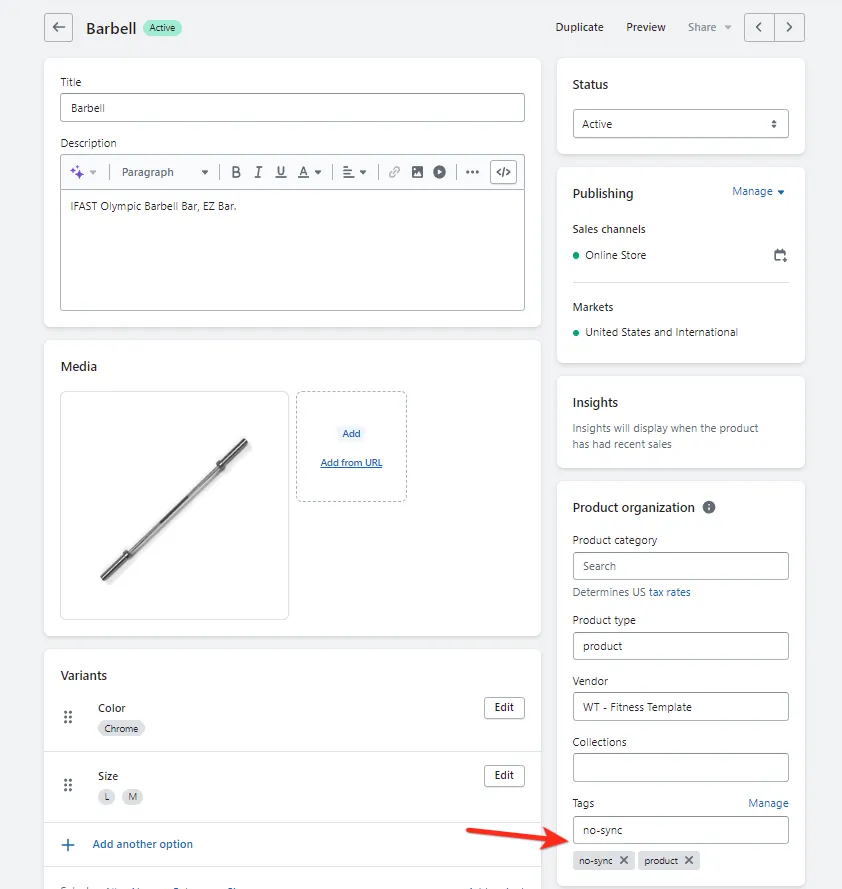
Apply the no-sync tag to products in Shopify to exclude them from syncing to Mindbody during checkout and sales transactions.
Add no-sync to the product tag to have the item skipped. When the no-sync tag is added to a product the item is ignored during the checkout process for Mindbody.
Related docs
Last updated April 27, 2026