CRMConnect: Cliniko → Salesforce (cloned)
Bi-directional sync between Cliniko and Salesforce that syncs client profiles, appointments, visits, memberships, and contracts with matching rules to accurately connect clients across systems.
Version 1.0
CRMConnect: Mindbody → Zoho CRM is a turnkey integration solution between Mindbody and HubSpot. This is a bi-directional sync between Mindbody and HubSpot, giving HubSpot timely visibility over each client's information and behavior, including profile information, purchases, visits, bookings, membership, and contracts.
Mindbody client → HubSpot contact matching rules
Purpose of the matching rules
CRMConnect uses specific rules to match Mindbody clients to HubSpot contacts. The purpose of these rules is to track each client individually in HubSpot.
The main challenge these rules are meant to solve is that clients in Mindbody can have the same email which is not possible in HubSpot. This can happen with the following scenarios:
1. Clients can have multiple profiles in Mindbody.
This can happen with third-party intake form apps or when clients and staff members create separate client profiles.
2. Clients can have separate profiles on multiple Mindbody sites with different client IDs.
This will happen with cross-regional installs of Mindbody where a business has multiple Mindbody site IDs connected and when clients are added across these sites.
3. Members of the same family will have separate client profiles in Mindbody sharing the same email.
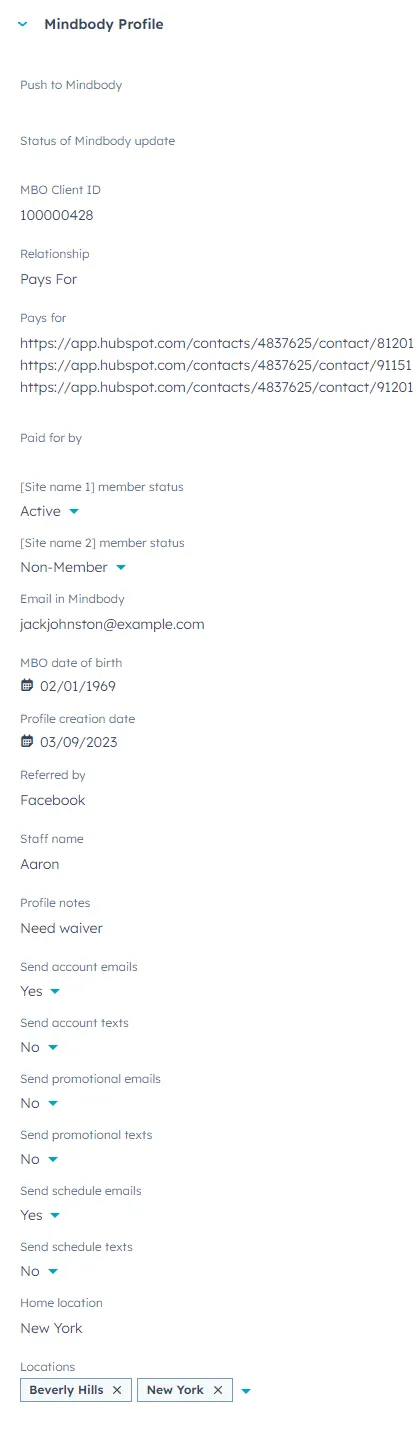
This is a common practice, especially when clients are minors. The CRMConnect matching rules rely on the "Pays For" relationship feature in Mindbody to connect parents and children (or corporations and employees.) Please make sure these "Pays For" relationships are set up in Mindbody in order for CRMConnect to establish these relationships in HubSpot.
Matching rules
Matching Rule 1: Match the Mindbody SiteId~ClientId
When a match is established between a Mindbody client and a HubSpot contact, a combination of the Mindbody SiteID~ClientID is entered in the HubSpot custom property called Site Client ID. This field is used to search for a match first.:

Matching Rule 2: First, last, and email
If no contacts are found with Rule 1, a search is done to match the email, the first name, and the last name.
Once a match is made between a client in Mindbody and a contact in HubSpot using the email, first name, and last name, the link between them is cached by CRMConnect to ensure that future email and name changes in Mindbody are synced with the HubSpot contact.
This rule will connect the Mindbody client to the same HubSpot contact if:
- The client has duplicate profiles in Mindbody
- The client has profiles on separate Mindbody systems (cross-regional)
This rule also ensures that the link isn't broken between the Mindbody client and the HubSpot contact when client profiles are merged in Mindbody to eliminate duplicates (a recommended practice.)
Matching Rule 3: Match if the Mindbody client and HubSpot contact have the same email and an empty "Site~Client Id" custom HubSpot property
If a HubSpot contact is found with an empty "Site~Client ID" property and the same email as the Mindbody client, a match is made.
Matching Rule 4: Relationship: "Pays For" = Company
All clients with the relationship "Pays For" or "Is Paid for by" in Mindbody are added to the same company in HubSpot. The relationship is used to add a HubSpot custom association label between the contact and the company.
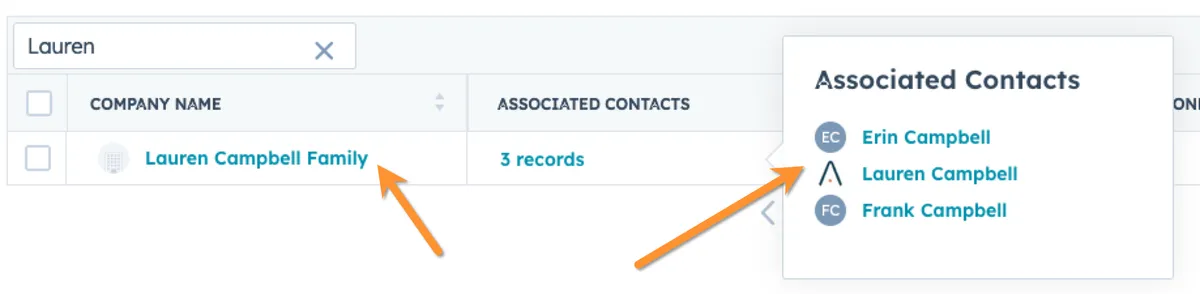
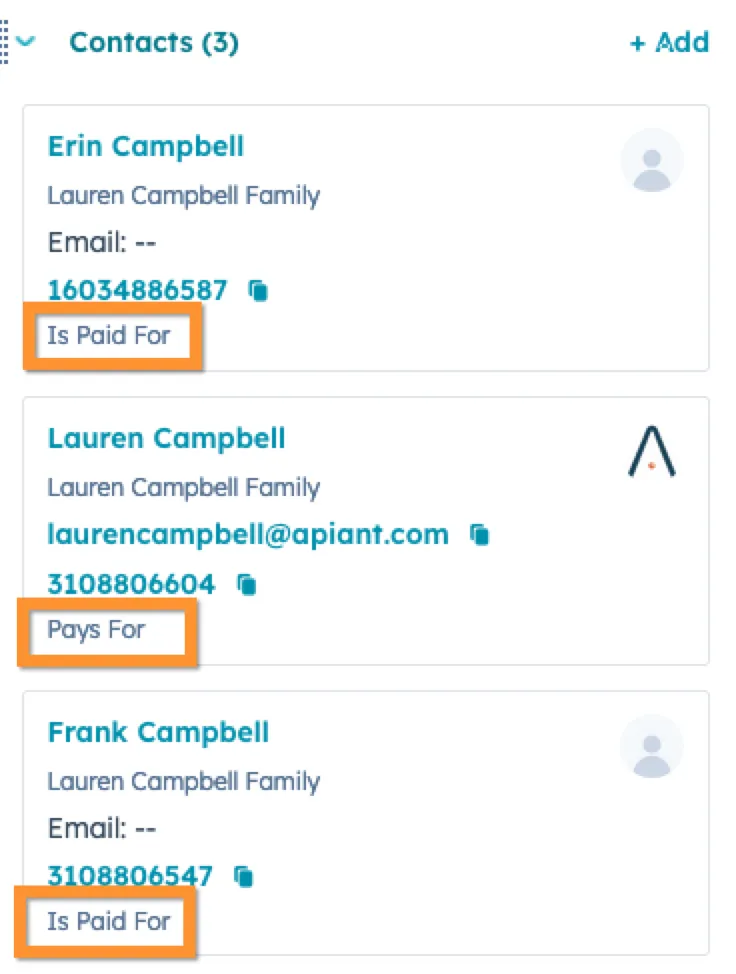
When creating companies in HubSpot the [First name] + [Last name] + "Family" of the client who pays for others is used to name the company, like this: John Smith Family
The word "Family" used in the naming of the company in HubSpot is customizable in the CRMConnect integration settings. For example, it can be changed to "Company" for corporate clients, like this: Acme Company but the "Pays For" relationship should still be used in Mindbody when connecting employees to their company in order for CRMConnect to create the HubSpot company and associate the contacts to that company.
Company-triggered workflows can be used in HubSpot to send automated emails to the contact who pays for other contacts with no emails.
Matching Rule 5: Email is empty if already taken
If the email for a contact is already taken and the First and Last names do not match in HubSpot, the contact is added without an email and the Mindbody email is added to the custom property called "Email in Mindbody".

HubSpot custom left sidebars
Custom properties created by CRMConnect are grouped by topics in custom left sidebars for contacts and deals.
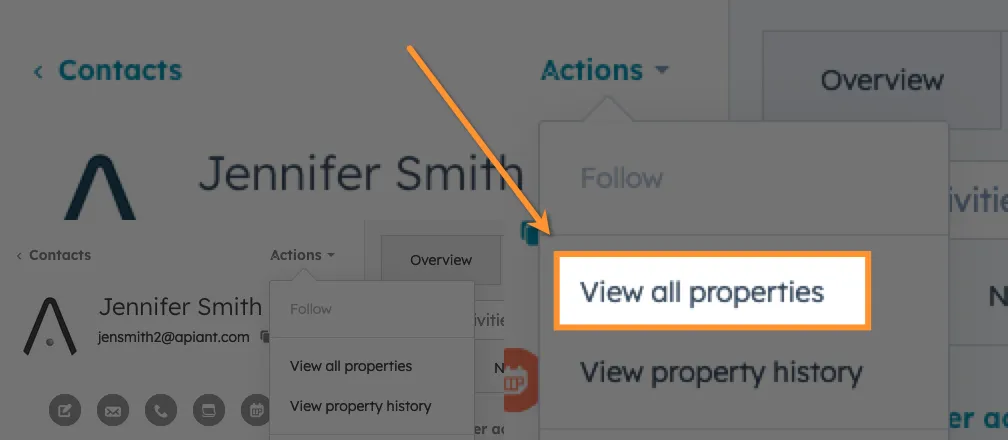
CRMConnect creates and syncs more than 100 custom properties between Mindbody and HubSpot. Not all custom properties created by CRMConnect are added to custom left sidebars. To view all properties created by CRMConnect for contacts and deals, click Actions / View all properties and expand the Mindbody property group.
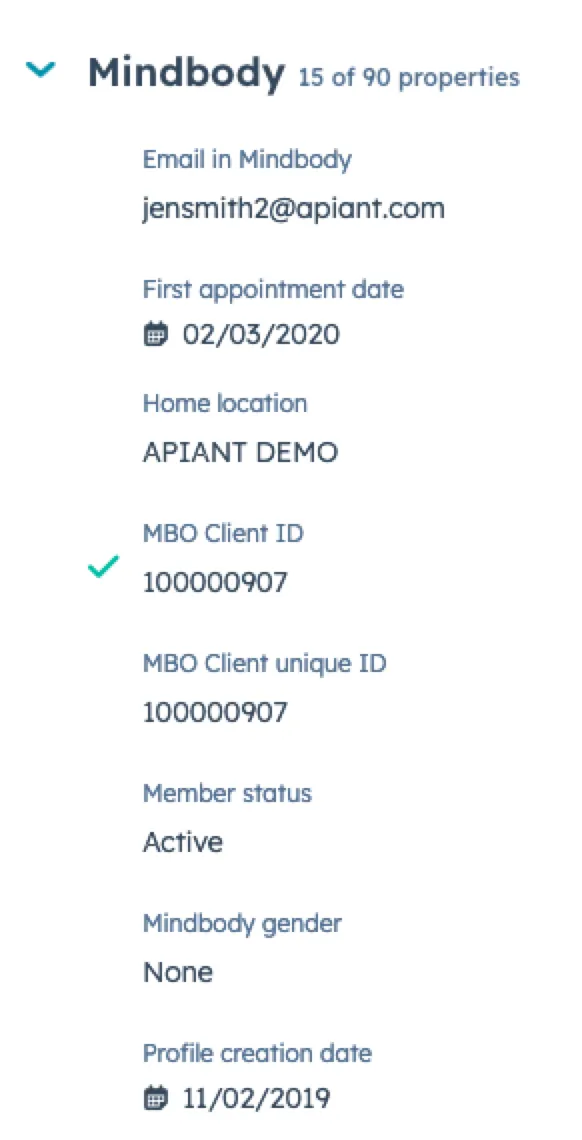
HubSpot Contact record left sidebars
Contact left sidebar: Mindbody Profile