
Update Price for Mindbody Services from Shopify
Synchronize Shopify service prices to Mindbody pricing options automatically every 15 minutes, supporting both individual edits and bulk updates through Shopify's editor.
Overview
When you change the price of a product tagged as a service in Shopify, the corresponding pricing option in Mindbody is updated automatically. This price update process occurs every 15 minutes.
Key Points:
- This functionality is currently limited to pricing options only, and the product must be active in Shopify. (Draft or Archived products are ignored)
- The feature was introduced to provide greater flexibility in managing your prices. You can now control pricing directly from Shopify.
- You can update prices either by editing a single service product or using the bulk editor in Shopify to change multiple prices at once.
- Which products are updated (v4.0 and later): only Shopify products that ShopConnect set up as Mindbody services are updated. These have a SKU in the format
ServiceID_SiteID_Number(for example1234567_493689_1), which ShopConnect creates when it syncs a service. A Shopify product tagged "service" with any other SKU, such as a retail product SKU, is skipped and its price is not sent to Mindbody. - Account Payment items are never updated from Shopify.
- One price per site: Mindbody keeps one price per pricing option for the whole site. If a service is sold at several locations on the same site, keep the price the same on all of its location variants in Shopify. The last change made applies to every location.
Editing a single Service in Shopify
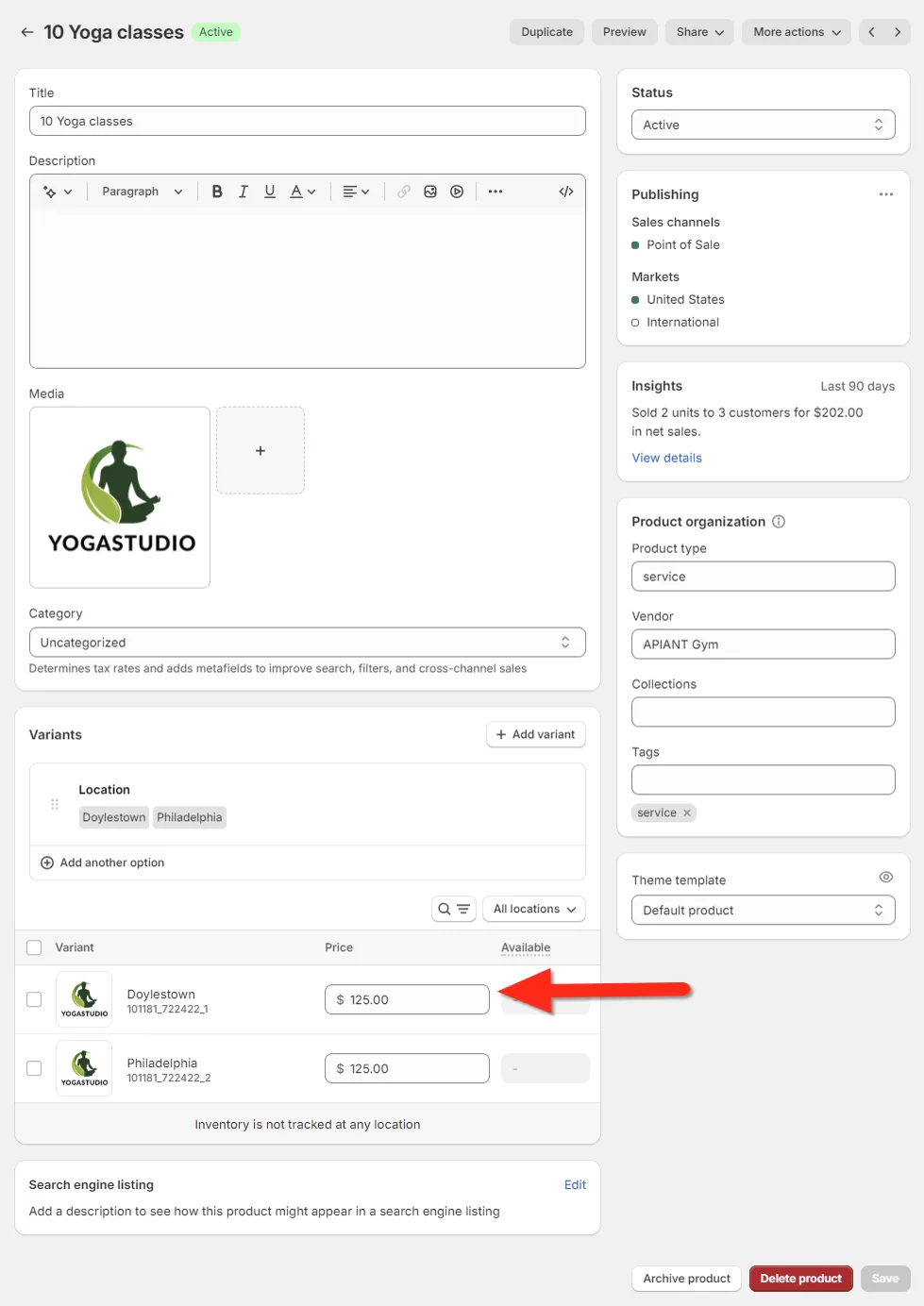
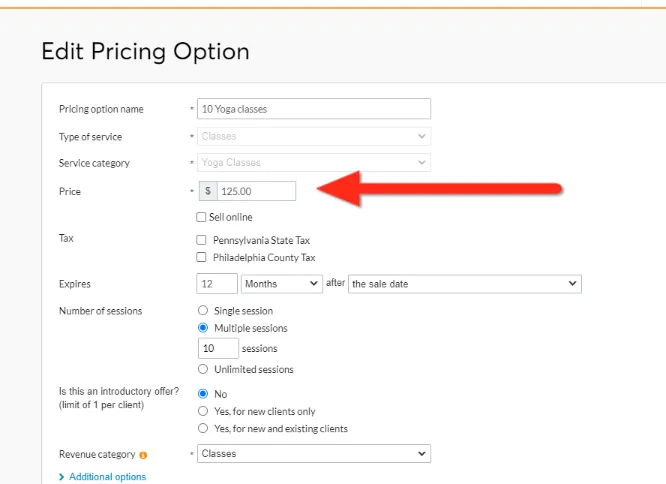
When the sync runs, it will update the individual pricing options in Mindbody based on the changes made in Shopify.
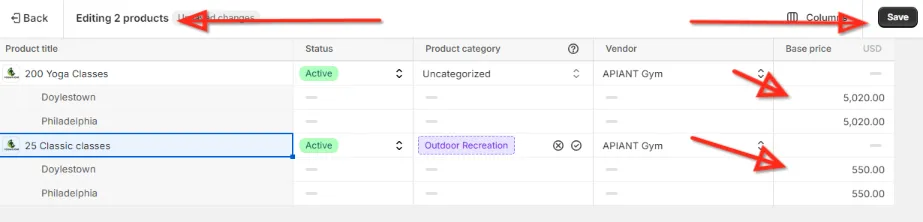
When editing multiple services in Shopify using the Bulk Editor, the corresponding services in Mindbody will also be updated accordingly.

Conclusion
By leveraging this feature, you can efficiently manage and synchronize your service pricing between Shopify and Mindbody. This streamlined process saves time and ensures that your pricing remains consistent across platforms, enhancing both operational efficiency and customer experience.
For any questions or further assistance, please contact our support team at support@apiant.com
Reference:
For more information on managing your Mindbody and Shopify ShopConnect integration settings, visit the ShopConnect support page.