
ShopConnect Error Alert Reporting
ShopConnect error alerts notify you of sync issues between Mindbody and Shopify with detailed problem descriptions and resolution steps sent to your configured admin email address.
Overview
These features are designed to help you quickly identify and resolve issues when syncing data between Mindbody and Shopify. Error alerts will now provide clear descriptions of the problem and actionable steps to fix it, ensuring your operations run smoothly with minimal disruption.
Whenever an issue arises during the sync process between Mindbody and Shopify, an error alert is sent directly to the Admin contact email configured in your ShopConnect integration settings. Each alert will include:
- The Issue: A detailed description of the detected problem.
- Resolution: Suggested actions to correct the issue.
Please note that only one email address can be assigned to receive these alerts. If multiple team members need to be notified, we recommend creating an email alias through your email service, such as shopifyalerts@mydomain.com, which can forward notifications to several addresses, like joe@mydomain.com and sue@mydomain.com.
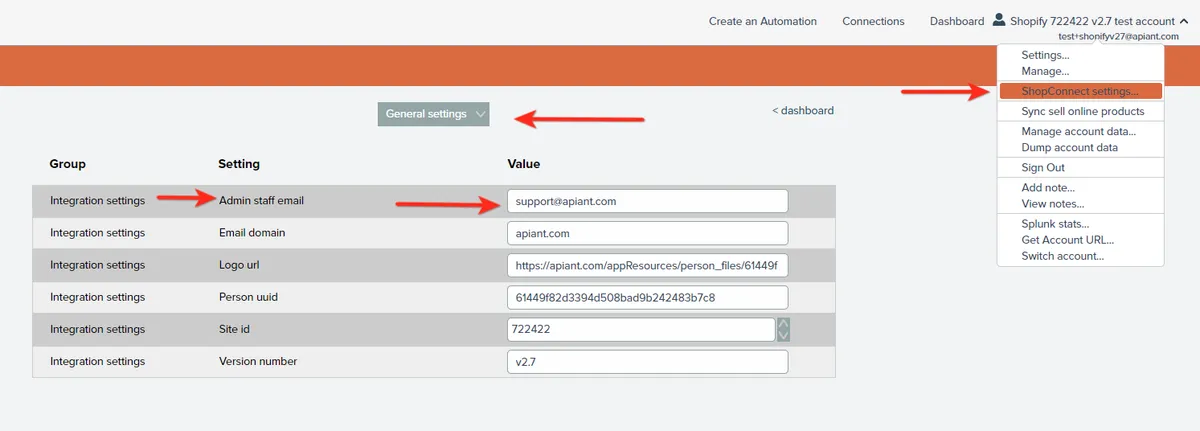
Below are some examples of the types of error messages you might encounter, along with an overview of what they mean and how you can address them.
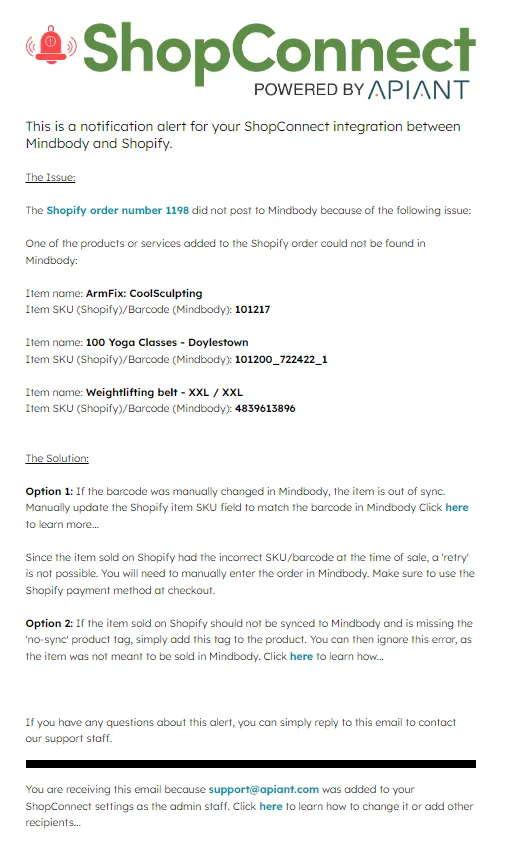
Example 1: Product Sync Limit Reached
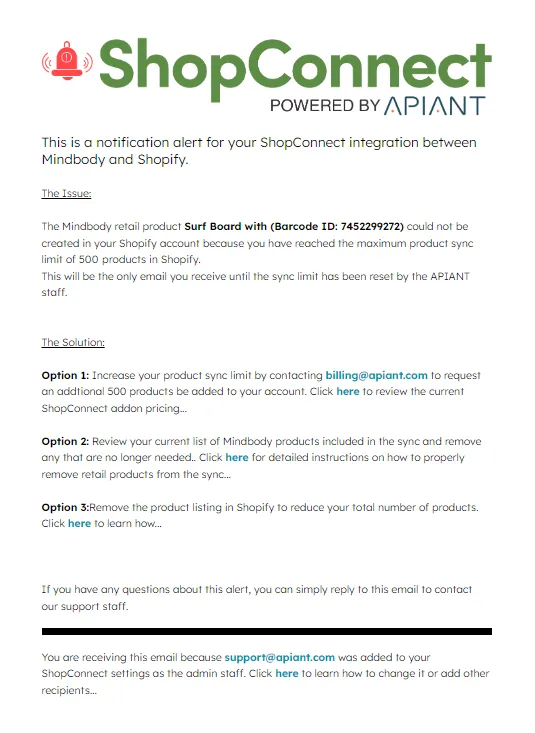
Example 2: Restricted Product or Service Sales
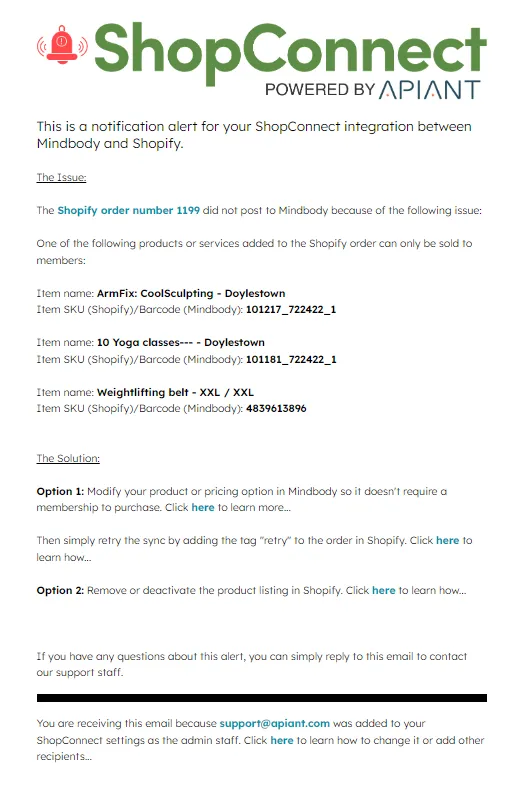
Example 3: Product or Service Not Found
Example 4: Client Matching Error
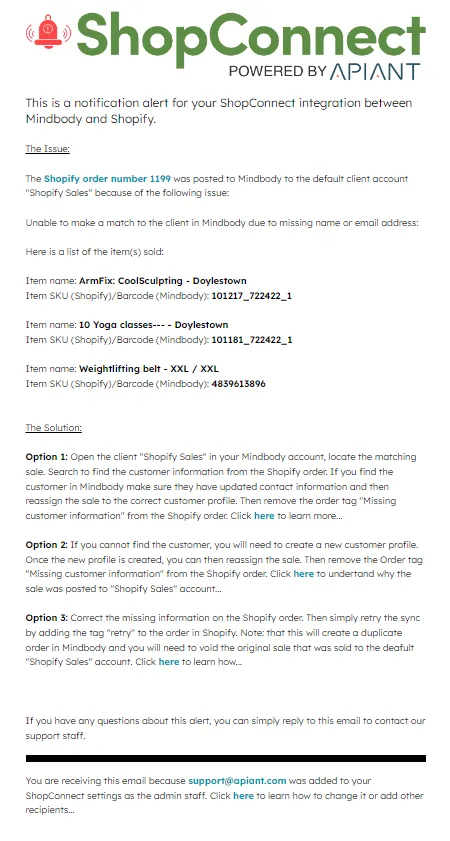
Example 5: Inactive or Discontinued Products/Services
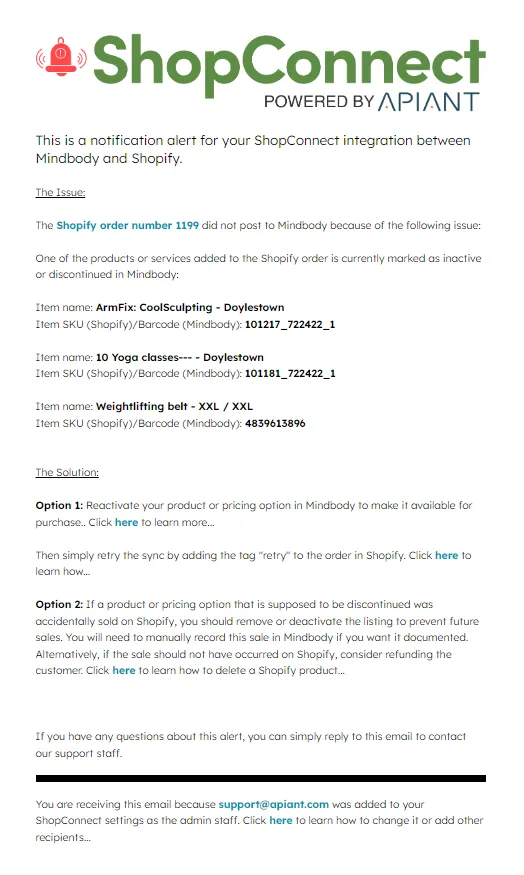
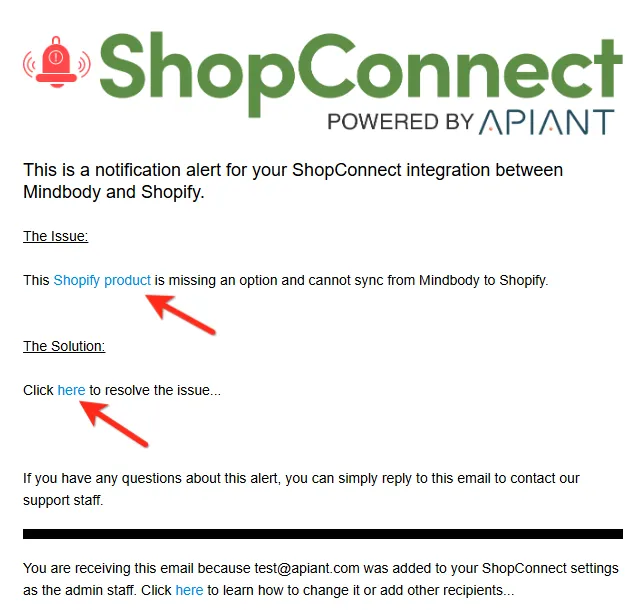
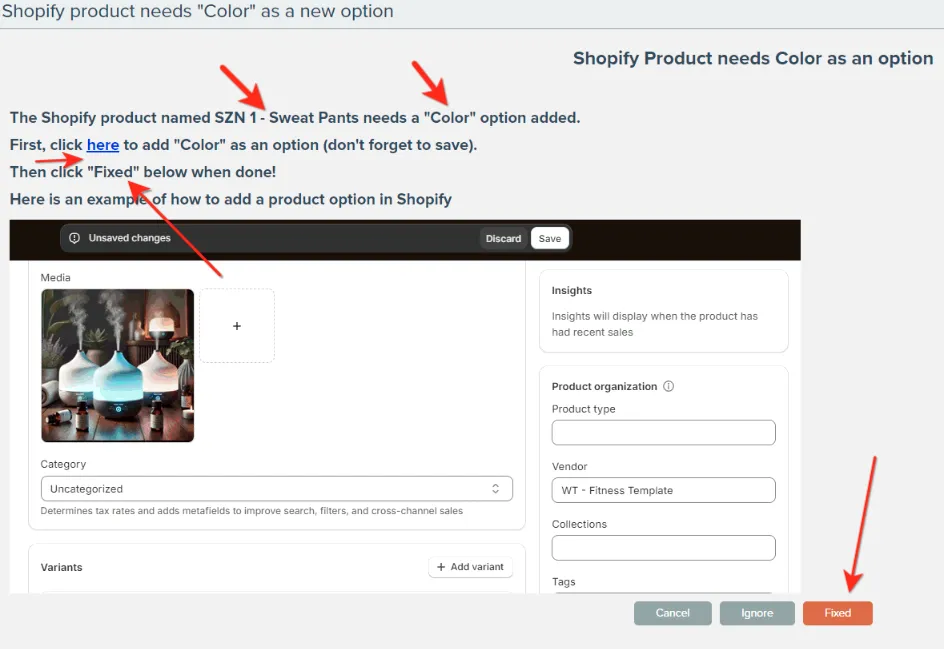
Example 6: Retail Product Variant Not Synced
Conclusion
These error alert features in ShopConnect are designed to streamline the process of identifying and resolving issues during the synchronization of data between Mindbody and Shopify. By providing clear descriptions of the problem and actionable solutions, we aim to minimize disruptions and keep your business running smoothly.
Reference:
For more information on managing your Mindbody and Shopify ShopConnect integration settings, visit the ShopConnect support page.