Shopify Collaborator Access
Collaborator access grants APIANT temporary Shopify store access for integration setup and troubleshooting without sharing owner credentials.
Understanding Collaborator Access:
Before we dive into finding your Shopify Partner Collaborator Code, let's clarify what collaborator access means and why it's essential. Collaborator access allows multiple users to work on a Shopify store simultaneously, streamlining tasks like store setup, design, development, and marketing. Whether you're a Shopify partner, developer, designer, or need assistance from someone else, collaborator access simplifies the process of working together on your store.
Shopify Support article on collaborator permissions. https://help.shopify.com/en/manual/your-account/staff-accounts/collaborator-accounts
Locating Your Shopify Partner Collaborator Code:
To access collaborator features, you'll first need to find your Shopify Partner Collaborator Code. Follow these steps to locate it:
Step 1: Log in to your Shopify admin panel.
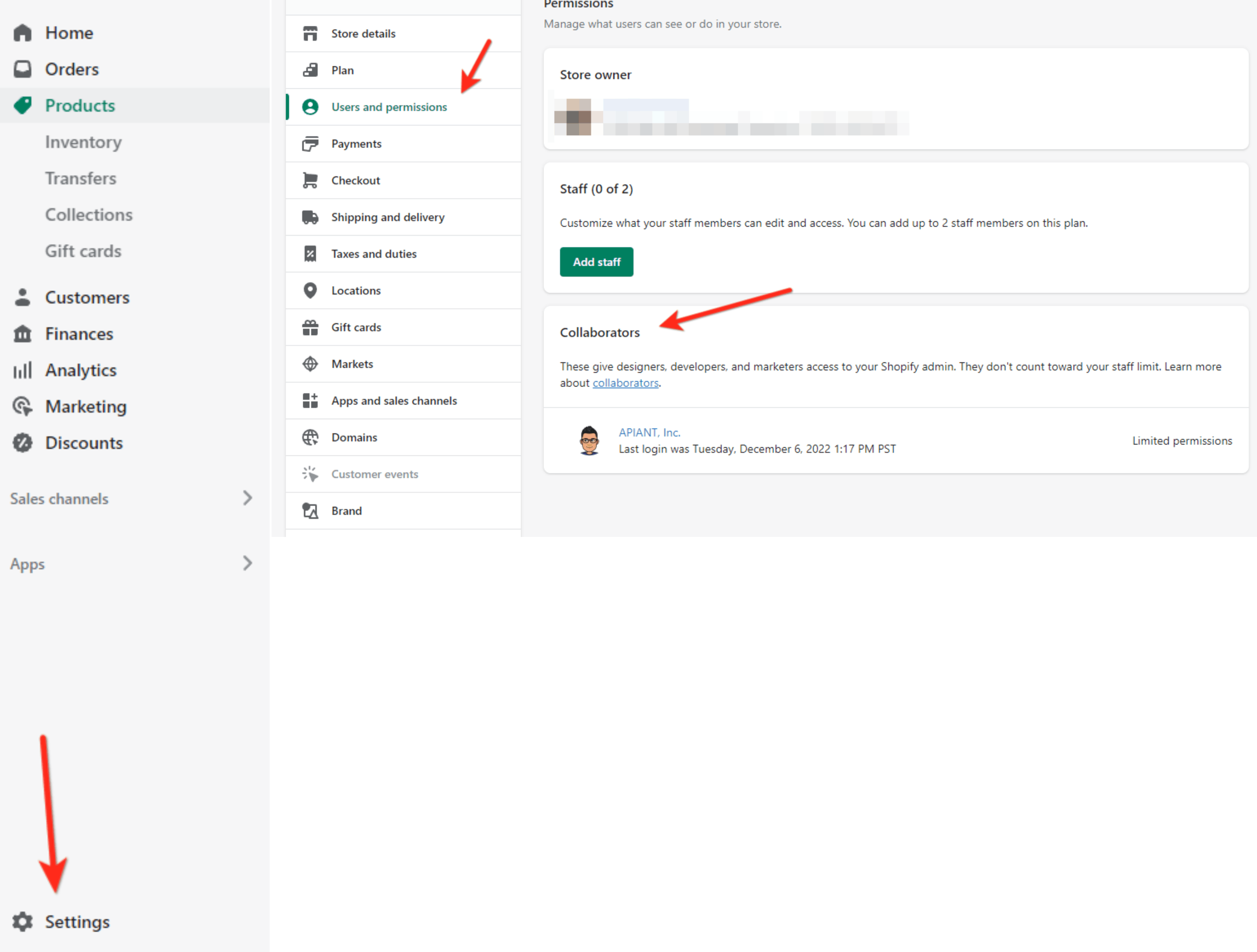
Step 2: In the left-hand sidebar, click on "Settings."
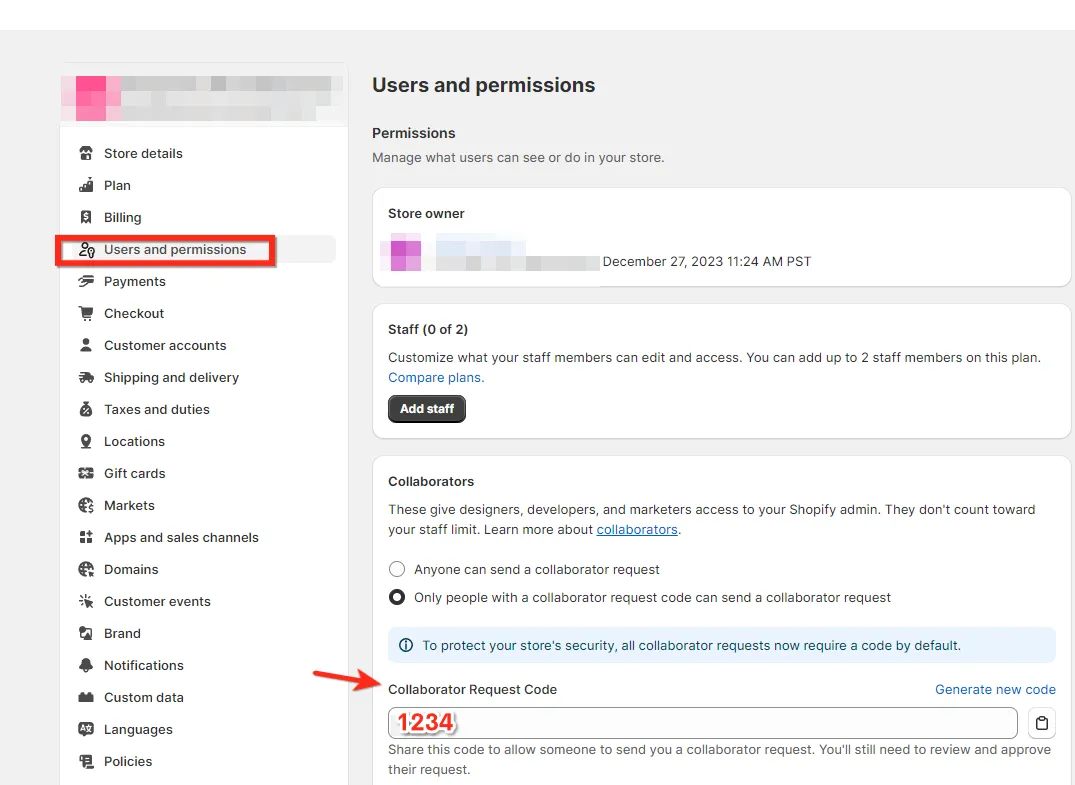
Step 3: Under the "Settings" menu, select "Users"
Step 4: Click "Security".
Step 5: Click the 4-digit code to copy it to your clipboard.
Step 6: Provide the 4-digit code to your collaborator.
- Once APIANT receives the CODE, we will send your store an invite, and your store admin should receive an email from Shopify granting APIANT access to your Shopify account.
- This approval can be found in the Shopify store settings under the Users and Permissions
- Once you approve the request, we will be able to assist with Shopify store settings.