
Automation Alert Reports
Configure how and when APIANT sends you alert reports for automation errors, including frequency settings and recipient email addresses.
How to configure automation alert reports
Automation alert reports can be very helpful. The report lets you know when something could be wrong in an automation in your account.
The emailed alert report has direct links to any error alerts. When you open those links, the individual errors can be retried.
To change when you receive the error alert reports, access your APIANT account here
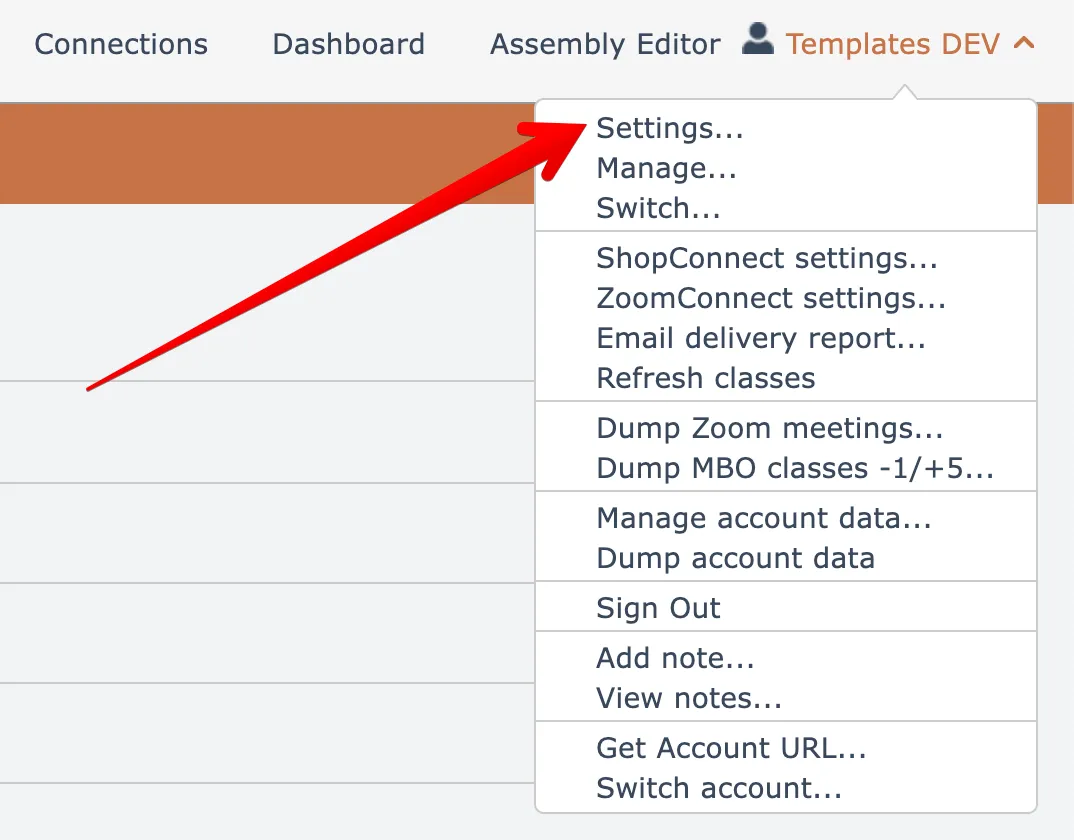
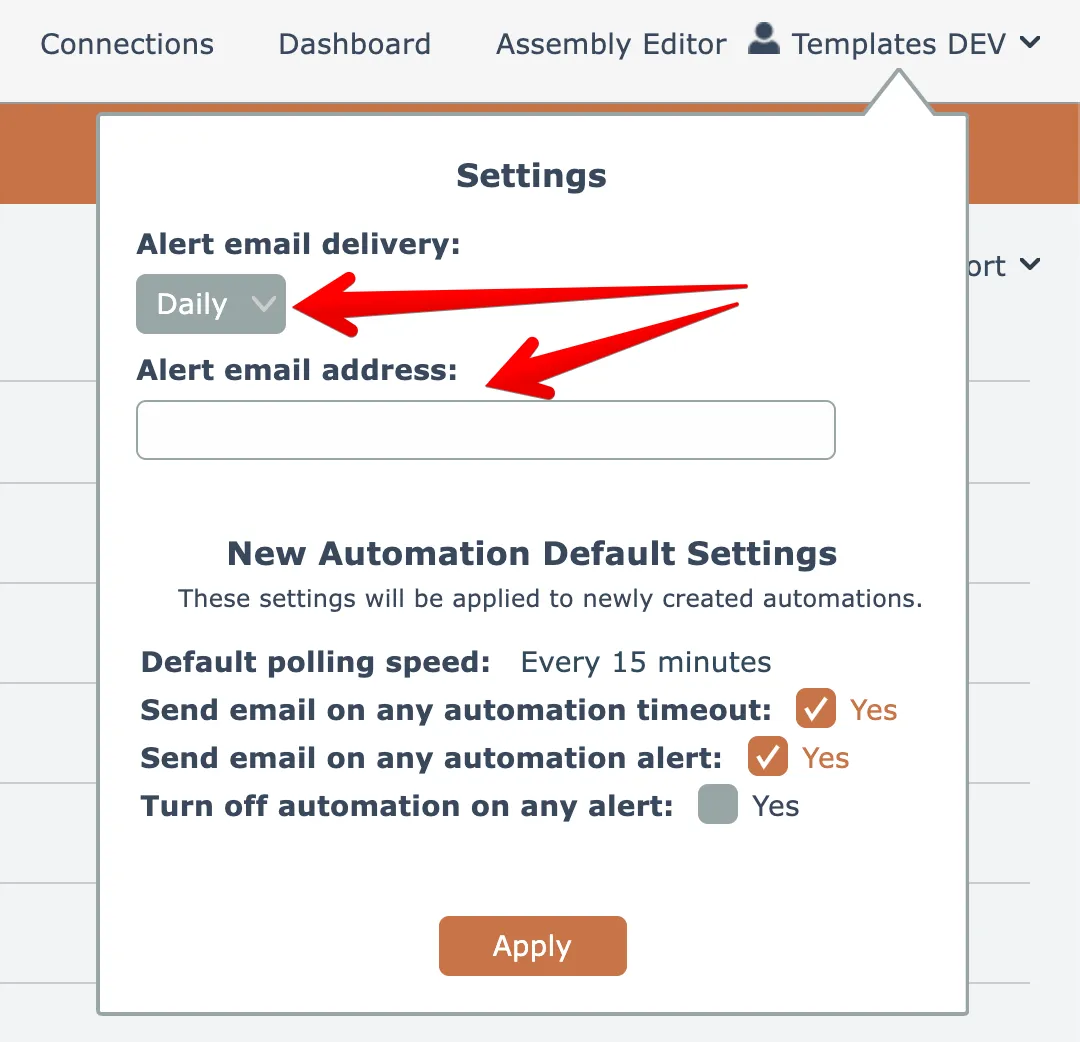
The default settings are to send a single alert report daily to the default email address in your APIANT account, as indicated by an empty alert email address field:
You can choose to send the alert report more frequently, if desired:
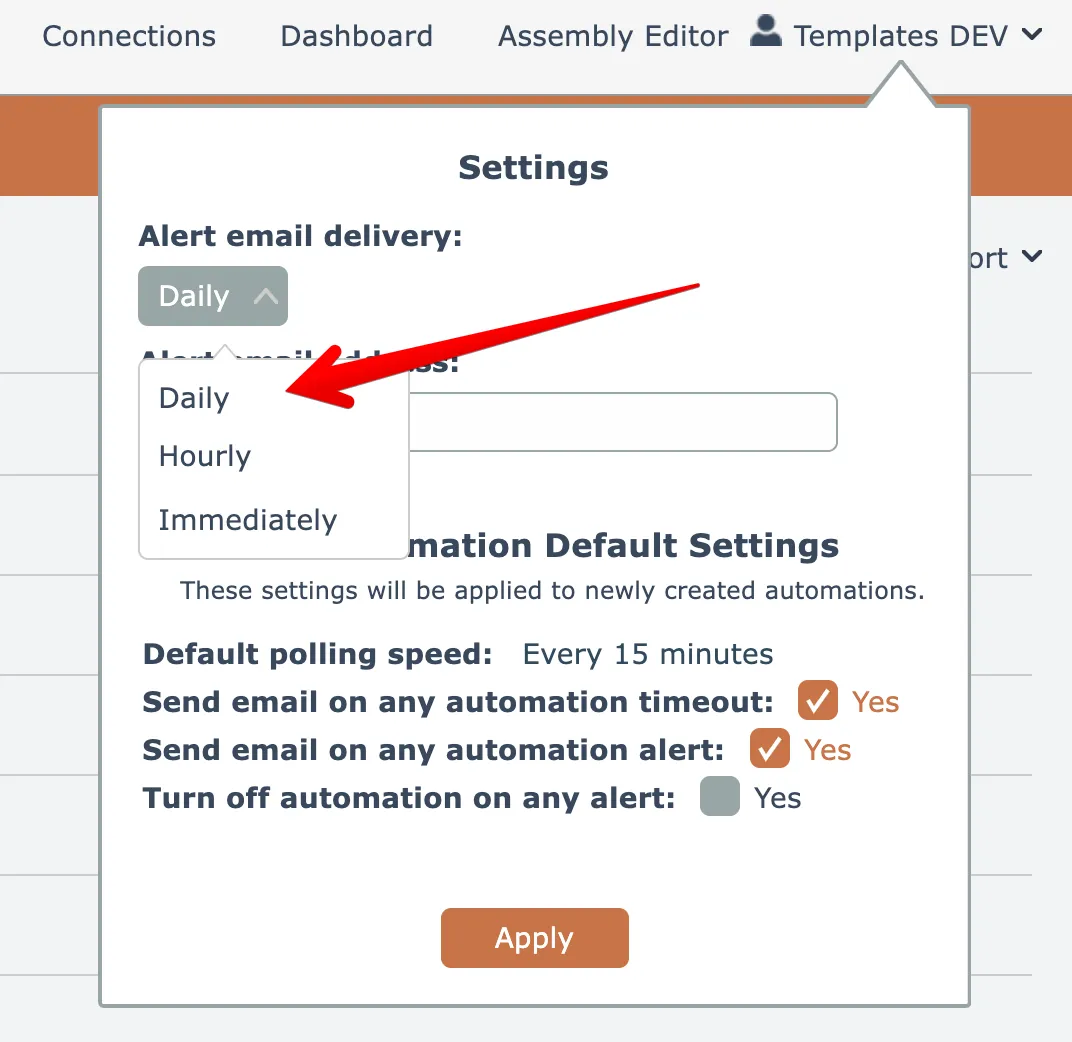
Changing your settings to have the alerts sent immediately will allow you to receive any alerts as soon as possible and retry them right away so that the automation can complete its processing. The downside is that you may receive too many email alerts, depending on issues with the MINDBODY or Shopify API's.
You can also choose to send the alert report emails to one or more email addresses other than your APIANT account's email address:
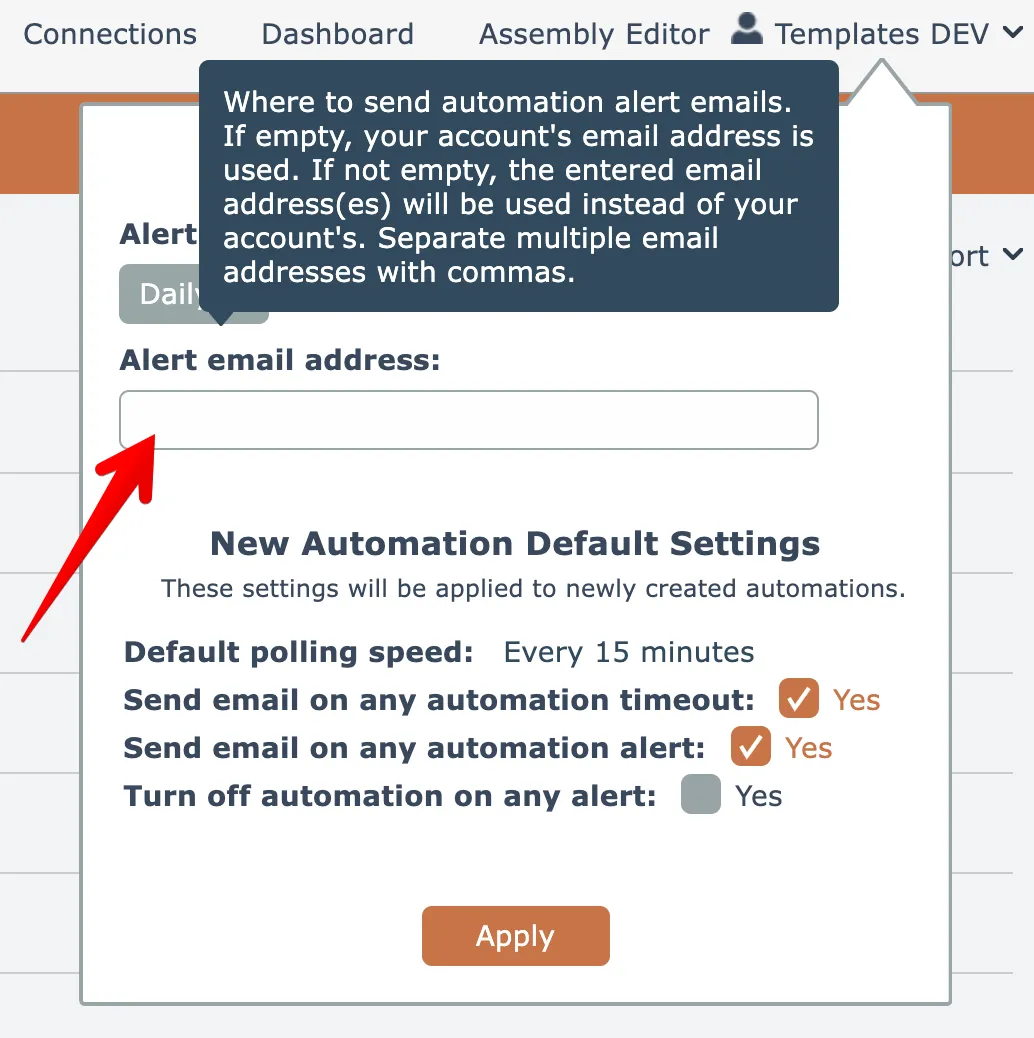
Separate multiple email addresses with commas.