
Email Customization - Version 3
Customize email text sent to clients and instructors in ZoomConnect Settings using the email custom text editor with instant save functionality for versions 3.03 and 3.5.
This article is only for version 3.03 and 3.5
Customize emails sent to clients and instructors
The emails sent to your clients and instructors can be customized:

Step 1:
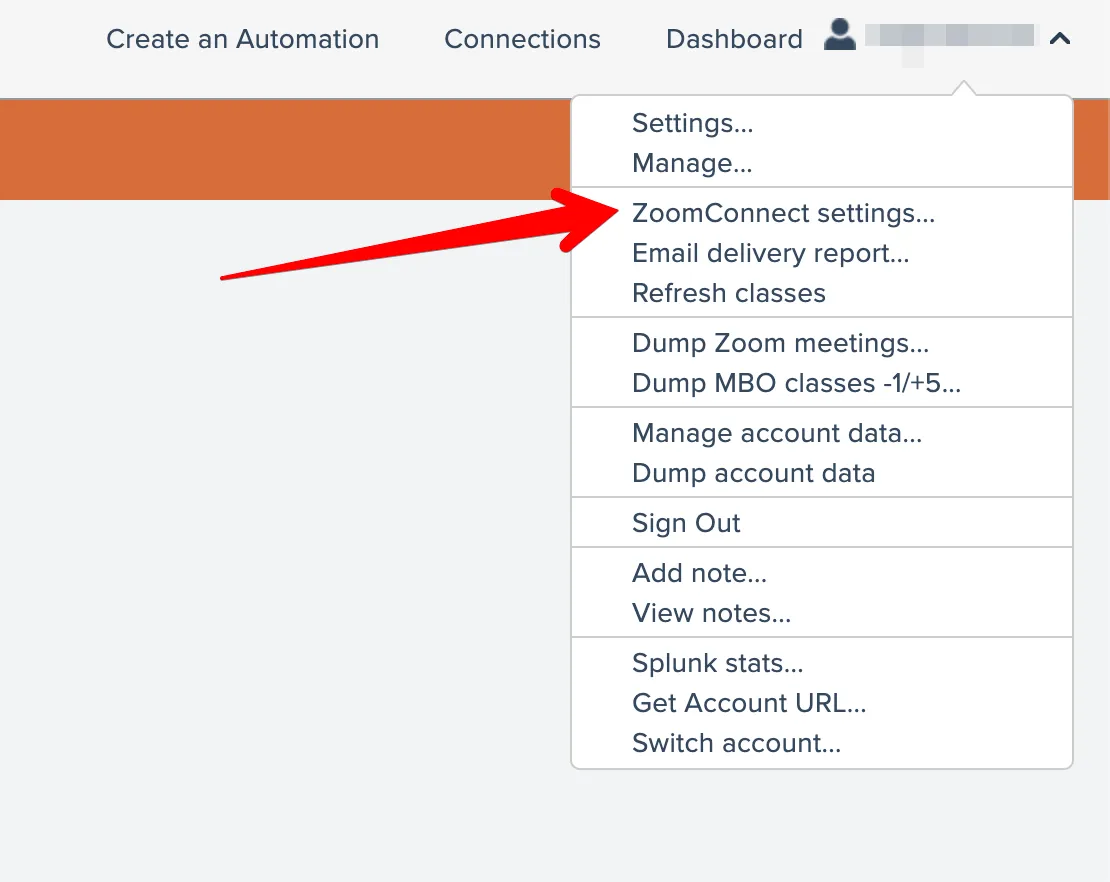
Access your account and go to the "ZoomConnect Settings" option in the main menu.
Step 2:
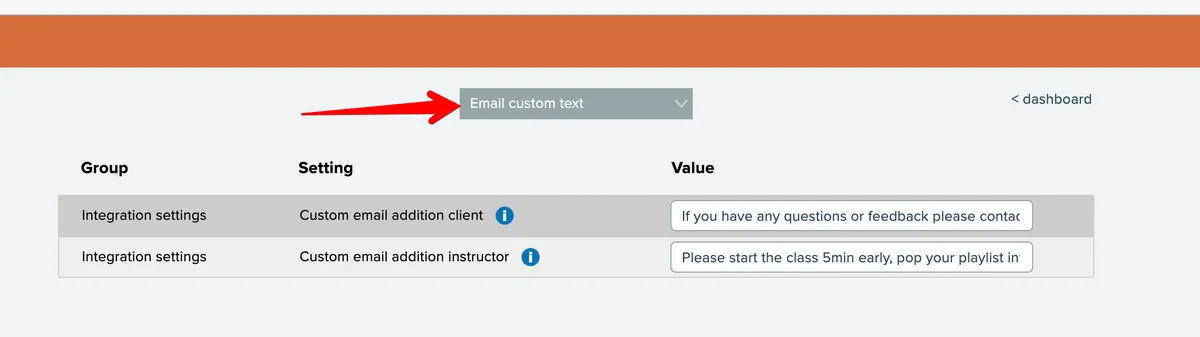
Select the "email custom text" section from the dropdown at the top:
Step 3:
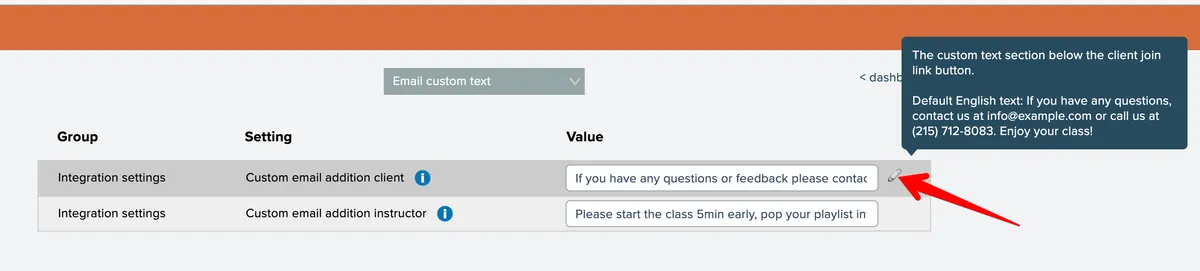
Click the pencil icon next to the text you want to edit:
Step 4:
Once the editor is open you can click on the "Wrap Lines" option so that all the text is viewable.
Step 5:
Edit your TEXT and click Update. This is an instant save. If you make a mistake just edit and click Update again.

Step 5:
Edit your TEXT and click Update. This is an instant save. If you make a mistake just edit and click Update again.
This change is is effective immediately and will be used for any new emails moving forward. This will not update any emails that were previously sent to the clients.