
Settings
Configure your ZoomConnect account settings across multiple categories, including general preferences and system options. Changes take effect immediately without preserving previous values.
ZoomConnect's functionality is controlled via an extensive number of settings. These settings are initially configured when you signed up for a new account and were onboarded.
You may adjust your settings at any time by editing their values. Be careful, however, because the system doesn't remember the previous values!
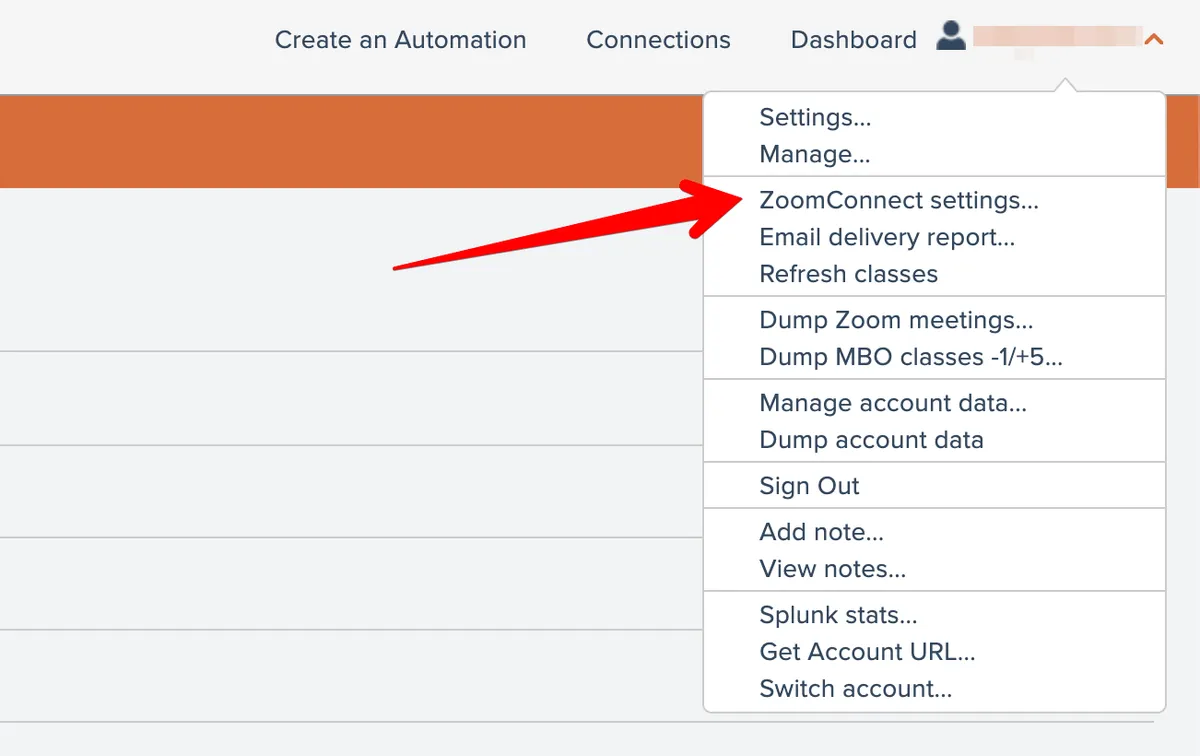
You can access your settings via your Account menu at the top right, by choosing the ZoomConnect Settings menu option here:
Settings are broken into broad categories. You can view the settings for a certain category by choosing a category from the dropdown at the top of the screen:
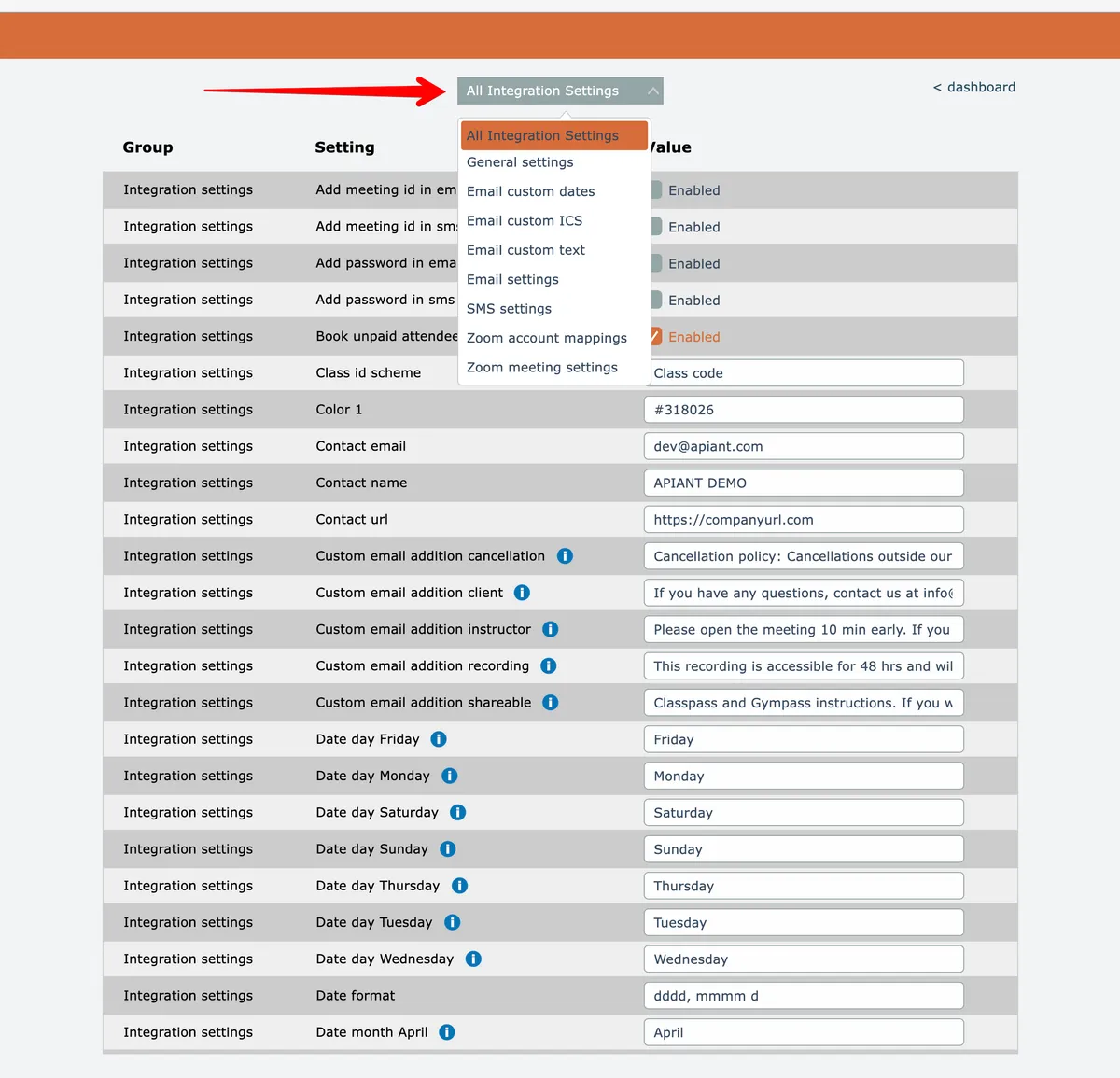
Each setting generally has a tooltip describing the setting's functionality that appears when the setting is moused over. Also, some settings have a blue information icon that can be clicked to open a new browser tab with more detailed information about the setting.
In this section
Email & SMS
Configure email and SMS channels, set up delivery credentials, manage templates, and establish communication settings across your APIANT integration workflows.
Reference Table
Complete reference guide for APIANT integration settings including general configuration options like class booking behavior, color customization, contact information, date formatting, and other platform parameters.