
Rate Limits
Enforce request throttling across automations using named rate limiters with configurable scope levels, from single automation to entire tenant system.
Automations can enforce their own rate limit rules via a rate limiter system action. Automation rate limiters can be enforced at varying scope levels, including across multiple accounts.
Individual actions can have a per-account rate limit throttle defined as described here: Action Assemblies
Automation rate limiters are stored in the server(s) memory. Before they can be invoked, they must first be created via the System app's "Rate limiter: create or update" action:
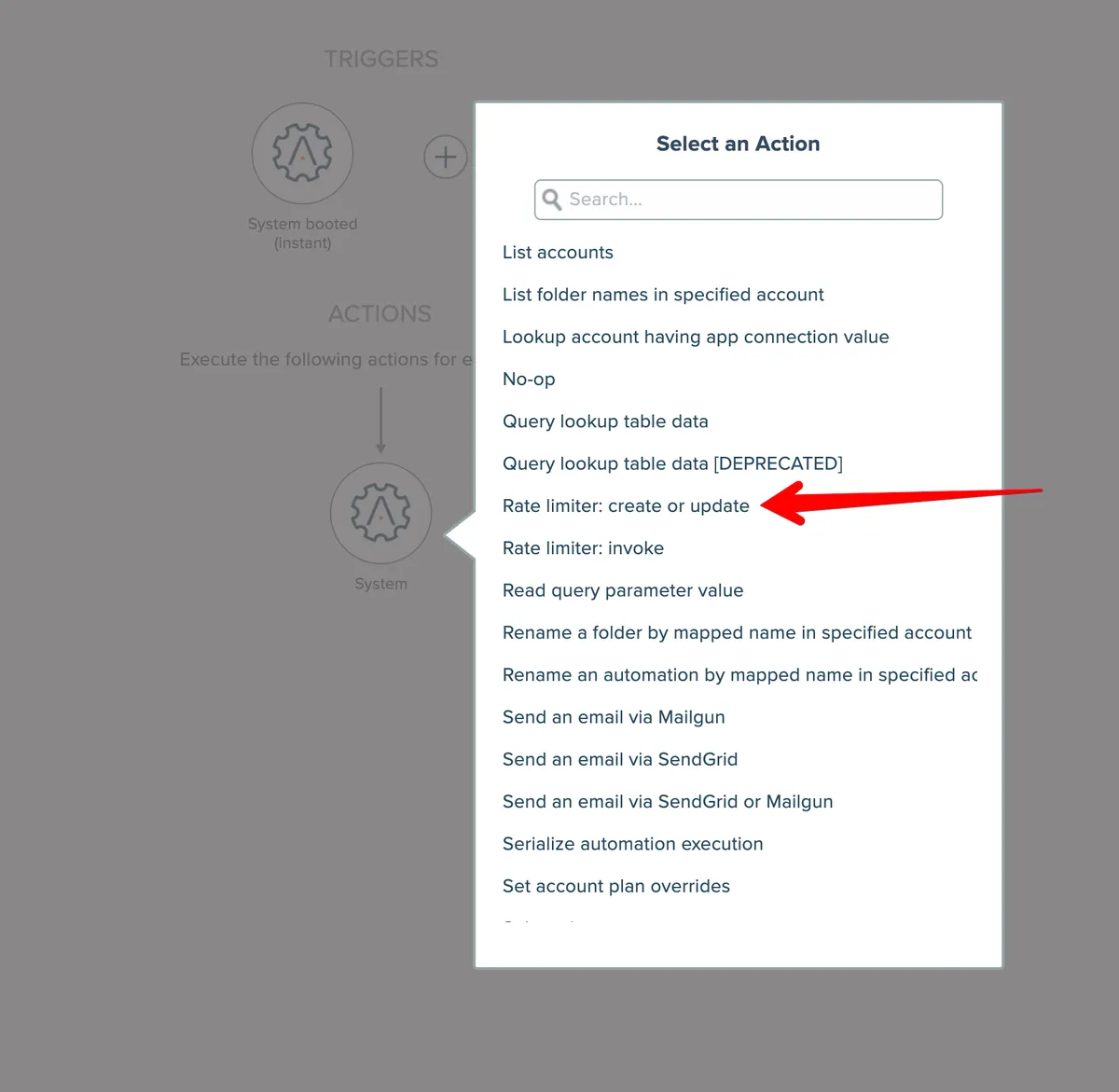
The typical approach (except when a single automation's scope is used) is to build two automations, one with a System app's "System booted (instant)" trigger and another with the System app's "No-op" trigger. Since a developer typically cannot reboot the server at-will to trigger the system booted trigger, the no-op trigger automation can be run manually as needed to create and update the rate limiter.
Rate limiters are specified by name and a scope:
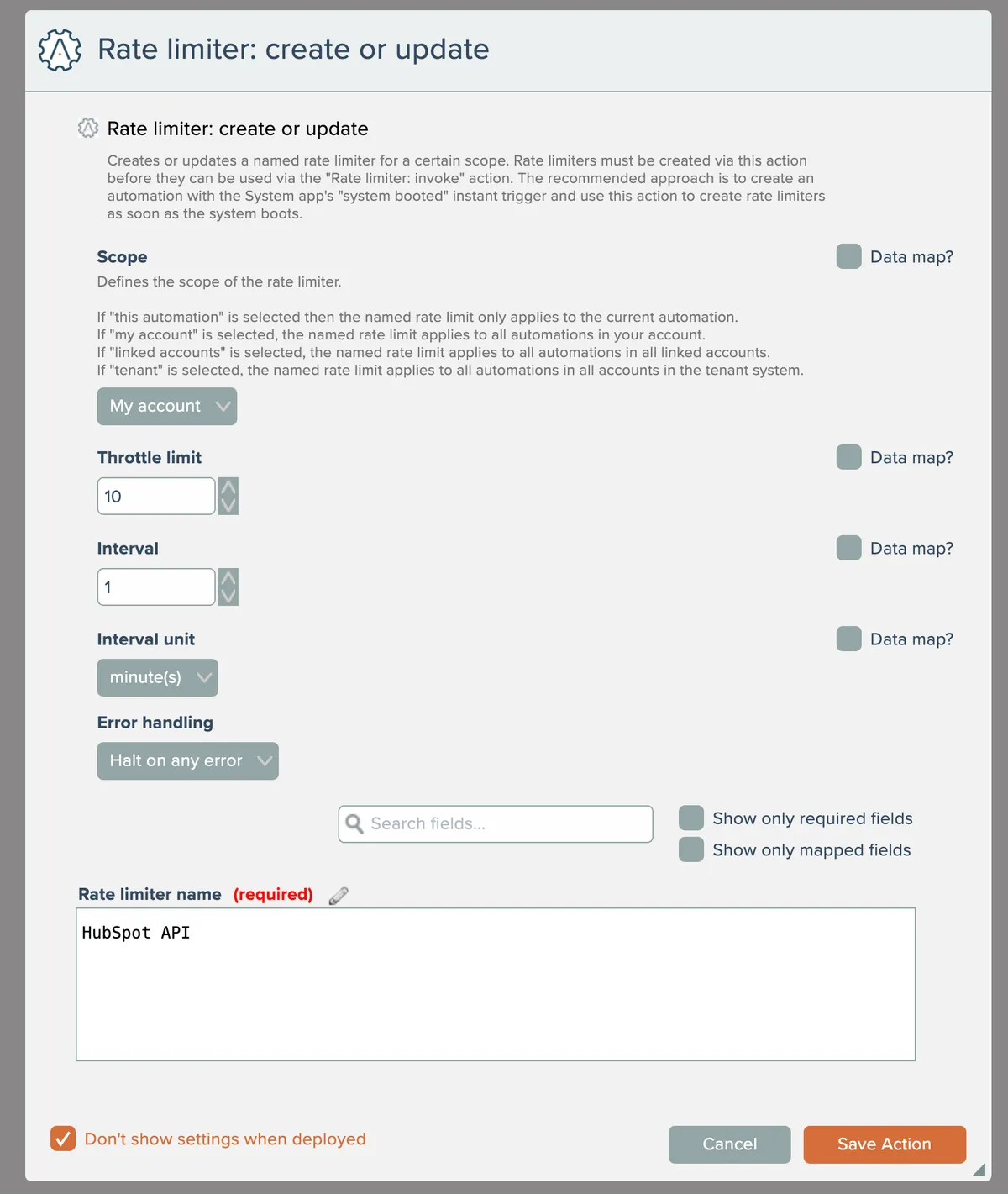
The scope allows the rate limiter to be accessible among the following:
- The current automation
- All automations in the account
- All automations in all linked accounts
- All automations in the entire tenant system
Note that when "this automation" is used as the scope, then there is no need to have separate automations to create/update the rate limiter. The typical approach is to place the "Rate limiter: create or update" action as the first action in the automation.
With the rate limiter defined, it can then be used in one or more automations (depending on the configured scope), typically before actions that make API calls:

The "Rate limiter: invoke" action is configured with a scope and name that selects the rate limiter previously created with the "Rate limiter: create or update" action:
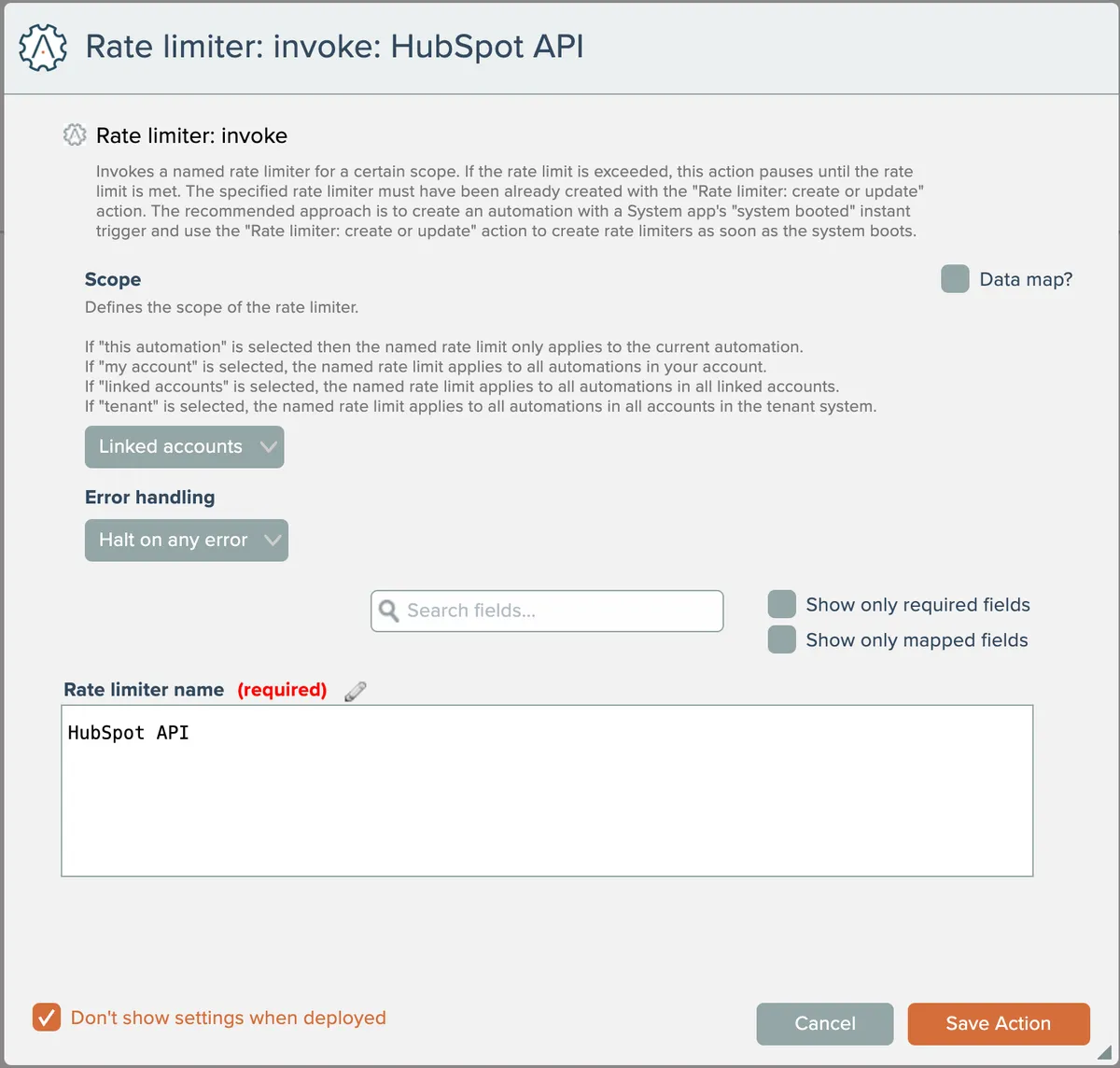
The "Rate limiter: invoke" action pauses as needed in order to not exceed the defined rate limit throttle. A runtime error occurs if the rate limiter does not exist.