
App Connections
Configure encrypted credentials for third-party APIs and services that your automations interact with, supporting multiple named connections per app.
Most automations make use of API's to other systems to send and receive data. The systems may require you to enter information like a username and password in order that the APIANT system can send and receive data to those other systems.
The APIANT system stores the connection information encrypted in the system's database.
The Connections menu at top right lets you access and manage all of your app connections:

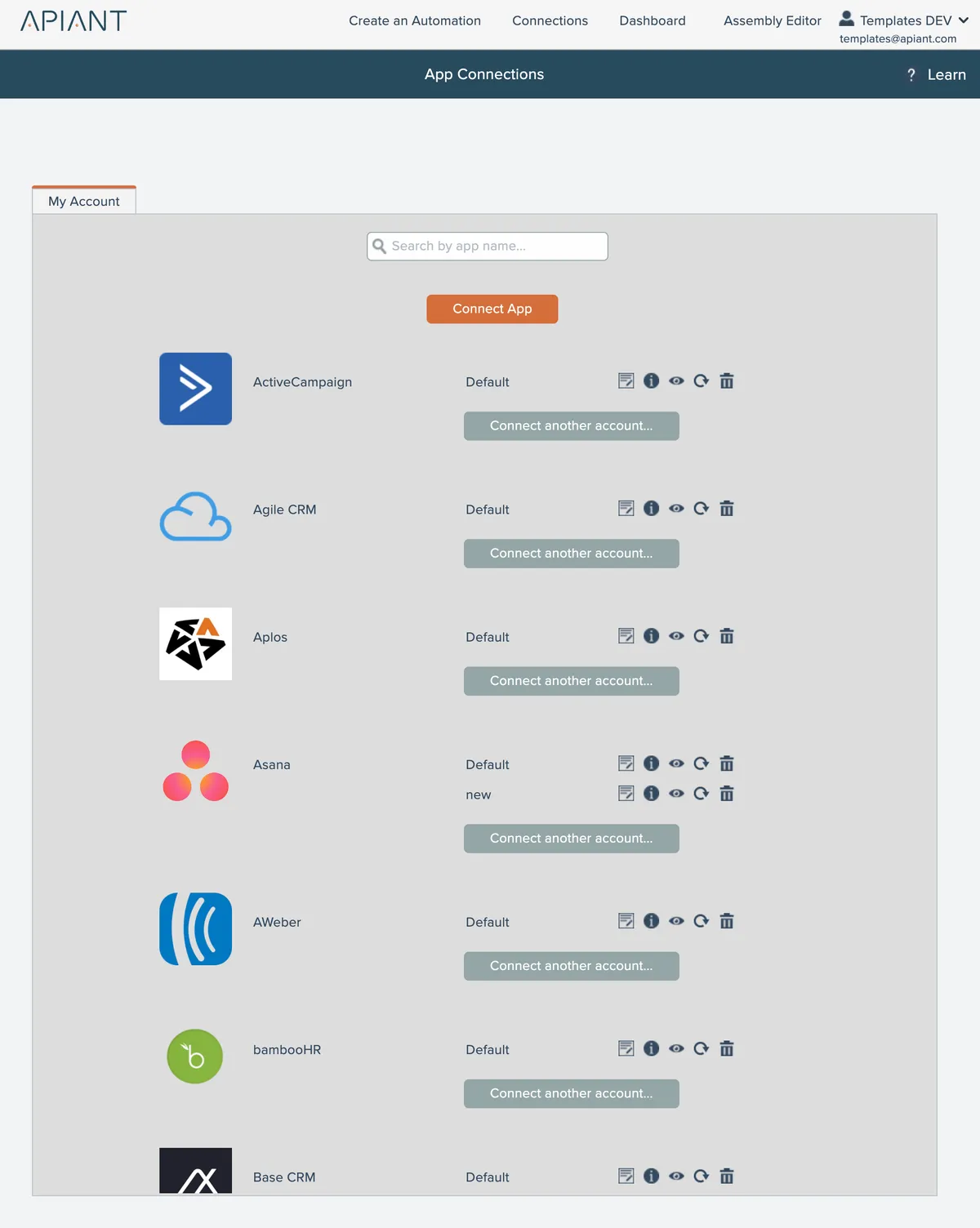
Each app may have more than one named connection. The first connected account is always named "Default".
In this section
Adding an app connection
Steps for establishing new app connections in APIANT through the editor or Connections screen, including creating default connections and adding multiple accounts per app.
Disconnecting an app account
Removing connected app accounts and the impact on active automations linked to those accounts.
Editing connection notes
Add custom notes to app connections for storing reference information and reminders about how each integration is configured.
Finding a connected app
Easily find a specific app from your list of connected apps by using the real-time search feature. Quickly search by app name and locate the app you need with ease.
Listing automations using connection
View all automations that depend on a specific connection by clicking the eye icon in the connection details panel.
Rate limits
API connections enforce limits on how frequently calls can be made to external services. Administrators can override default limits per connection to accommodate higher tier API plans or custom agreements.
Reconnecting an account
Reestablish connections to third-party accounts that have expired or lost synchronization with the APIANT platform using the reconnection tool.
Sharing connections with linked child accounts
Parent accounts can share connections with all linked child accounts by enabling a sharing option when viewing each connection's details.
Viewing connection info
Retrieve unencrypted connection details through the information icon, requiring password verification to view sensitive data for troubleshooting purposes.
Viewing shared connections
Access and view app connections shared from parent accounts or system setup accounts through dedicated tabs in your connections interface.