
Two-Way Sync
Bidirectional synchronization between systems using specialized triggers and actions that prevent infinite loops by tracking unique row identifiers and mapping data fields between applications.
Two-way sync (or bidirectional sync) is when changes are mirrored between two systems. Traditional triggers and actions cannot accomplish two-way sync because they would result in an infinite loop.
For example, when a new item is added in System A, automation #1 would then add the item in System B. But then an automation #2 that monitors System B for new items would be triggered and the same item would be added to System A, which again triggers automation #1 b/c it is watching System A for new items.
The system makes it possible to build two-way sync automations that avoid infinite loops:
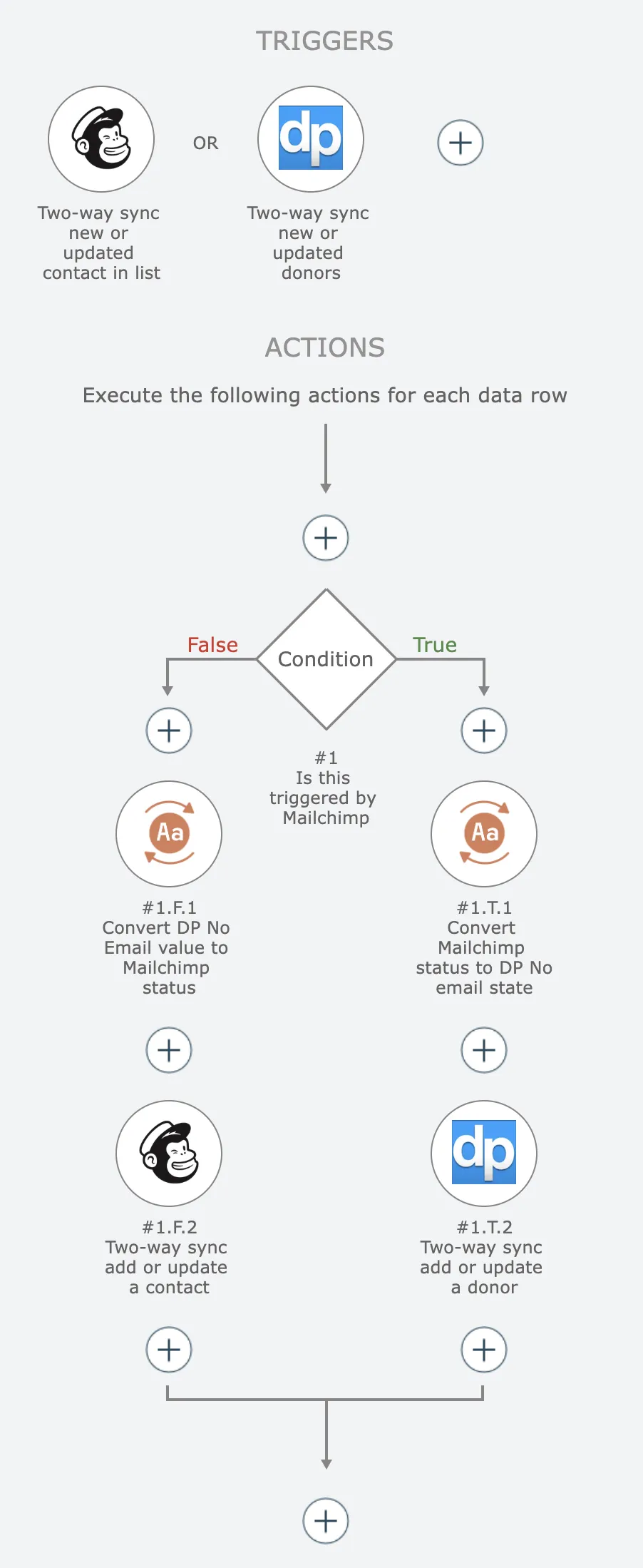
Each action maps data fields from the other app's trigger.
Data transforms are commonly needed to translate values from one app to the other.
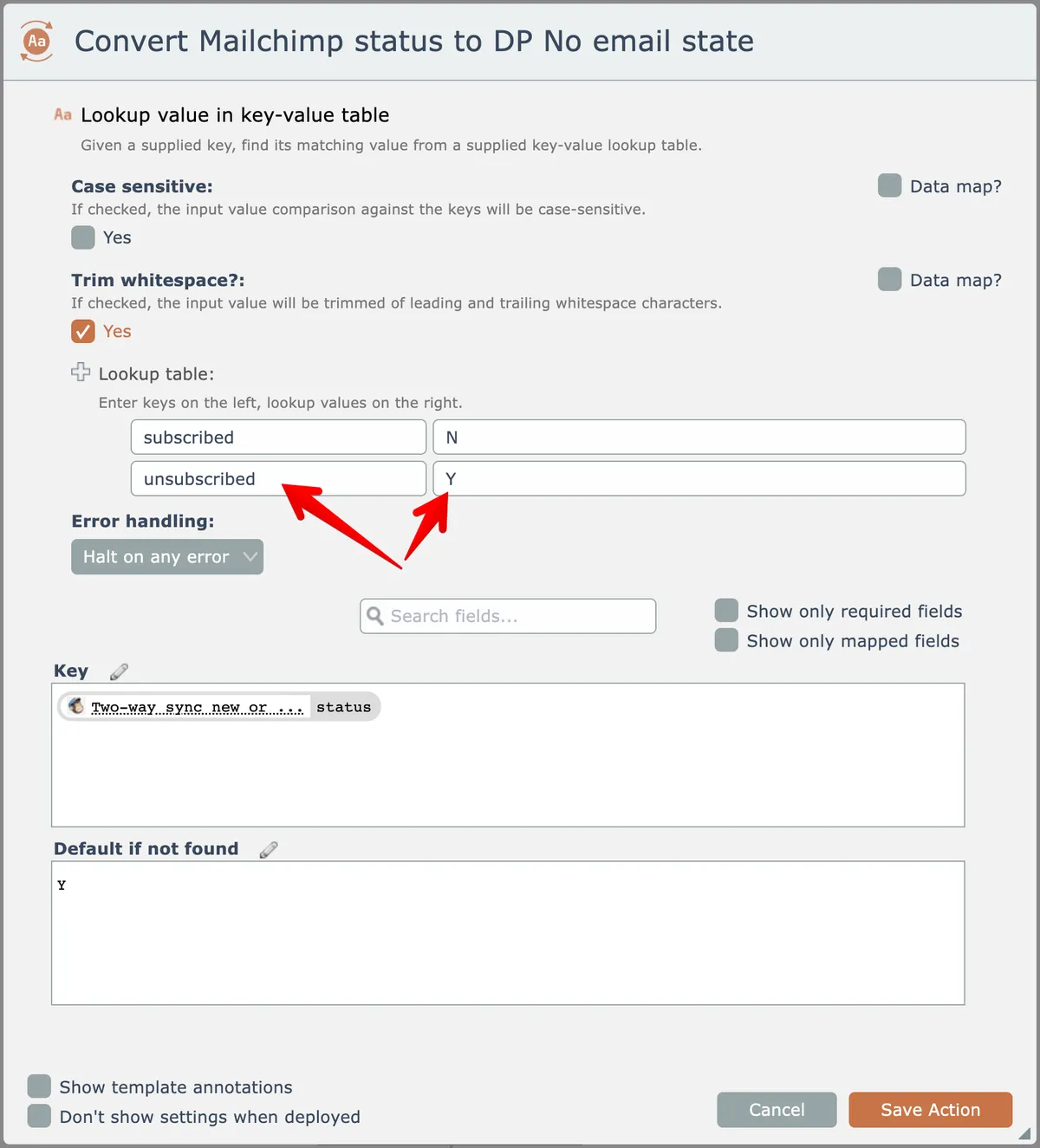
In cases where a list of values needs to be mapped between the apps, the Transform Text app's "lookup value in key-value table" action can be used.
In the example below, Mailchimp statuses of "subscribed" and "unsubscribed" are converted into "N" and "Y" values needed for DonorPerfect's "no email" state:
The system's two-way sync functionality does not handle the merging of conflicts if a synced record is updated at the same time in both systems.
When this happens, the automation will end up only making one of the changes.
Two-Way Sync Triggers
Two-way sync triggers must use the Trigger Two-Way Sync module instead of the Trigger – Emit New Items module:
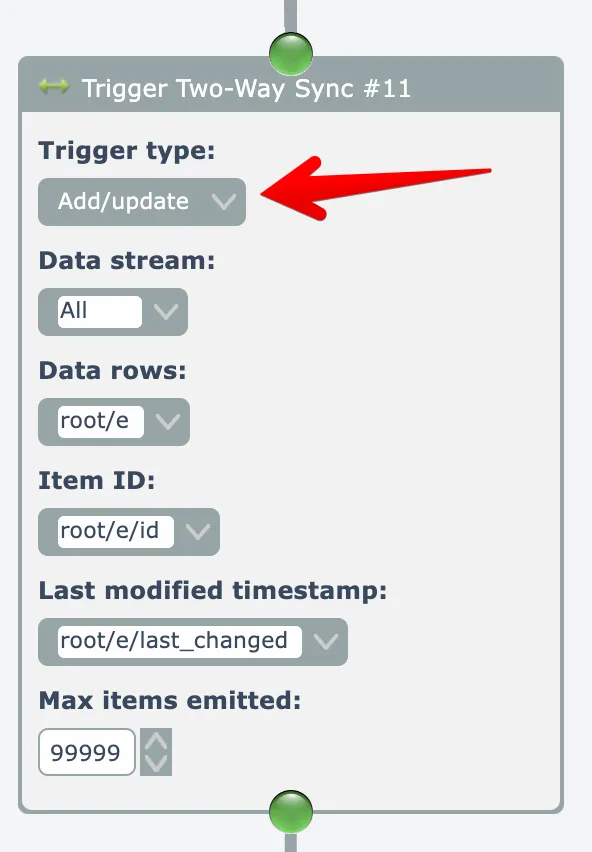
This module can be used in both polling triggers and in webhook triggers. Be sure to set the Trigger Type at the top of the module appropriately.
The Trigger Two-Way Sync module adds a node to each emitted data time named "two_way_sync_trigger_unique_row_id". This data node must be selected as the unique row identifier in the Trigger module:
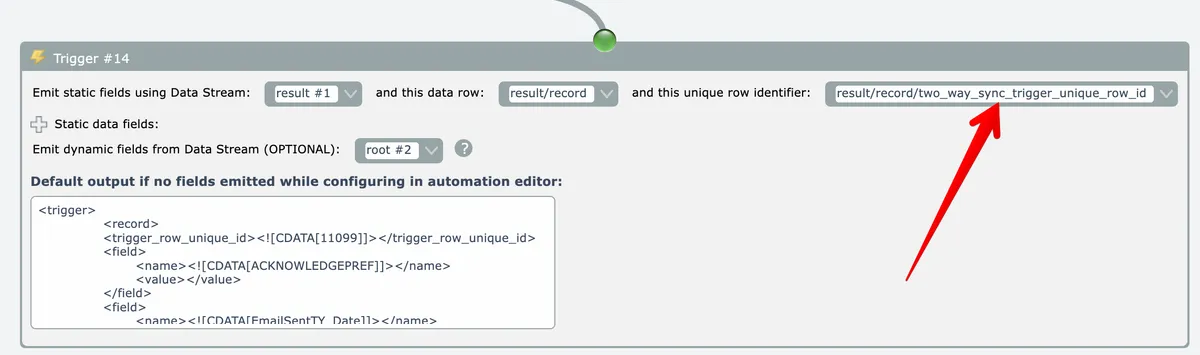
The Trigger module will emit a field named "two_way_sync_identifier" that must be mapped in the automation editor to the field of the same name in the action's field mappings:
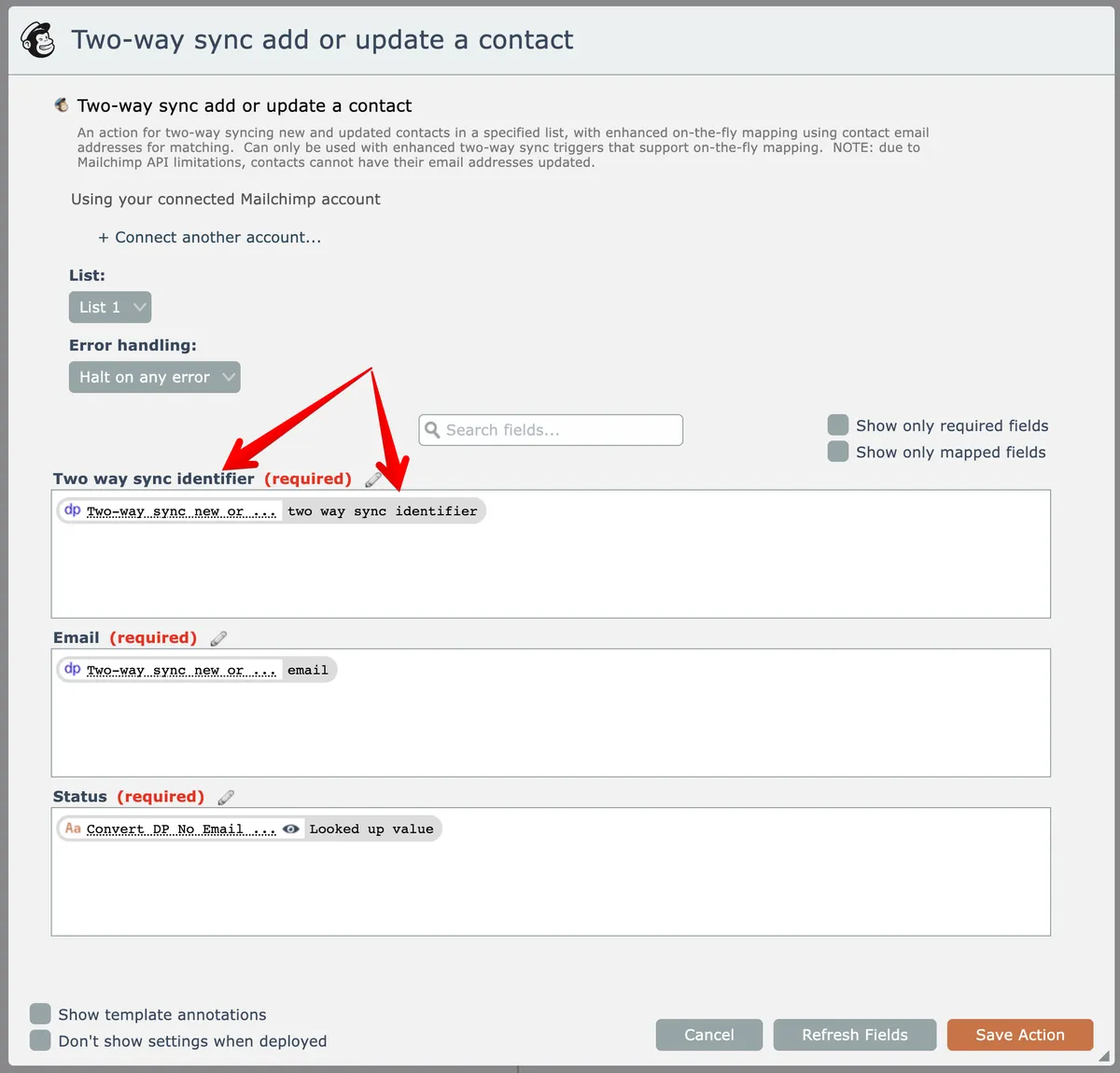
Two-way sync trigger assemblies must have a name starting with “Two-way sync”.
The system currently uses the trigger name to determine which triggers are two-way sync.
Two-Way Sync Actions
Two-way sync actions must define a field named "Two way sync identifier" as their first static data field. The field must be required. copy its help text from another two-way sync action assembly in the system.
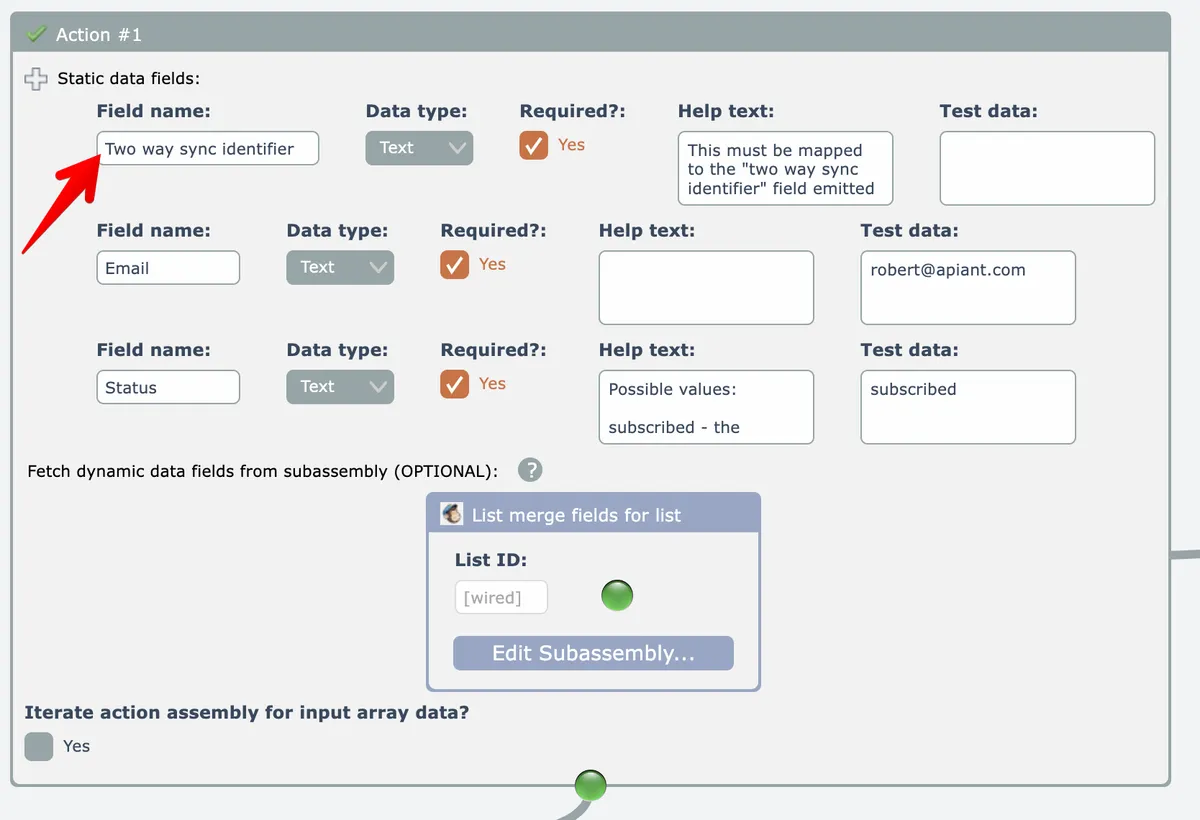
Two-way sync actions must use the Action Two-Way Sync module with nested subassemblies to perform the configured actions:
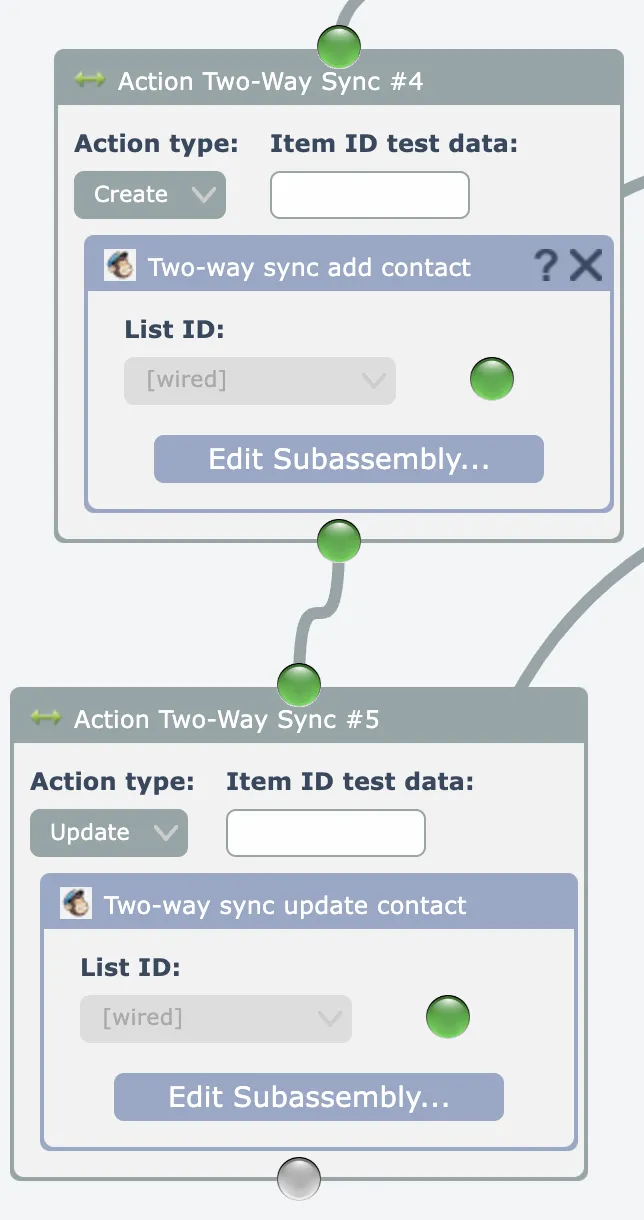
The "Action type" selection determines what action the subassembly should perform.
The Trigger Two-Way Sync and Action Two-Way Sync modules both store item identifiers and timestamps in the system's database that are used to determine which action type needs to be performed.
The Action Two-Way Sync modules must be chained together in this order:
Create -> Update -> Delete