
API Credentials Management
Encrypted storage system for API credentials and OAuth secrets accessed from the Admin Console or Assembly Editor, with import/export functionality and keyvault value retrieval modules.
The system provides a Keyvault which is encrypted storage in the system's database.
The Keyvault is most commonly used as a place to store API credentials, especially OAuth client ids and secrets.
The keyvault is not used to store end-user credentials for accessing API's, but rather credentials needed by the system to connect to API's on the behalf of all users.
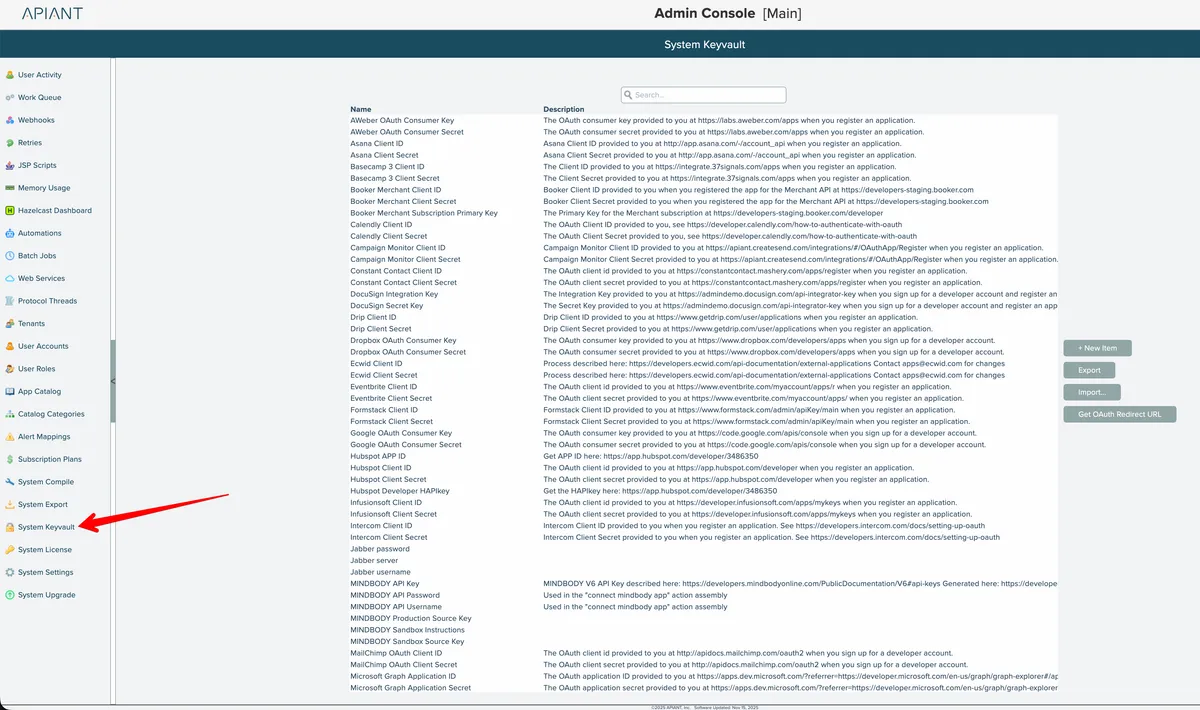
The system keyvault can be accessed from the Admin Console:
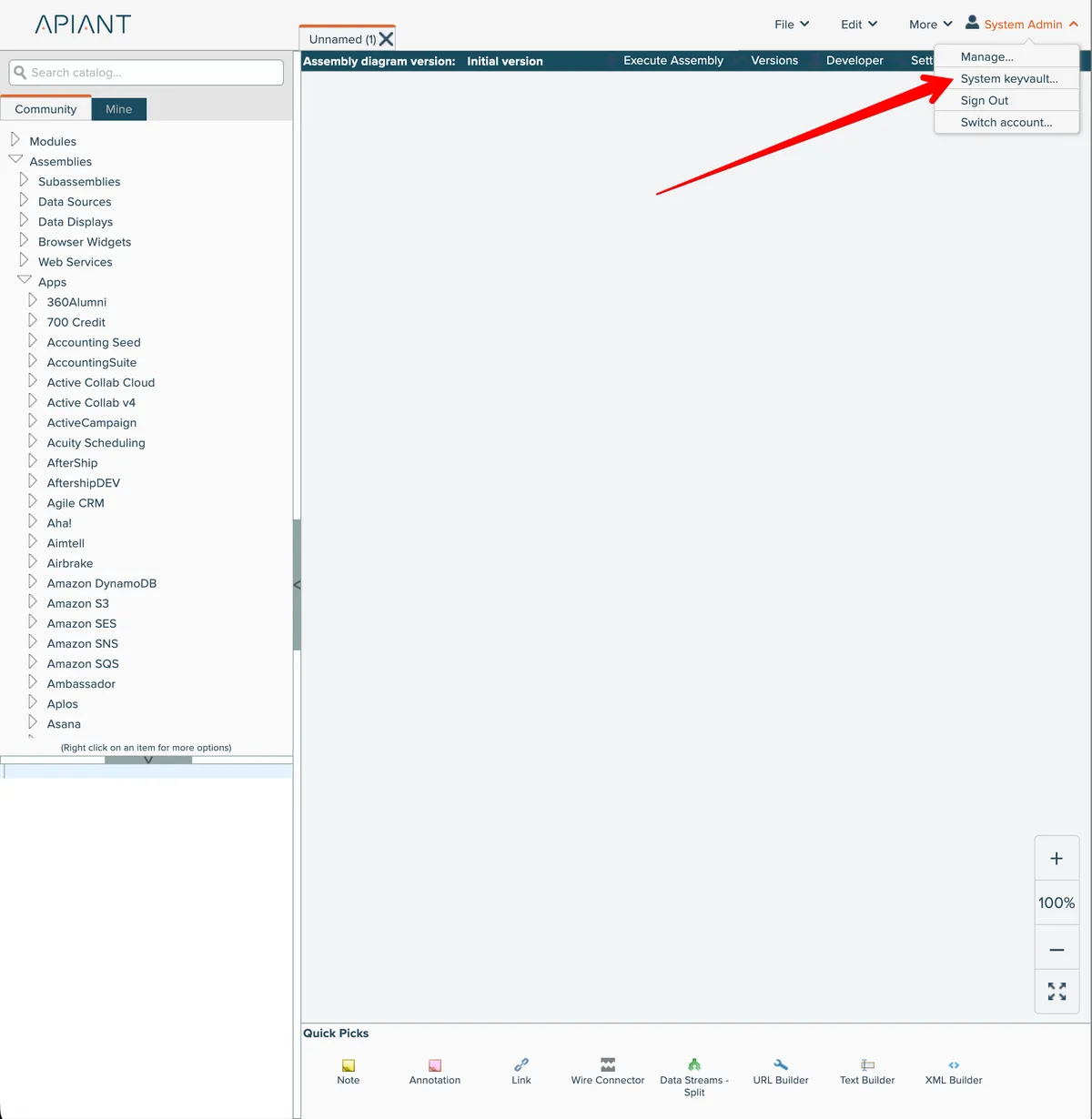
The keyvault can also be accessed from the Assembly Editor's account menu at the top right:
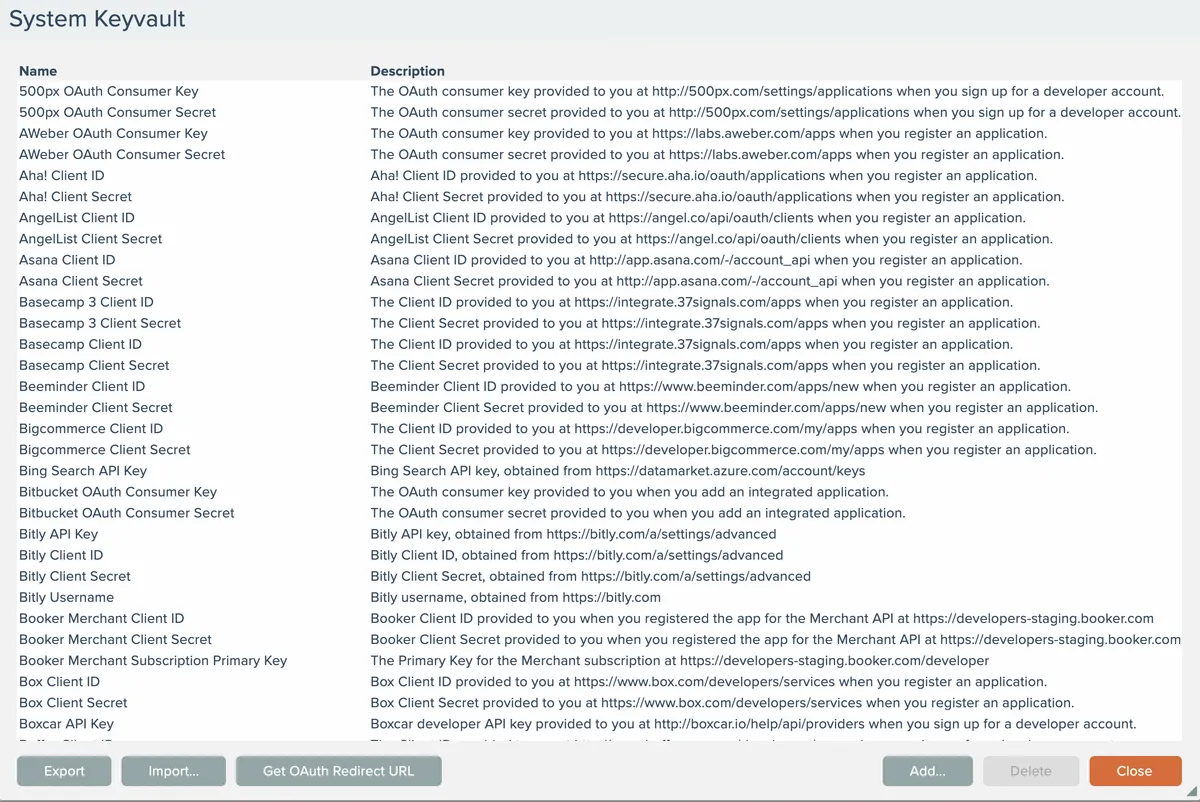
System Keyvault management
The System Keyvault dialog provides functionality to add/edit/remove items and to export/import all items in the keyvault:
To edit an item, double-click an item in the list:
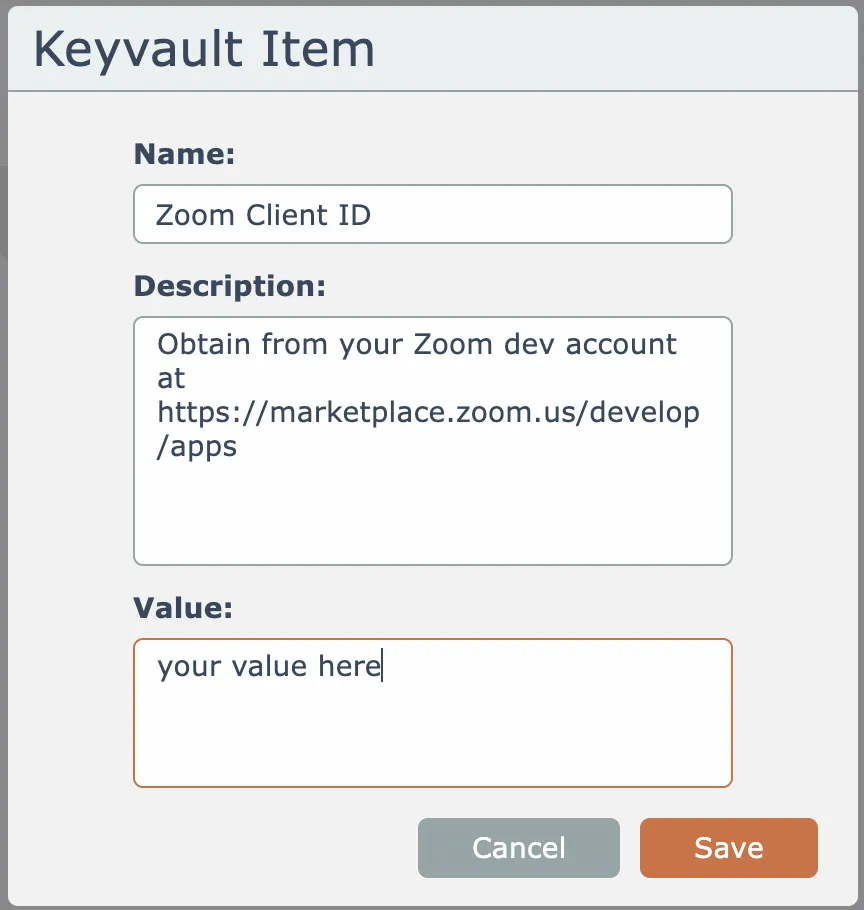
It's a good idea to use the description field to fully document how to obtain the API key or piece of information.
OAuth Redirect URL
OAuth API keys are typically obtained from an API provider by filling out registration information that will include a "Redirect URL" or "Redirect URI". This value can be obtained by clicking the button here:
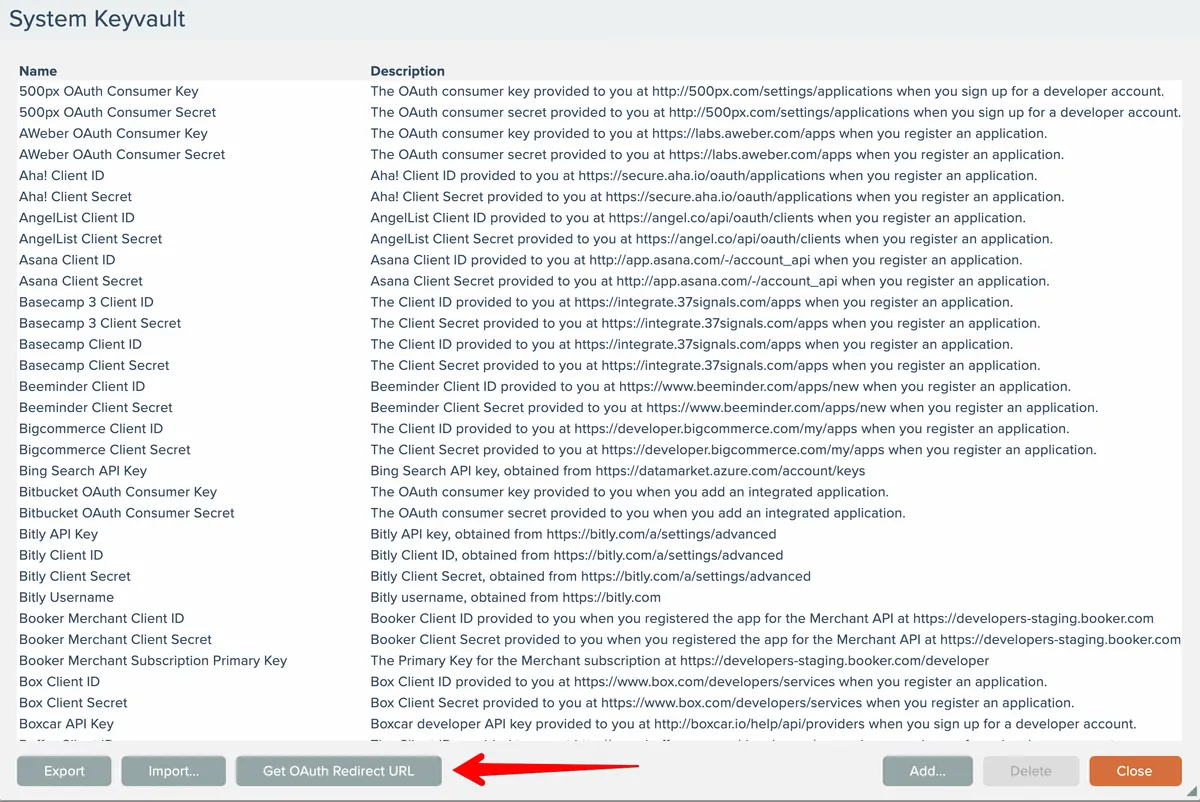
The Redirect URL will be copied to your clipboard.
Accessing Keyvault values in assemblies
The Utility - Keyvault Value module is used to fetch a saved value from the Keyvault.
The most common use of the Keyvault is to store needed API credentials like OAuth client ids and secrets needed for app connection assemblies:
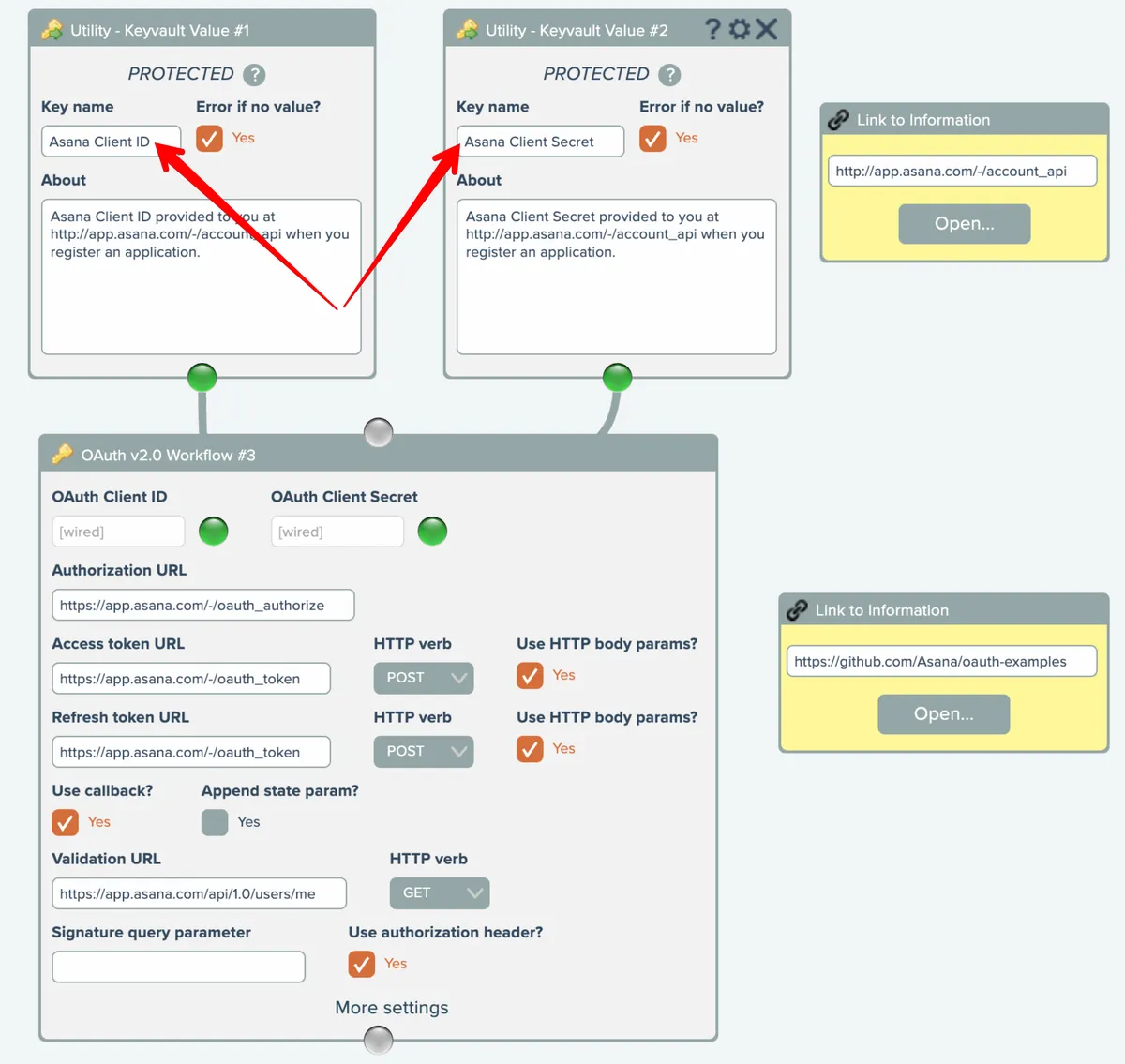
For extra safety, configure the Utility - Keyvault Value modules to protect their output data. See Protecting output data.