
Copy-paste multiple items
Select multiple consecutive actions using right-click options, then copy and paste them within or across different automation diagrams in the editor.
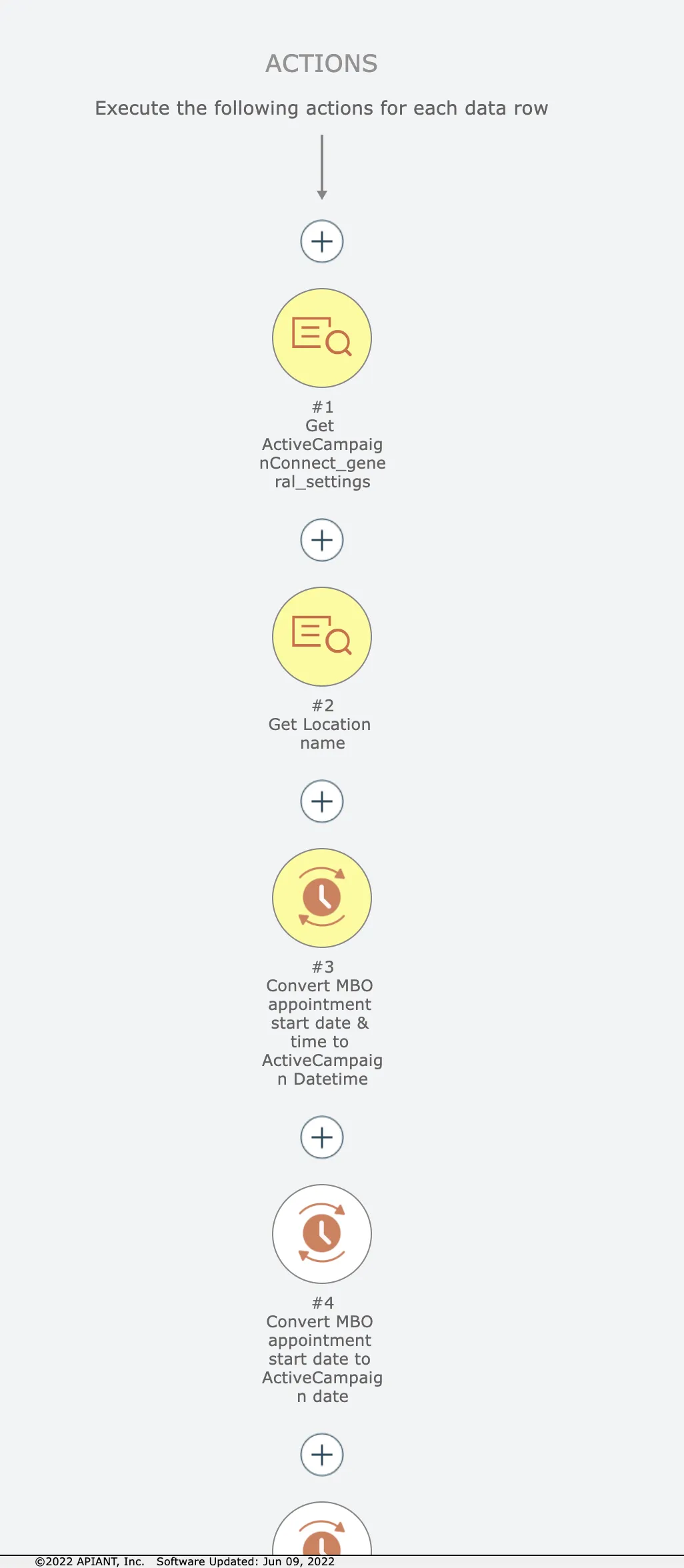
Let's say we want to copy just the first 3 actions here:
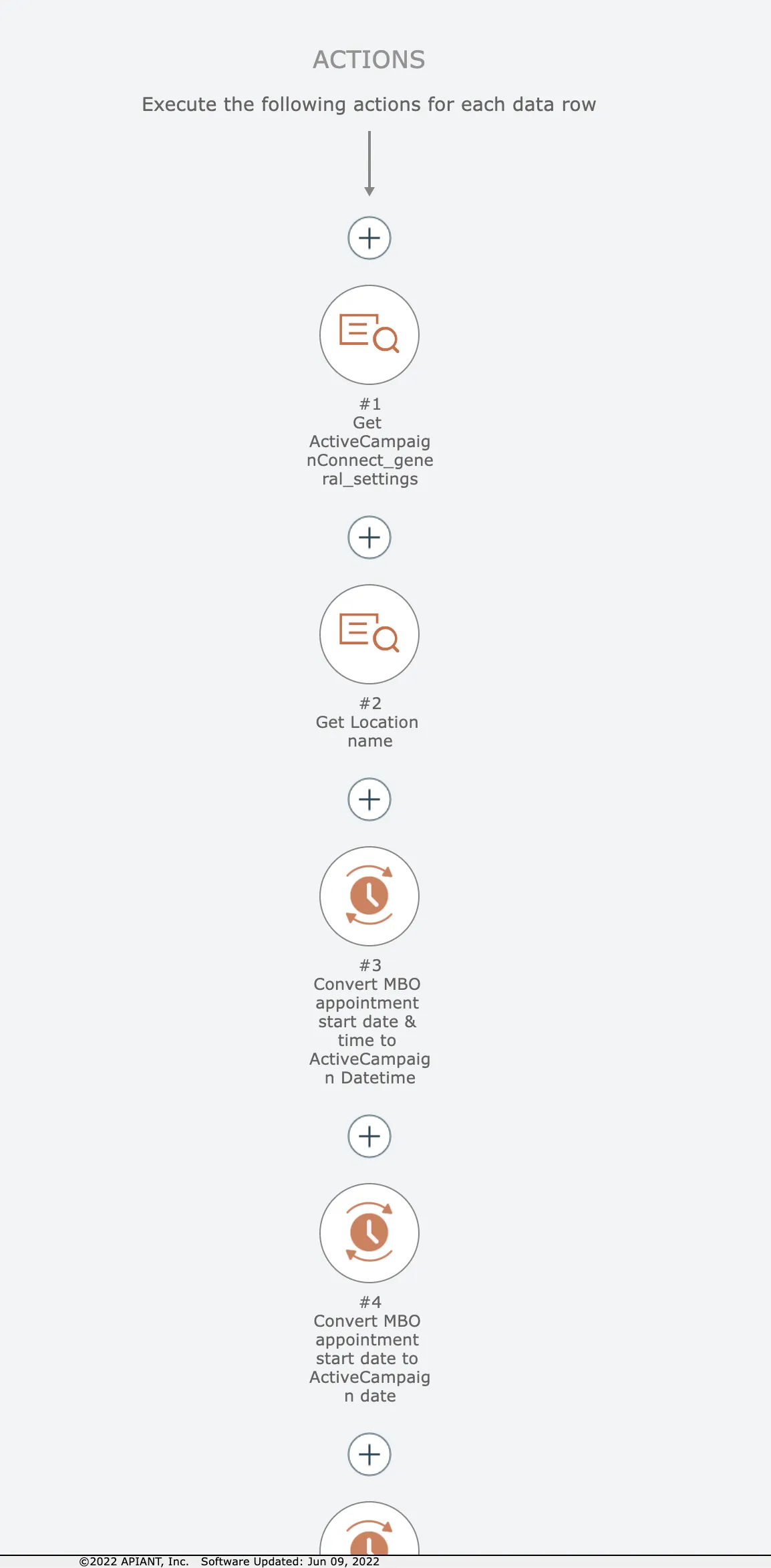
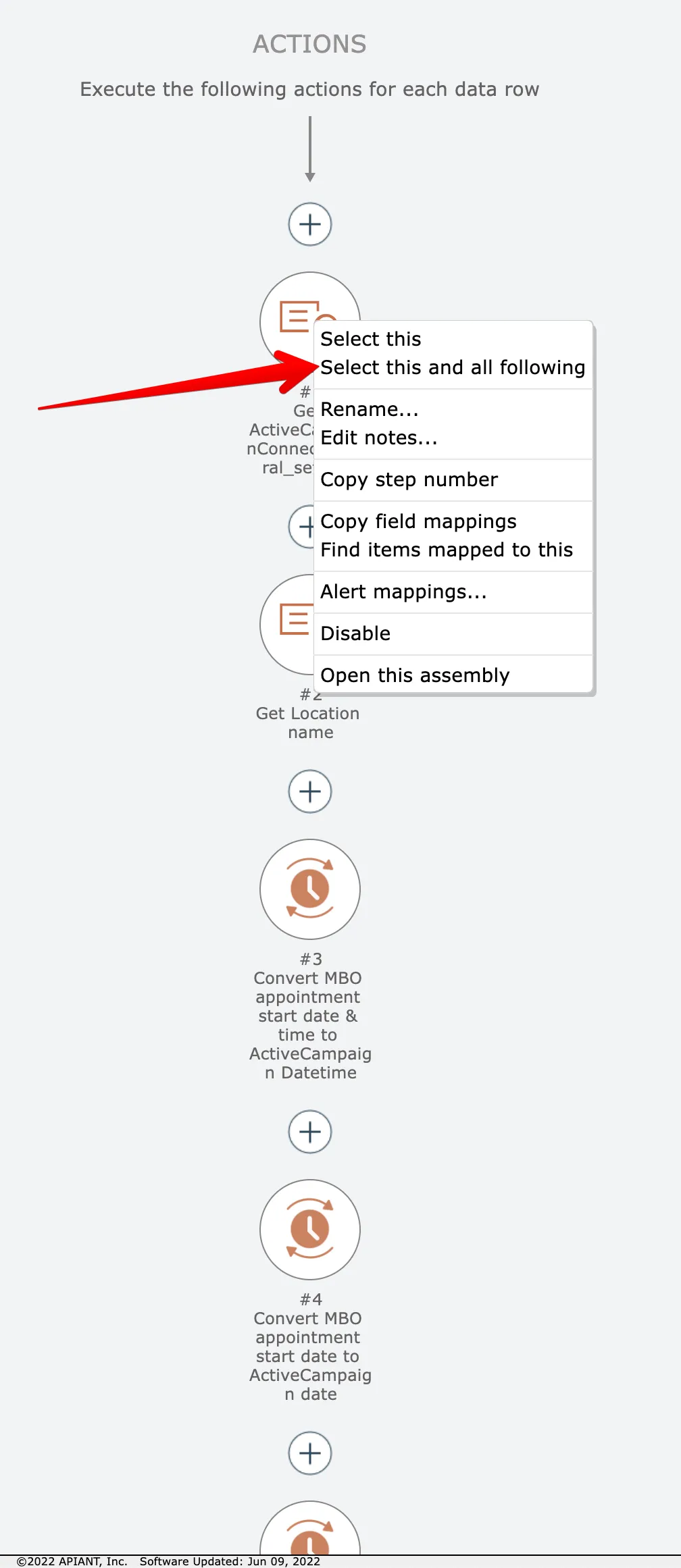
Start by right-clicking on the first item and choose this option:
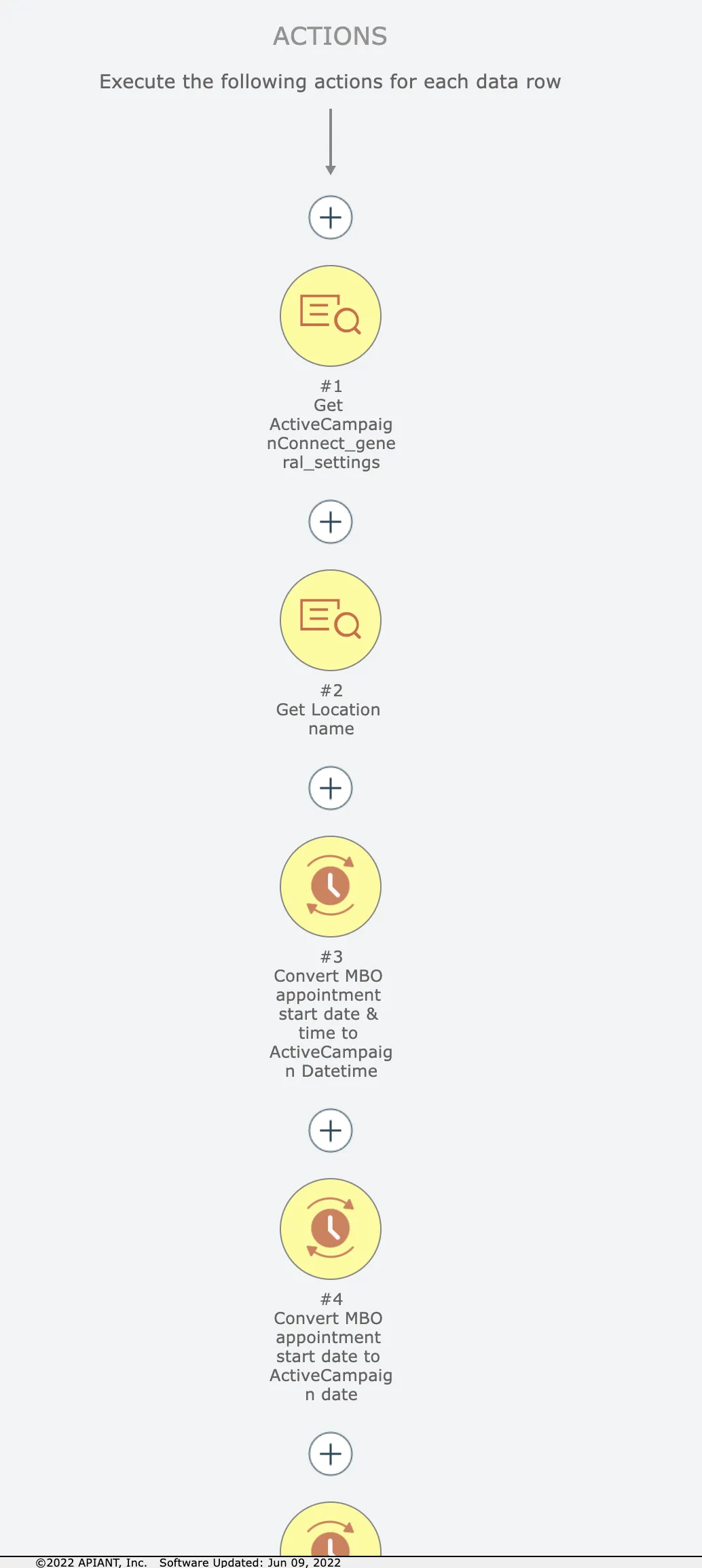
Now the first item and all following items are selected in yellow:
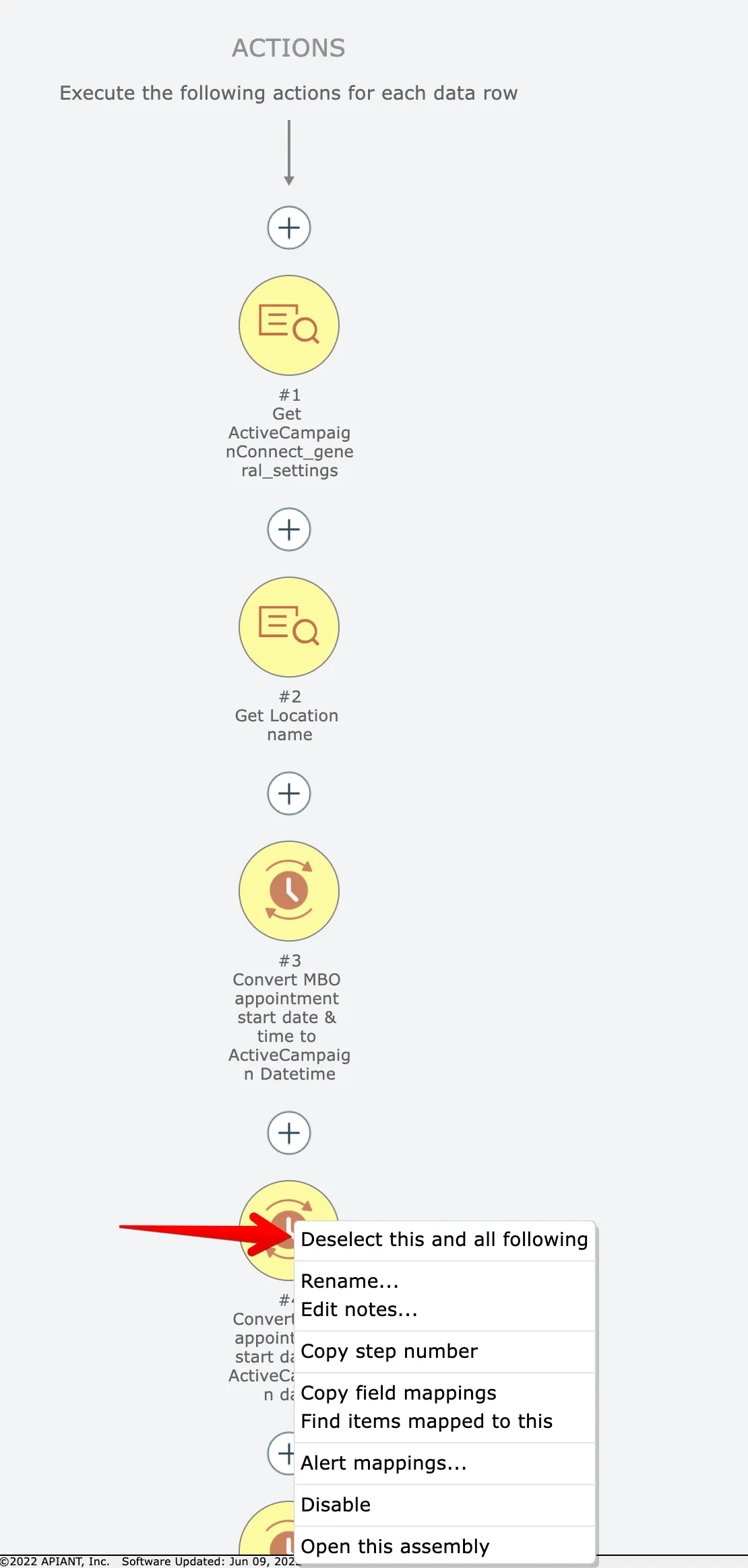
We want just the first 3 actions, however. So right click on the 4th item and choose this option:
Now we have just the first 3 actions selected:
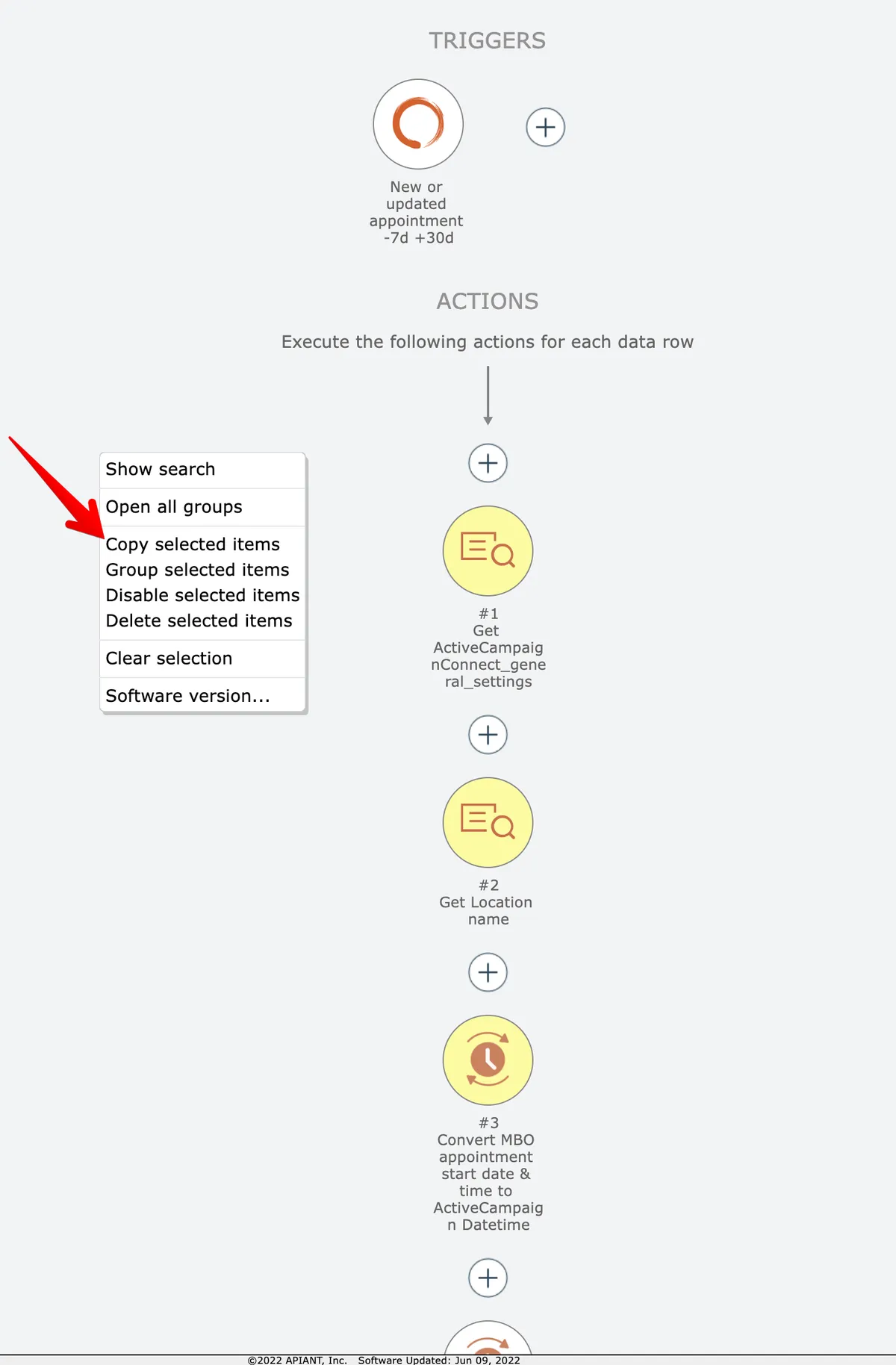
Right-click on the editor's background and select the Copy option:
Finally, click the plus icon where you want to copy the items and choose the Paste option:
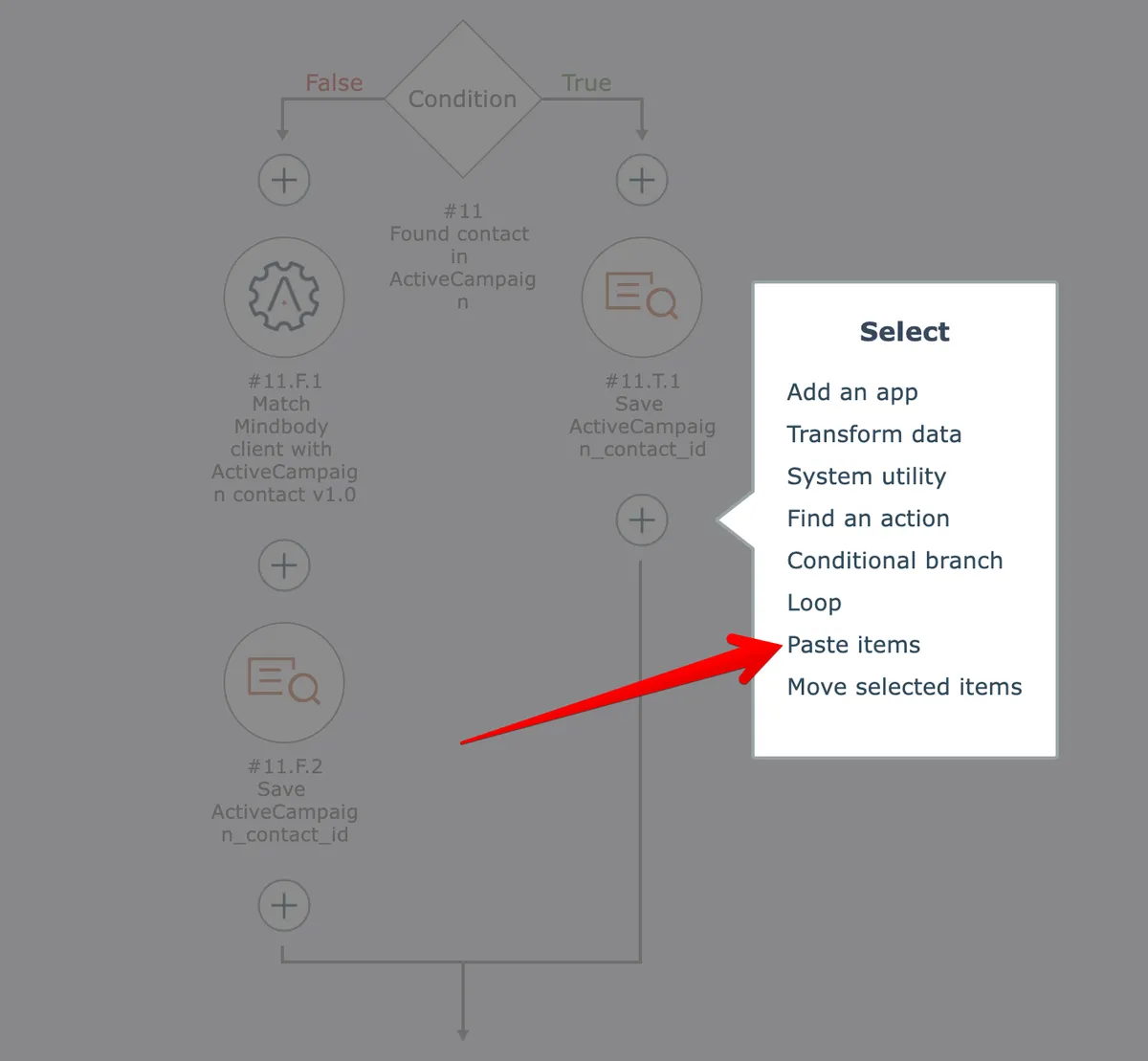
NOTE: you can paste the items in different automation diagrams!
Just close the current diagram after copying the items, edit another automation, then paste them where you want!
To copy-paste to other browser sessions/tabs, see Copy-paste via clipboard