
GuidePlatform UI (Fallback)v1
Copy-paste a single item
Duplicate individual workflow items using copy and paste, including the ability to paste across different automation diagrams.
To copy-paste a single item, click the item and choose the copy option:
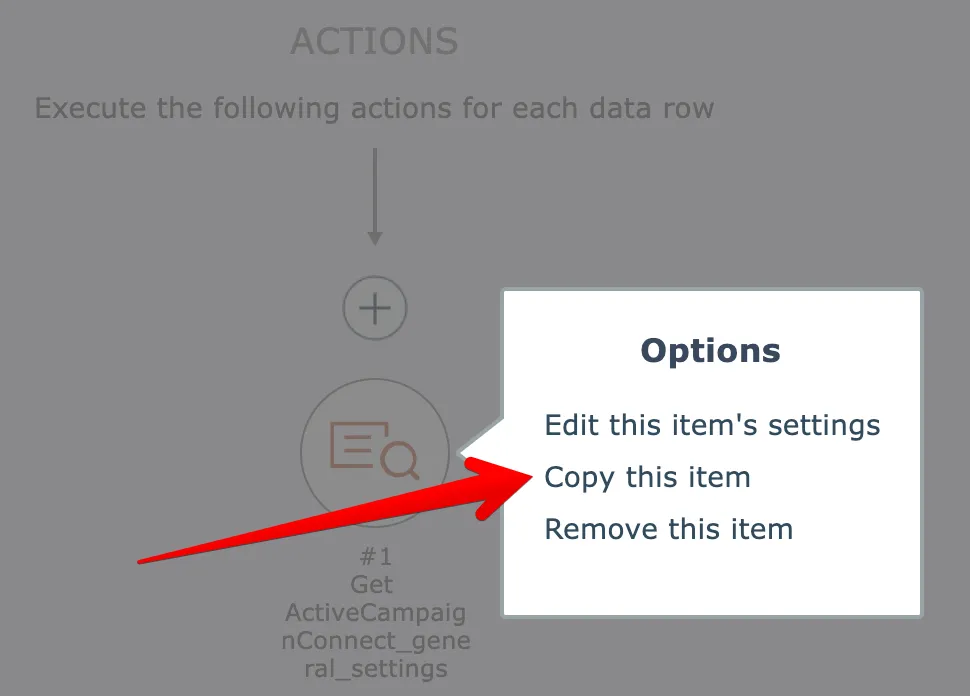
Then click the plus icon where you want to paste the item and choose the paste option:
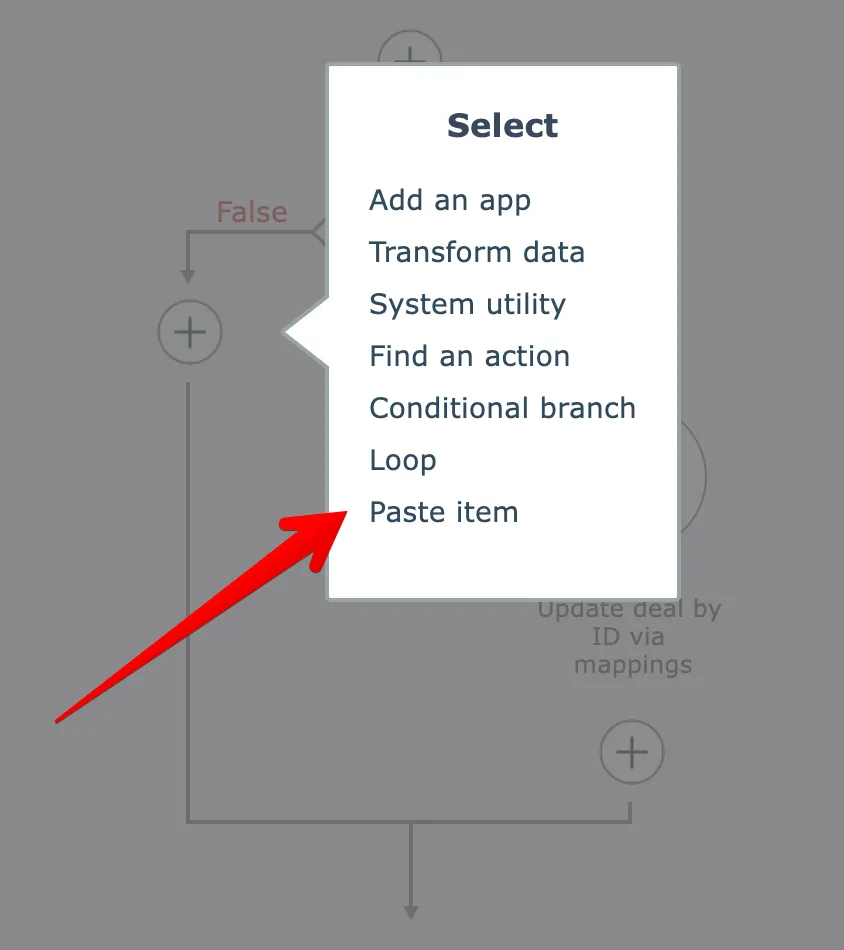
NOTE: you can paste an item in different automation diagrams!
Just close the current diagram after copying an item, edit another automation, then paste the item where you want!
To copy-paste multiple items at once, see Copy-paste multiple items
To copy-paste to other browser sessions/tabs, see Copy-paste via clipboard
Related docs
Last updated May 4, 2026