
GuidePlatform UI (Fallback)v1
Upload a logo
Upload a custom logo image to your account for use in automations, available on supported subscription plans.
Some subscription plans support having a logo image associated with your account that can be used by automations.
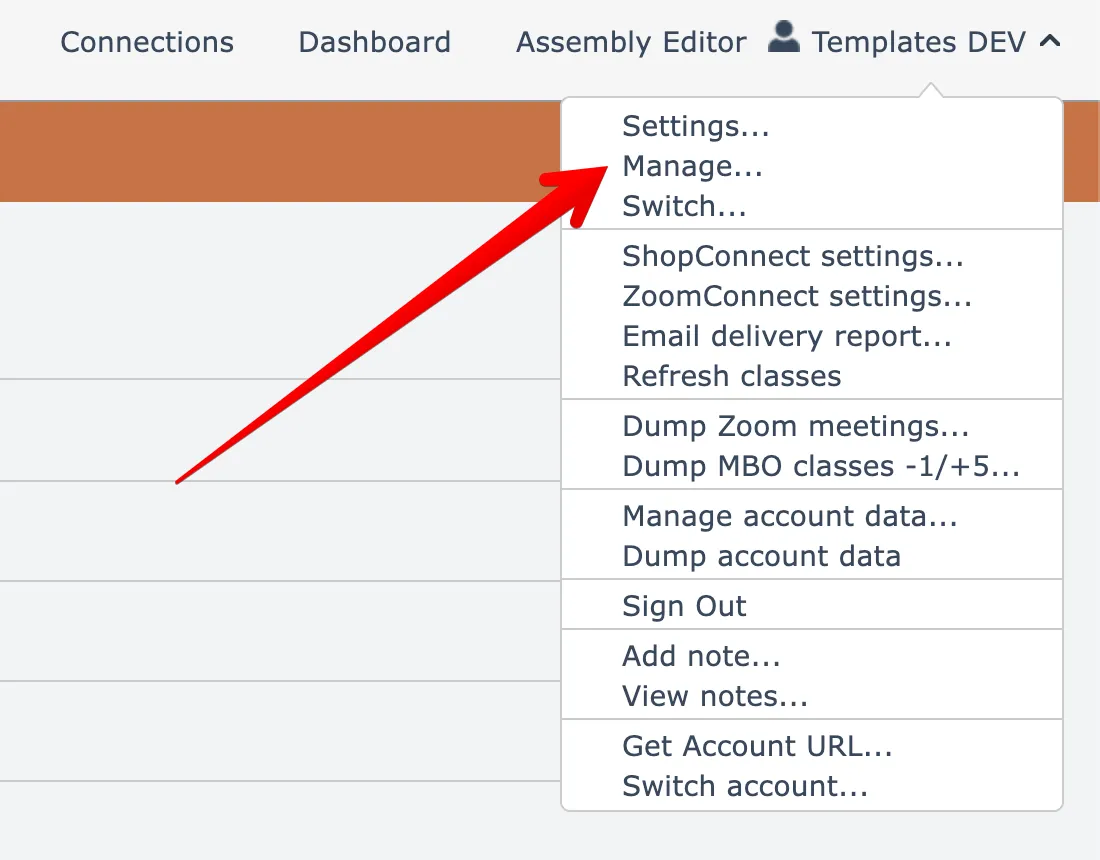
To upload a logo, open the Manage account menu option found under your account name menu at the top right:
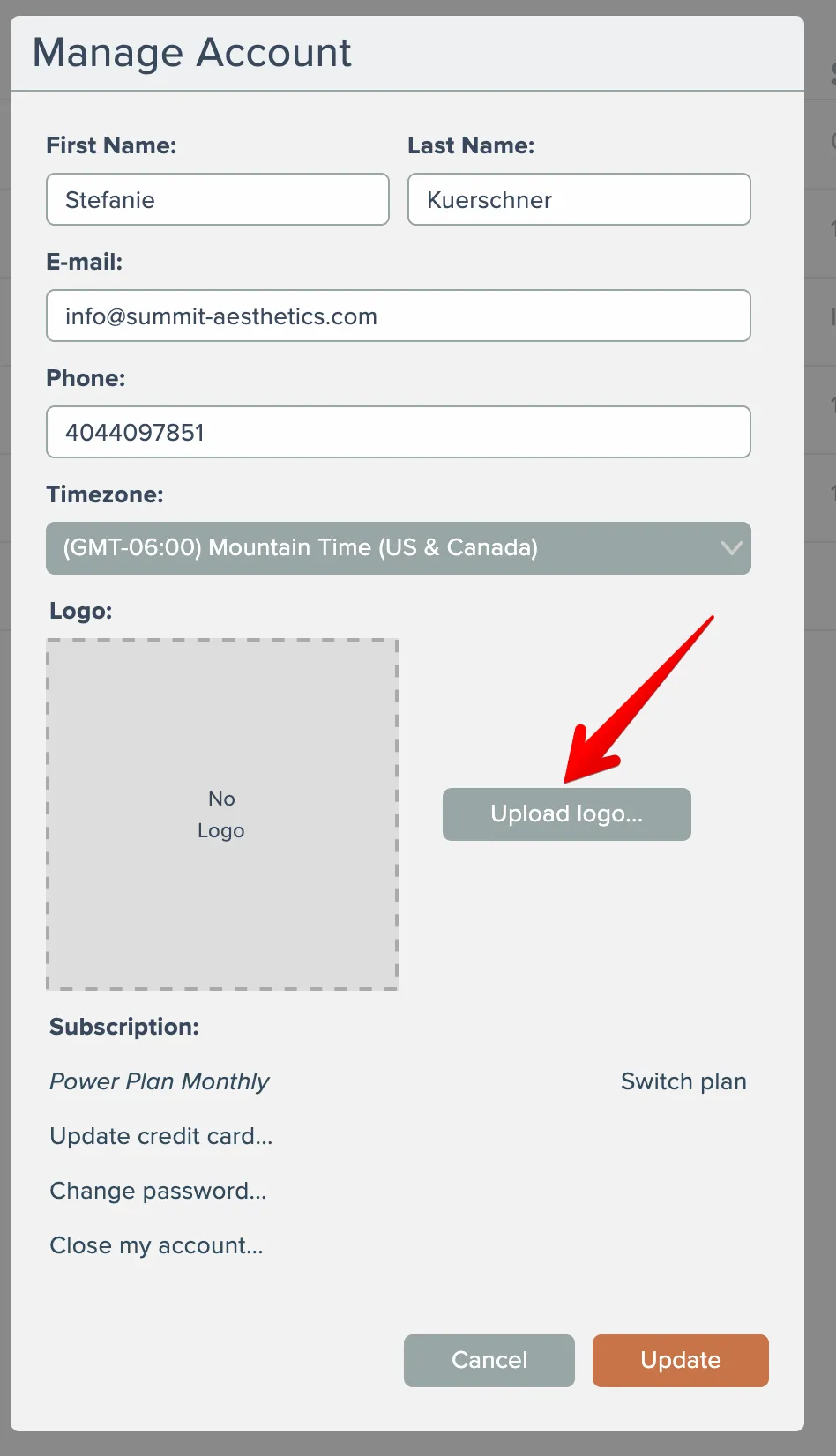
Then click the button here to upload your logo image:
Related docs
Last updated May 4, 2026