
GuidePlatform UI (Fallback)v1
Update personal information
Modify your account details including name, email, and phone number through the Manage account menu in your account settings.
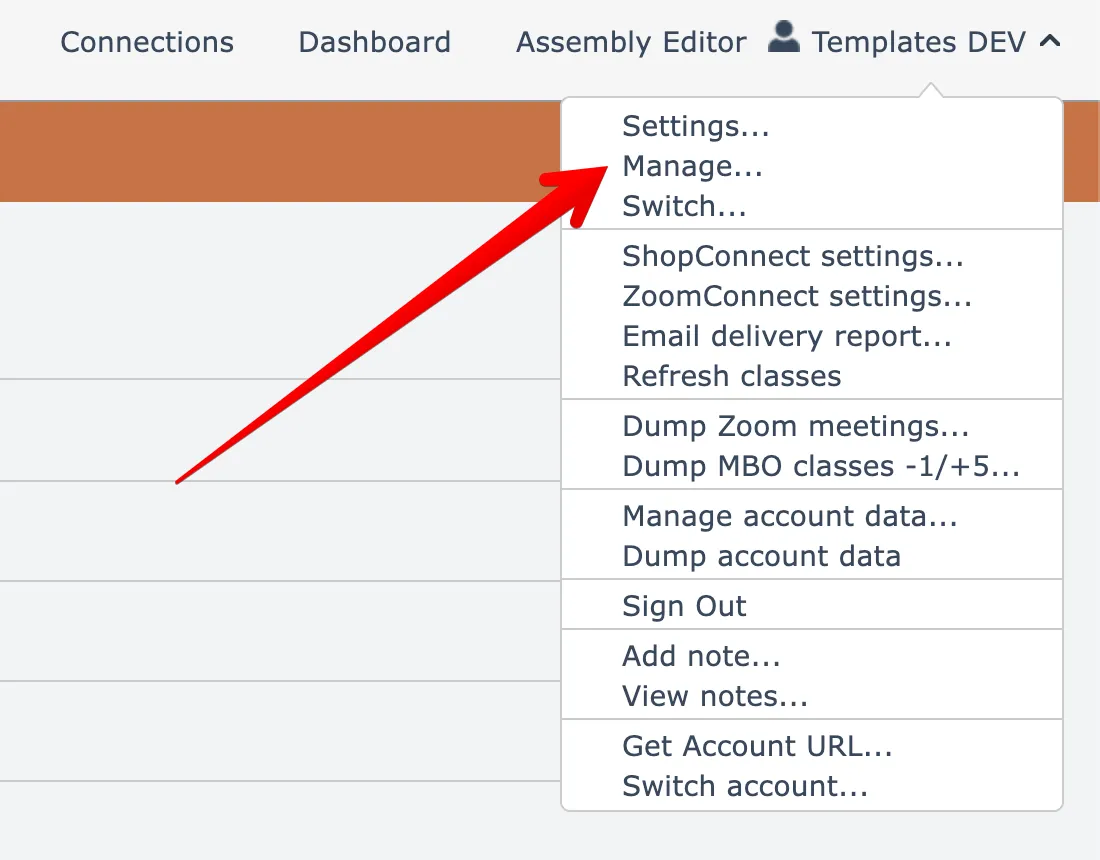
To update your personal information such as name, email, and phone, open the Manage account menu option found under your account name menu at the top right:
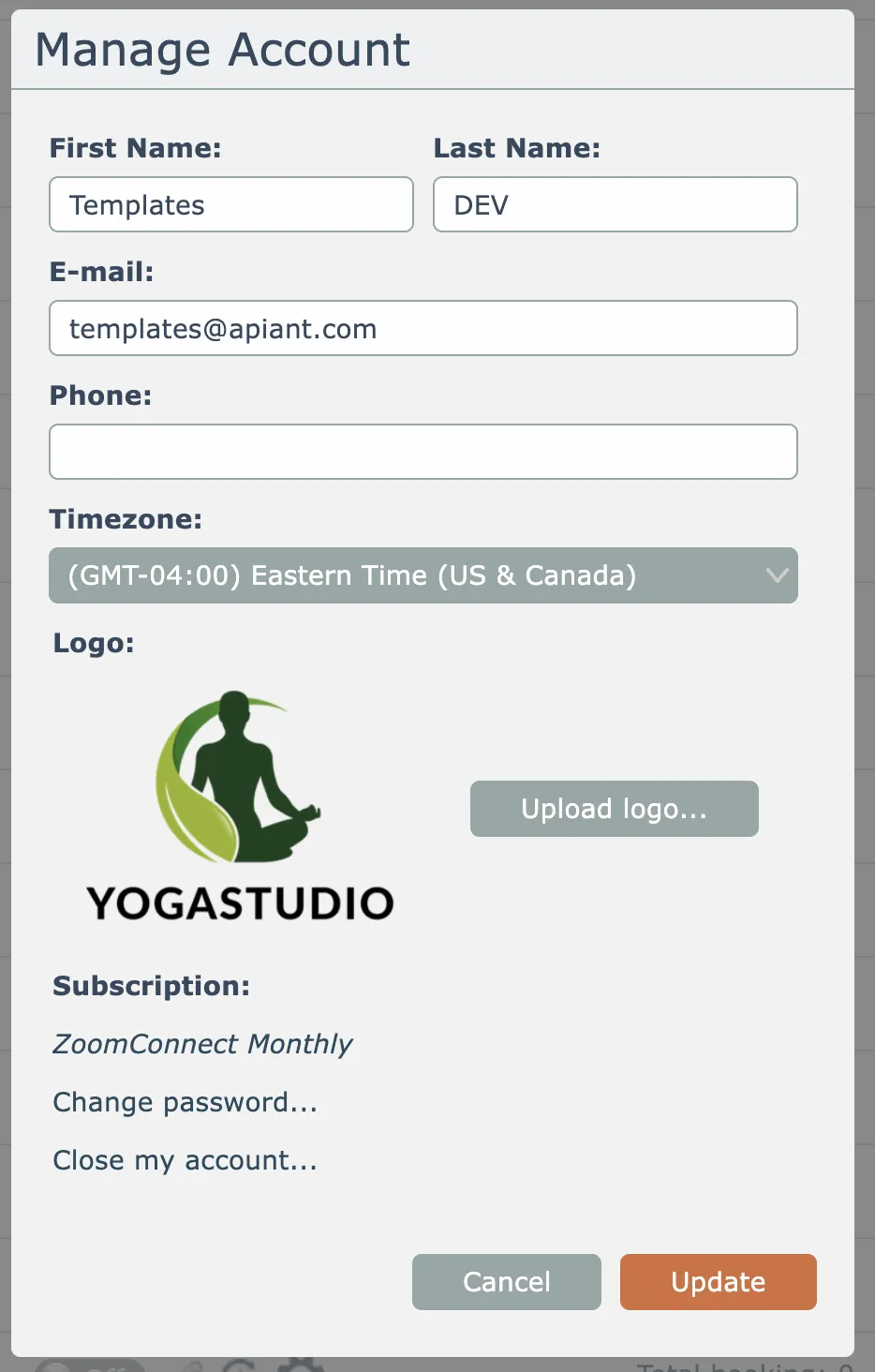
Then edit your personal information at the top and click Update to save:
Related docs
Last updated May 4, 2026