
GuidePlatform UI (Fallback)v1
Manage account data
Access and search automation data stored at the account scope, with options to filter by column, sort by creation date, and perform individual row actions.
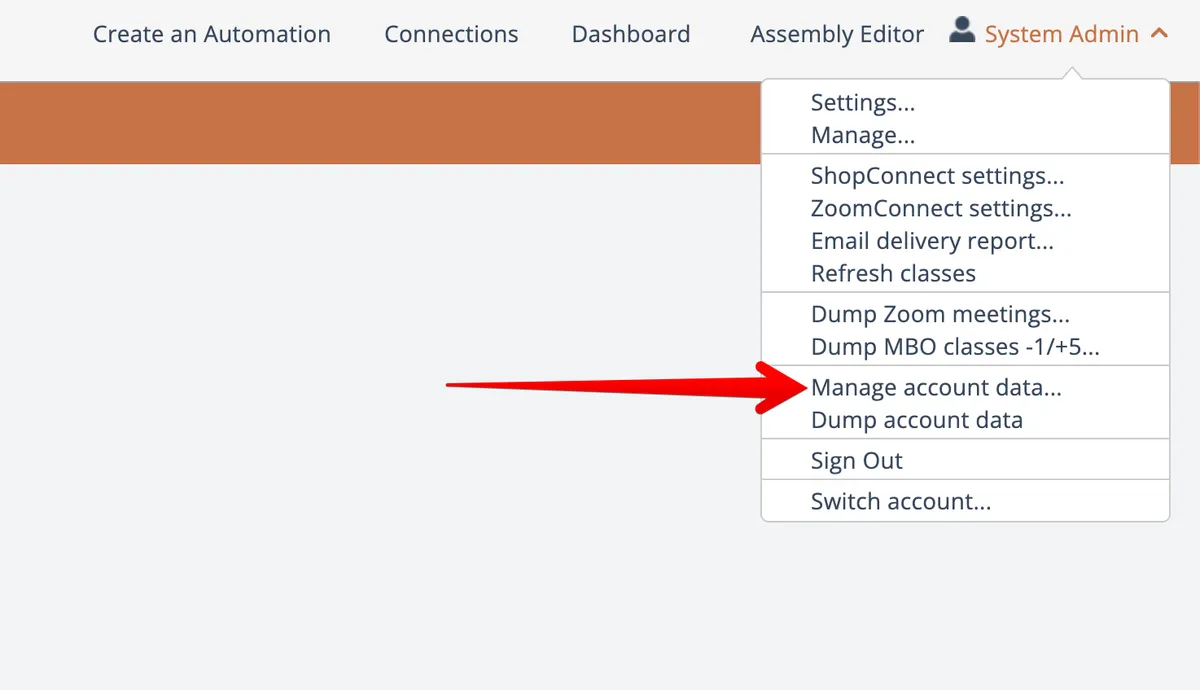
Accounts having the "Switch Account" or "Assembly Developer" permissions can access a menu option under the Account menu at the top right to manage account data:
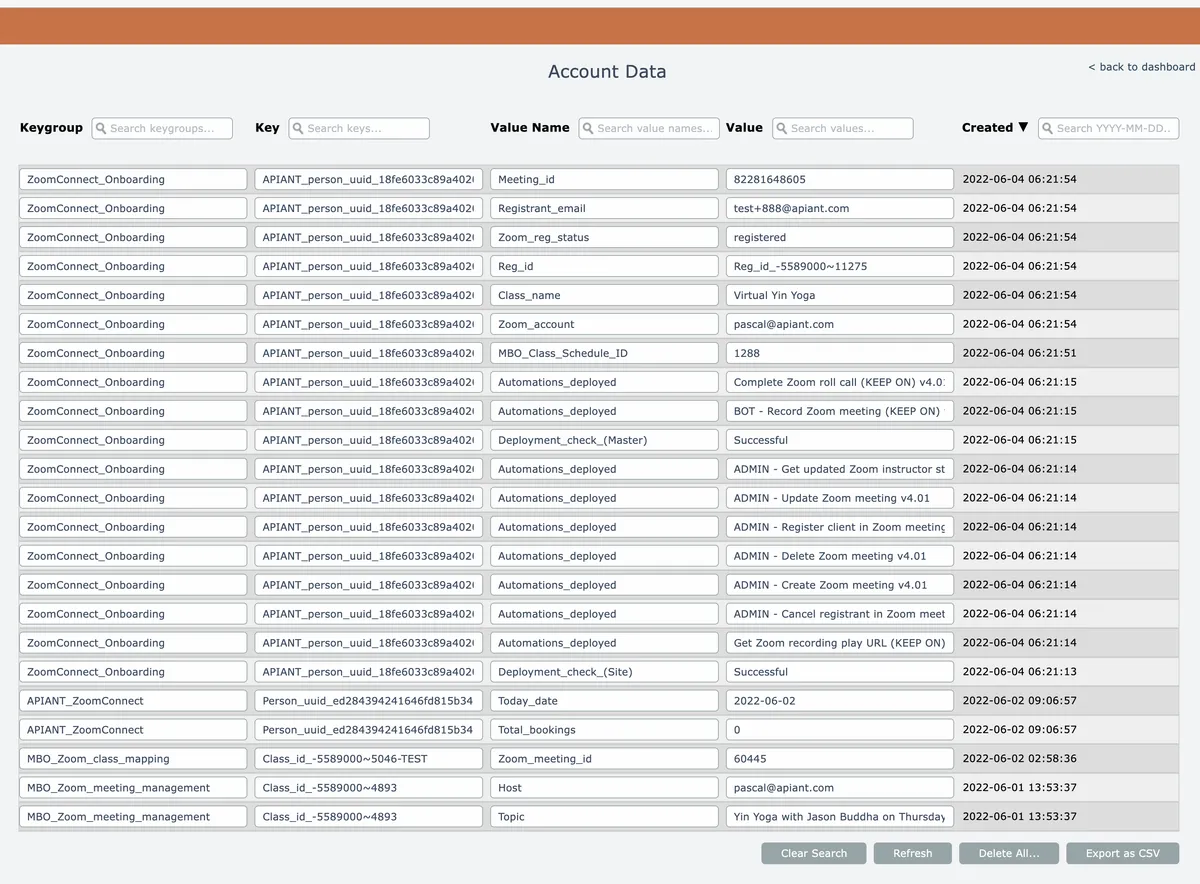
Any data stored by automations in the account scope appears.
Searches can be performed via the text entry fields at the top of the columns. Use asterisks '*' for wildcard matching.
The Created column text can be clicked to change the ordering from newest entries to oldest entries.
Mouse over rows to perform individual row actions:

Related docs
Last updated May 4, 2026