
Skip to content
APIANTdocs
GuidePlatformv1

Switch subscription plan

Learn how to change your subscription plan easily by following these steps. Access the Manage account menu option, located conveniently under your account name at the top right corner. Click on the Switch Plan link to update your subscription and start en

#automation#account#getting-started

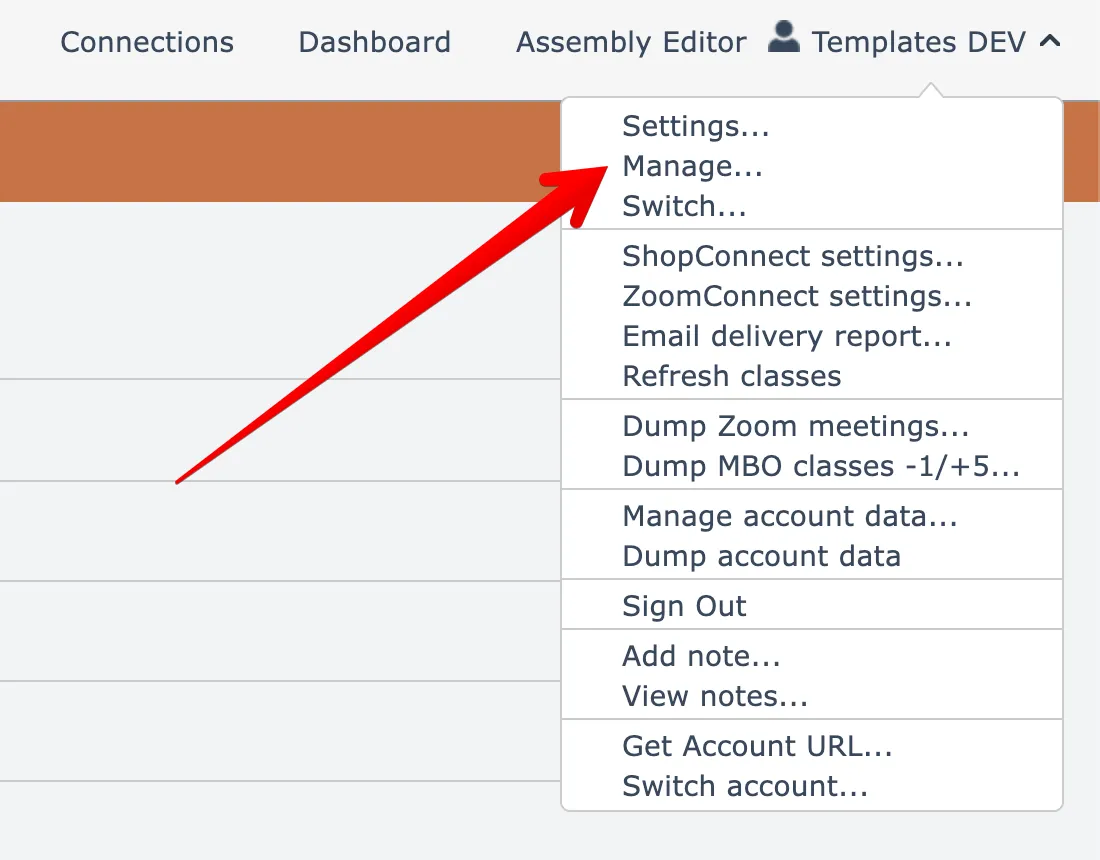
To switch your subscription plan, open the Manage account menu option found under your account name menu at the top right:
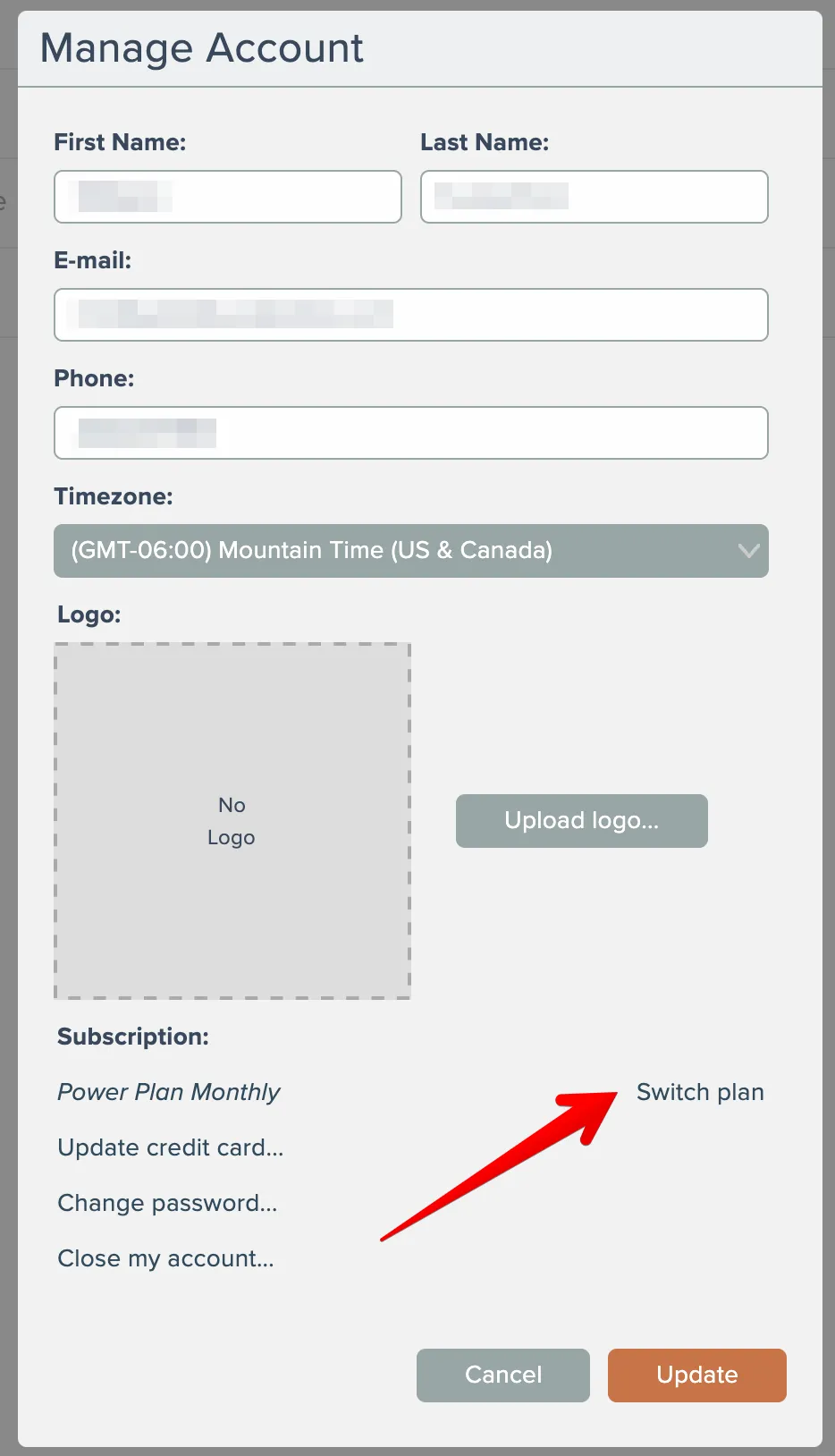
Then click the Switch Plan link here:
Related docs

CalendarConnect: Calendly → Mindbody
#account
CRMConnect: DonorPerfect → ActiveCampaign
#automation
Automation Editor
#automation
AppConnect
#automation#account
APIANT Inline
#automation
Last updated April 6, 2026