
GuidePlatform UI (Fallback)v1
Change password
Update your account password through the Manage account menu by entering your current password and confirming your new password.
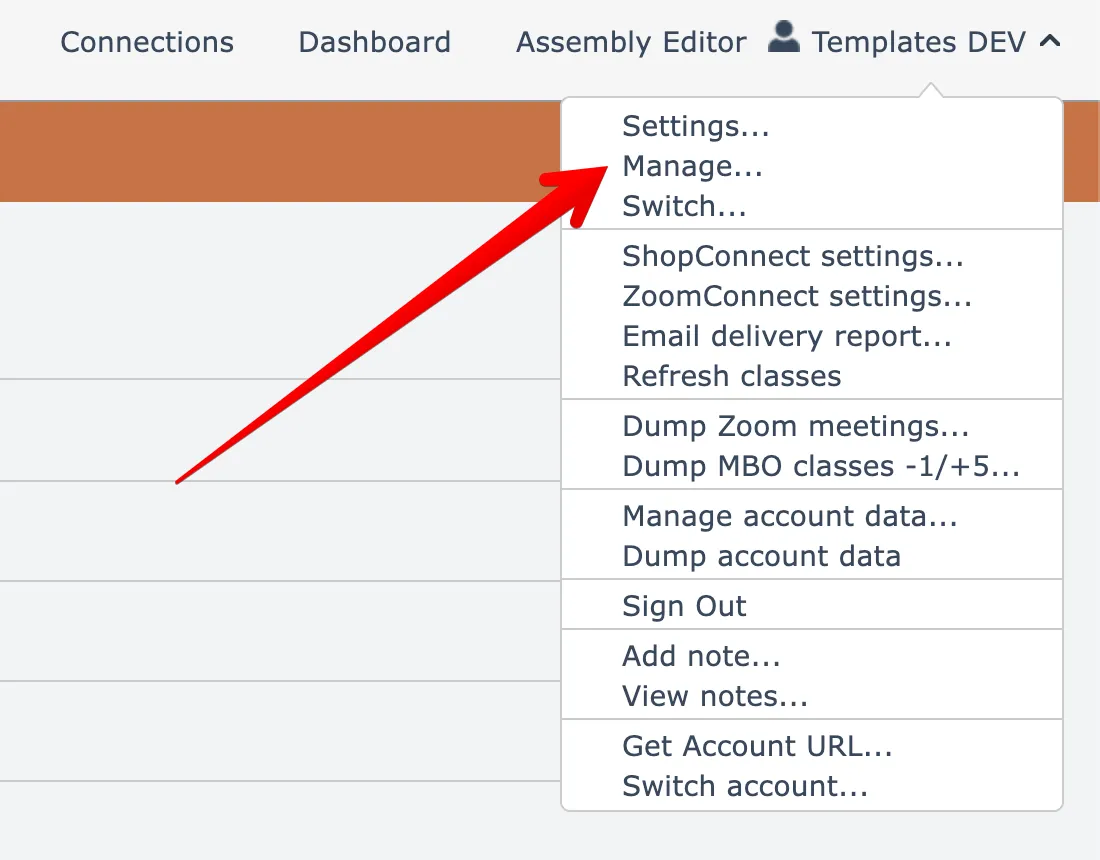
To change your password, open the Manage account menu option found under your account name menu at the top right:
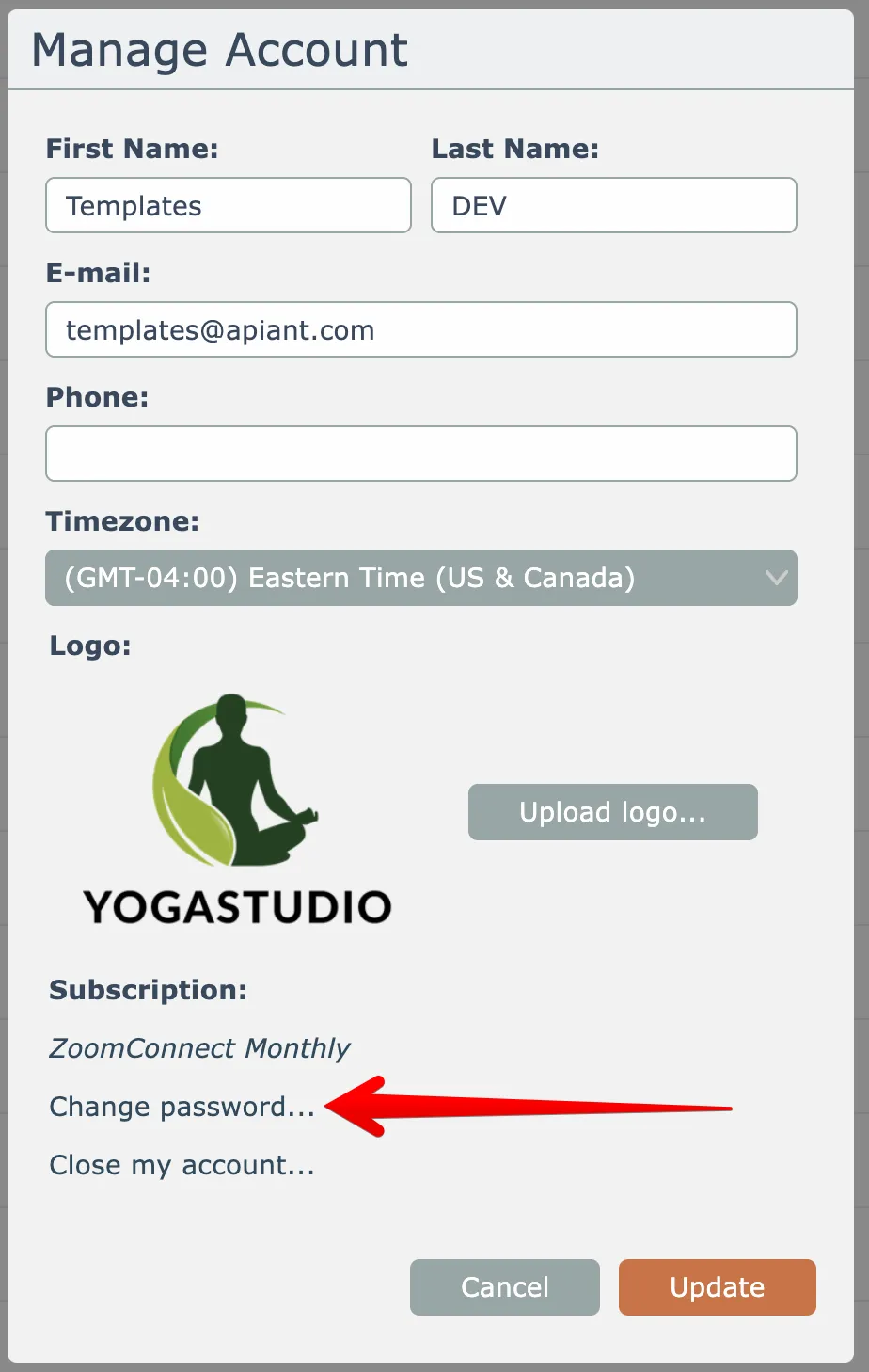
Then click the Change Password link here:
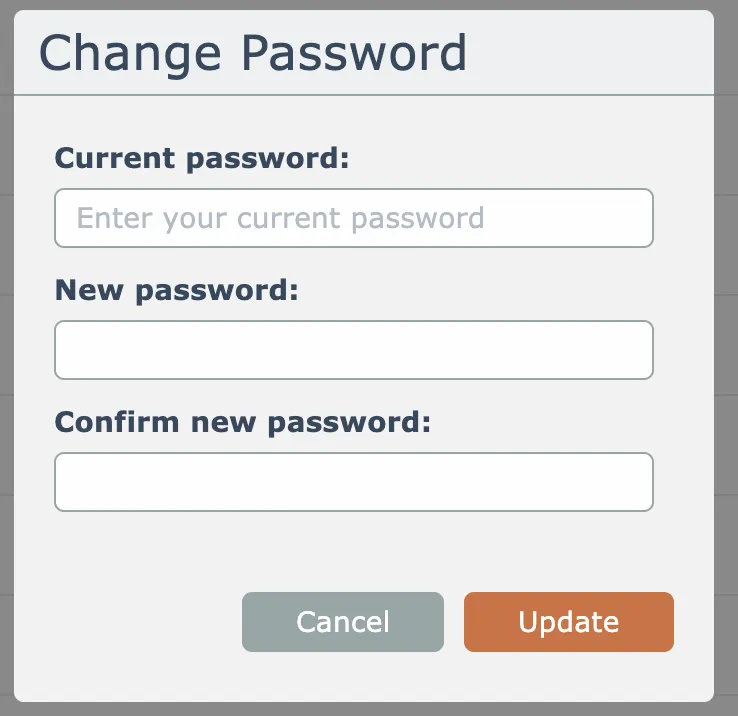
Enter your current password, your new password, and confirm your new password:
Related docs
Last updated May 4, 2026