
GuidePlatform UI (Fallback)v1
Close account
Steps to permanently close your APIANT account, cancel your subscription, and optionally delete all associated account and automation data.
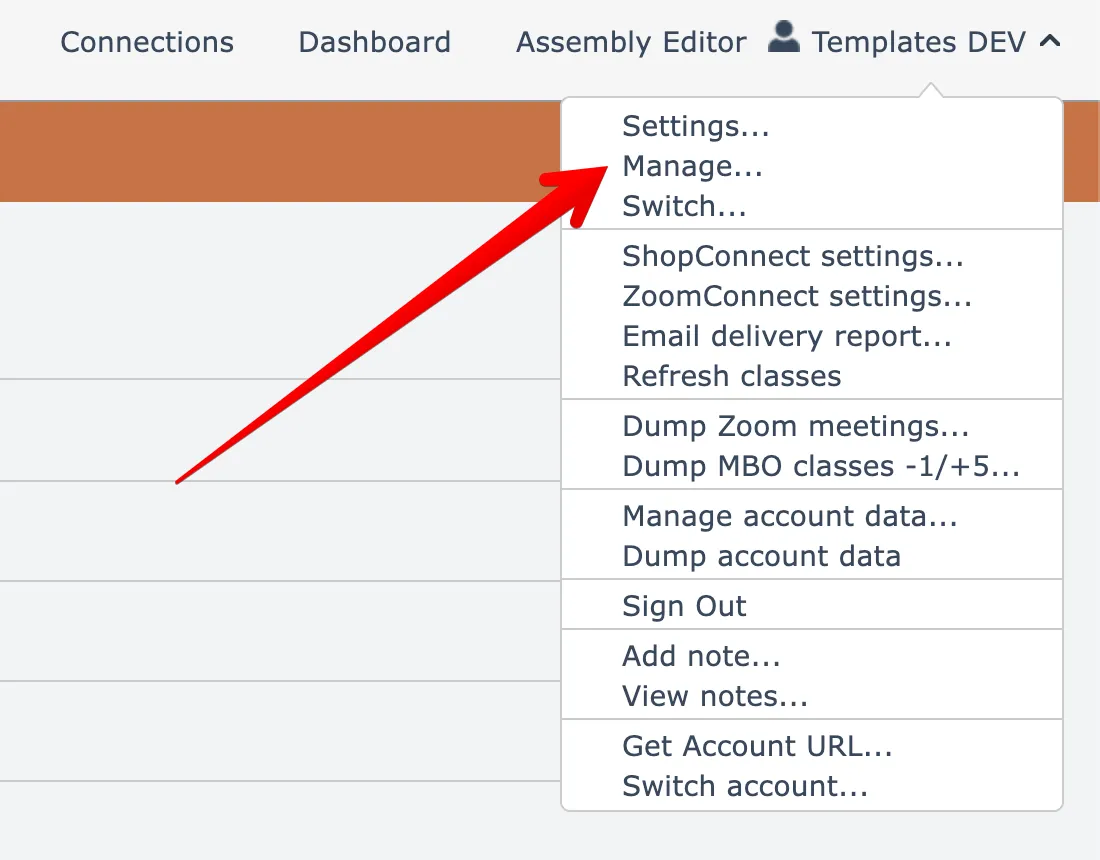
To close your account and cancel your subscription, open the Manage account menu option found under your account name menu at the top right:
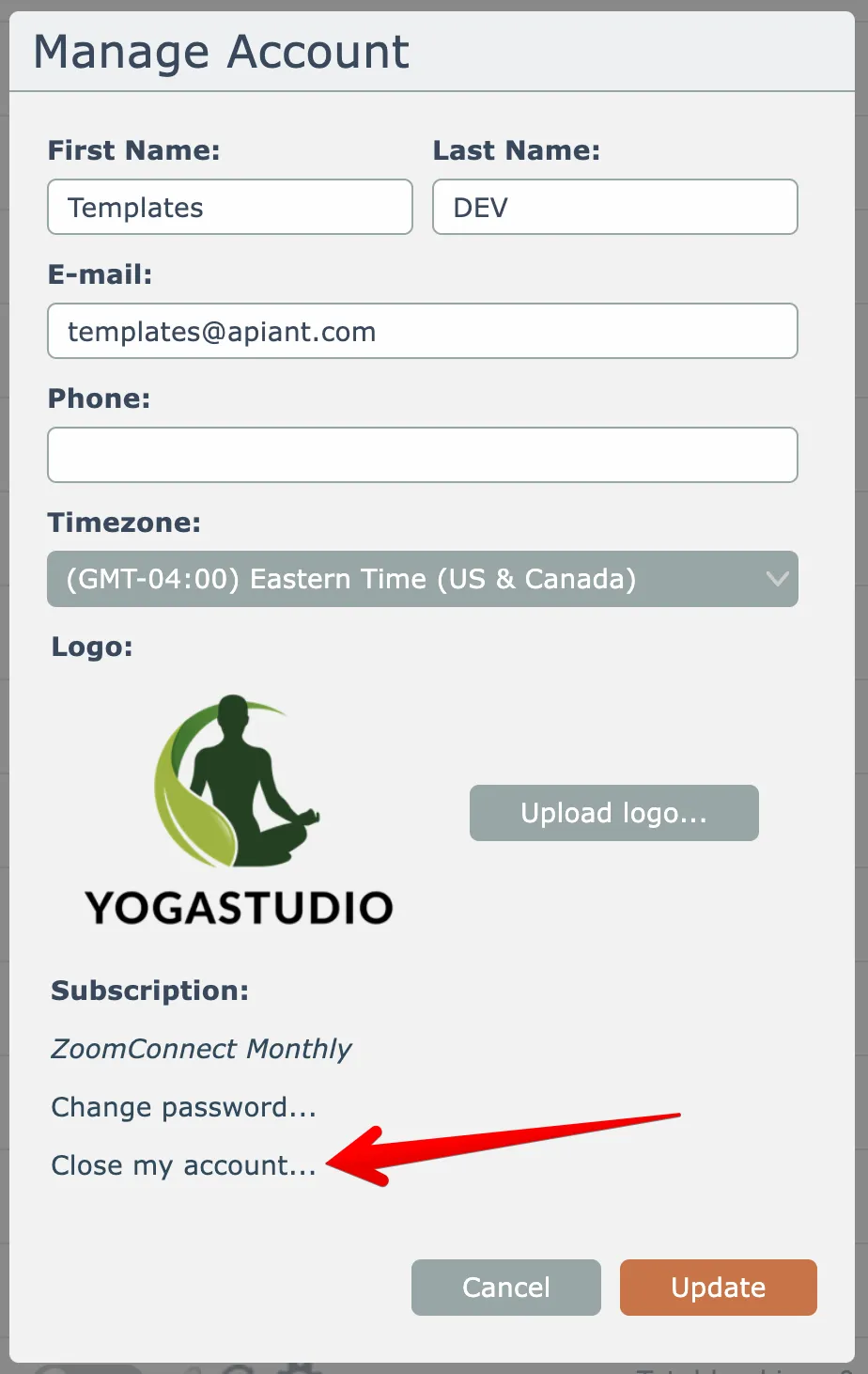
Then click the Close Account link here:
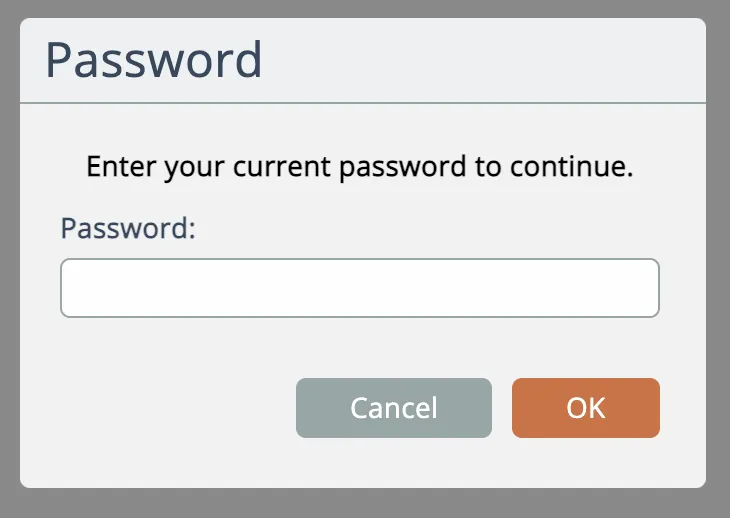
You must confirm your password to close your account:
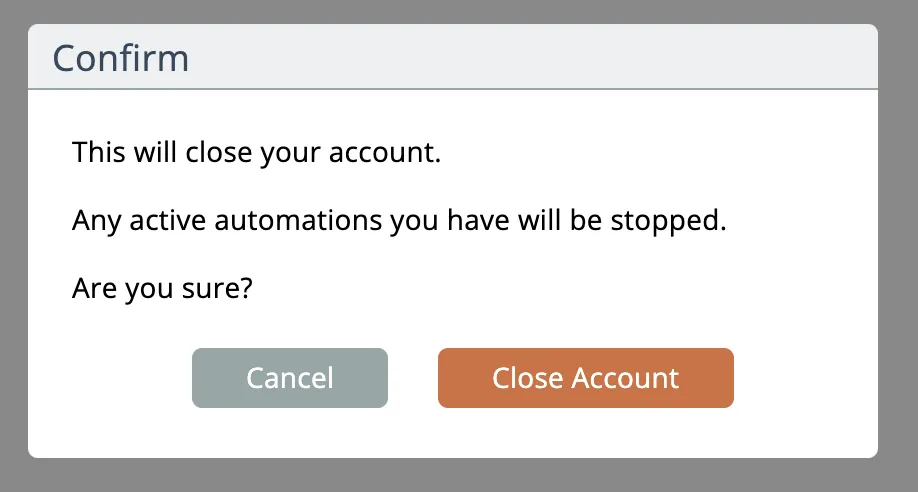
Then confirm that you want to close your account:
Finally, you can choose to wipe your data:
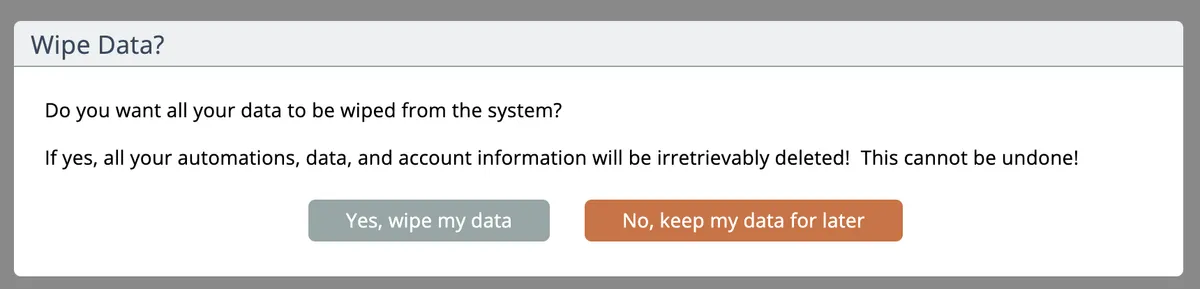
If you choose to wipe your data, all of your account and automation data will be irretrievably deleted!
Related docs
Last updated May 4, 2026