
GuidePlatform UI (Fallback)v1
Update credit card
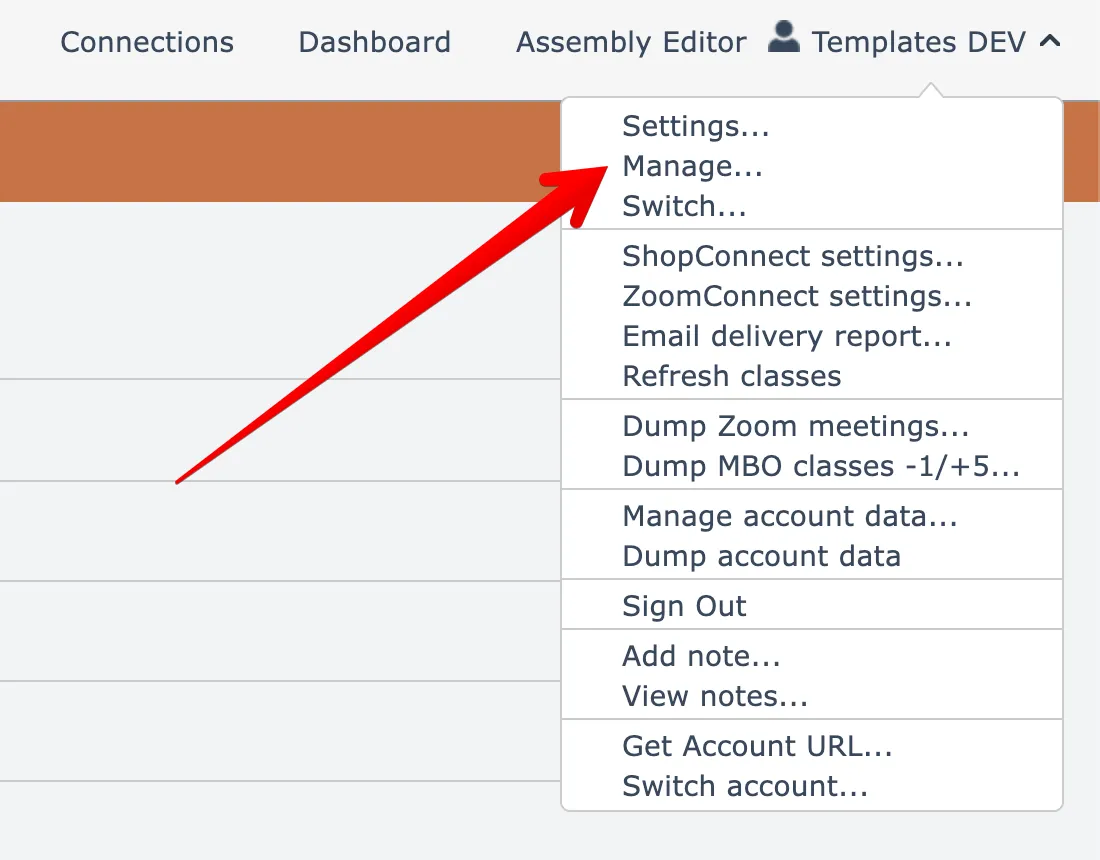
Billing card changes are made through the account management section, accessible via the profile menu at the top right of your workspace.
To update your credit card, open the Manage account menu option found under your account name menu at the top right:
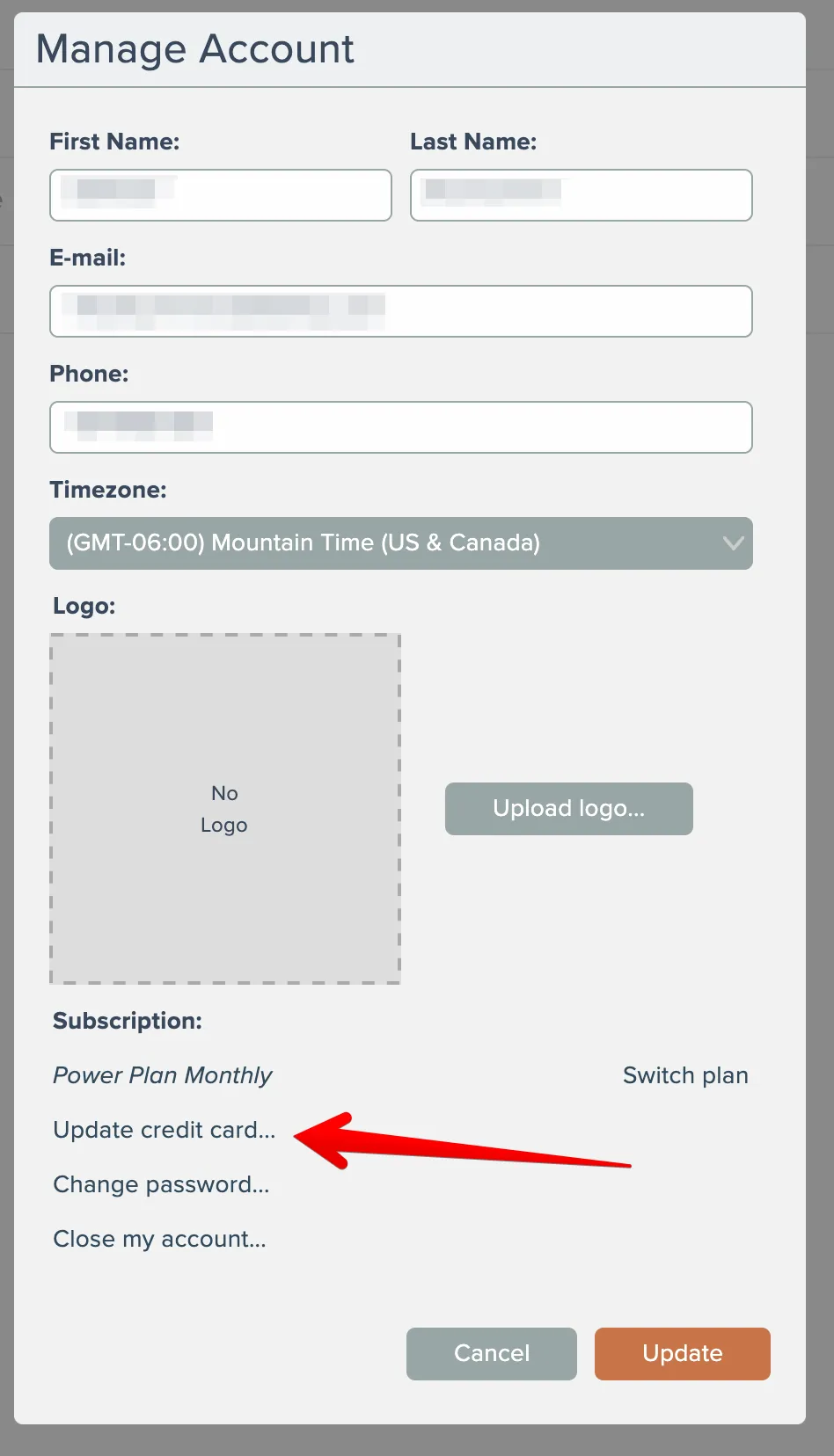
Then click the Update Credit Card link here:
Related docs
Last updated May 4, 2026