
Module Implementation
Edit and compile JavaScript and Java implementations for modules using the built-in code editor, with optional debug mode to trace execution and test in the assembly editor.
This tab contains a code editor for editing and compiling the module's implementation:
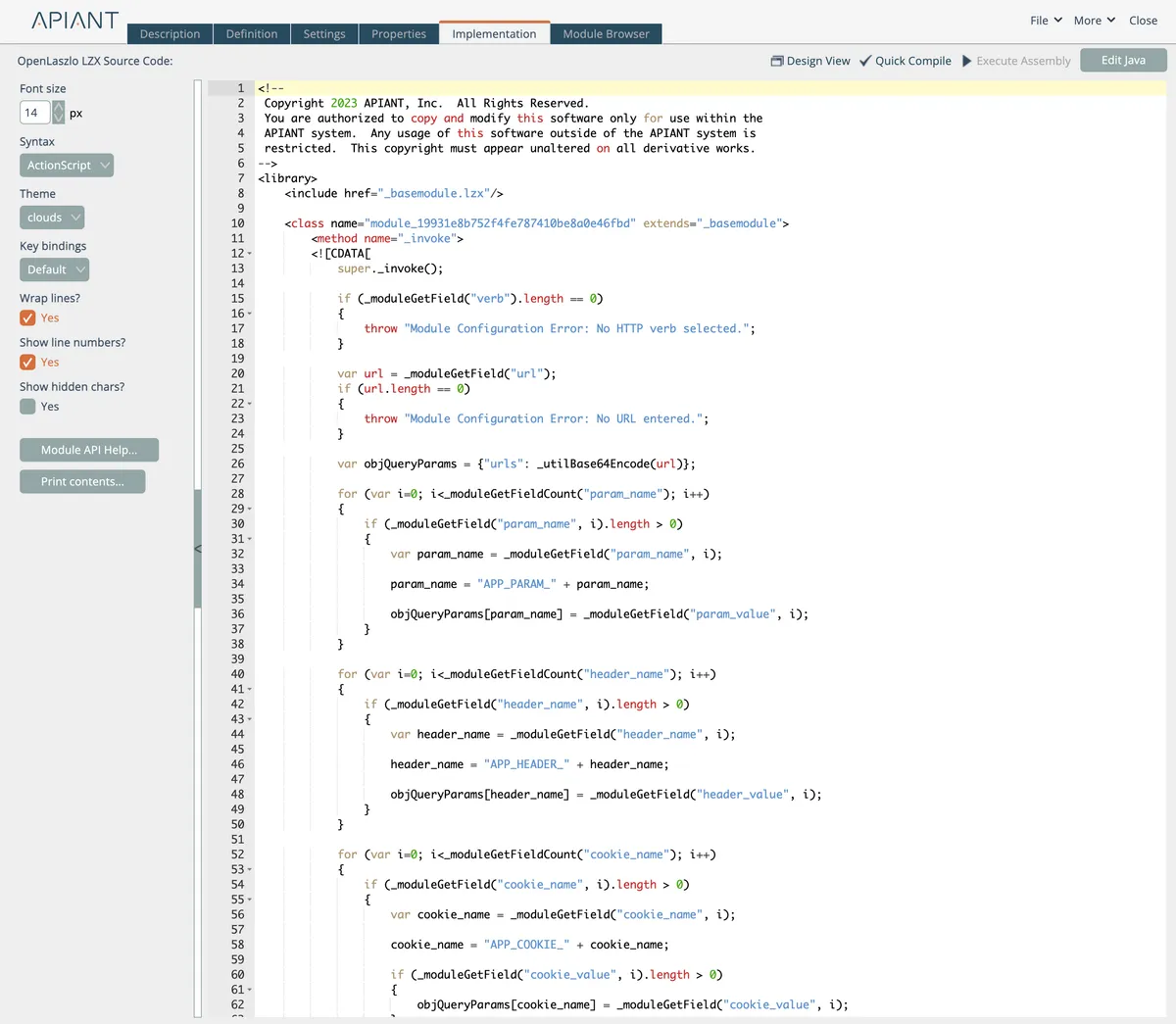
Modules can have two code implementations: JavaScript for the browser and Java for the server. Every module has a JavaScript implementation; the server-side Java is optional.
Module implementations make use of the Module API classes, whose implementations can be viewed in the Module Browser. The Module API allows most JavaScript and Java module implementations to be almost identical, with the Java implementations only needing type information, e.g. "int" instead of "var".
The Module API and coding details aren't covered here. Use the Module Browser to read the Module API classes (they have inlined documentation), and examine existing module implementations to learn the patterns for handling input data and generating output.
The general development cycle for a new module:
Start by saving a copy of an existing module that's close to what the new module needs to do. Modify its Module Definition and optionally Module Settings until it has the inputs the new module needs.
Start with the JavaScript implementation. Make code changes and test in the assembly editor until the JavaScript is working correctly.
Test the JavaScript implementation by running a test assembly in the assembly editor. The editor uses your latest JavaScript code as soon as you save the module — no rebuild step.
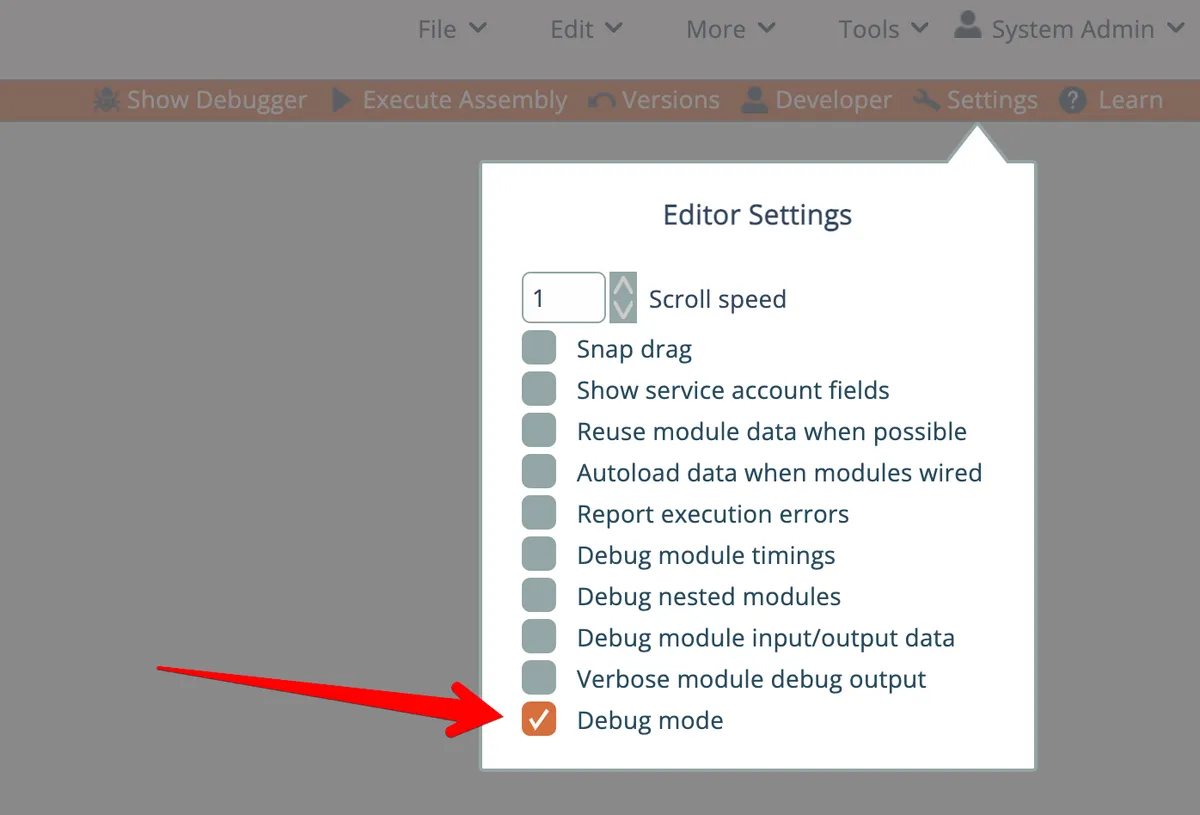
Optionally run the assembly editor in debug mode to trace your code. Enable debug mode here:
Use the Show/Hide Debugger link at the top right of the editor to toggle the debug window:
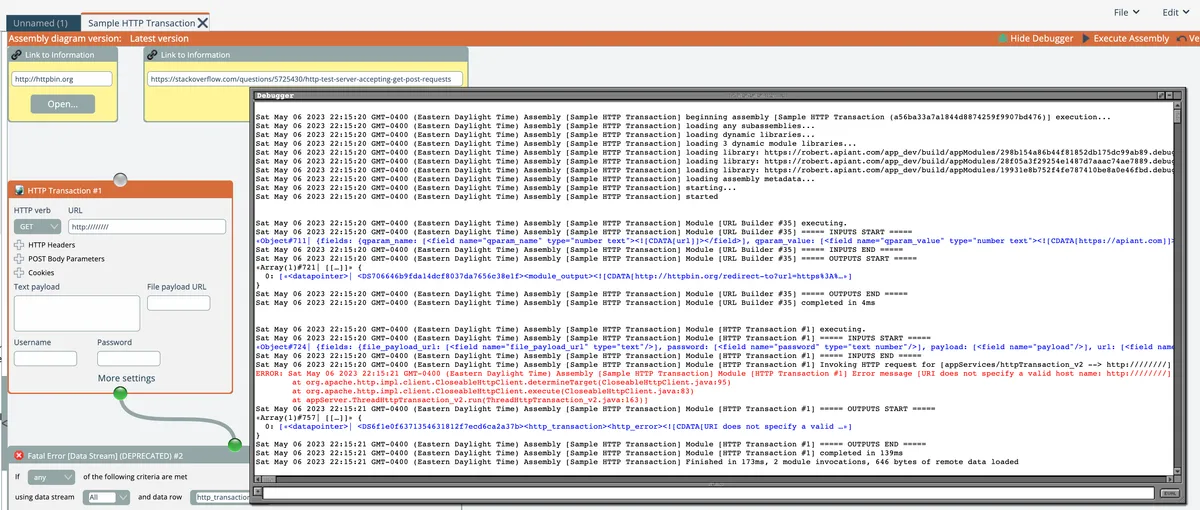
Debug information appears as the assembly executes. Call _debug(content) from the _mixinBase class to write to the debug window. If content is an object, the debug window inspects it and gives you links to drill into nested values.
After the JavaScript implementation works, copy the method bodies to the matching methods in the Java implementation. Convert var declarations to explicit Java types and use the Java compiler's errors to finish the conversion.
Test the Java implementation by executing the test assembly on the server:
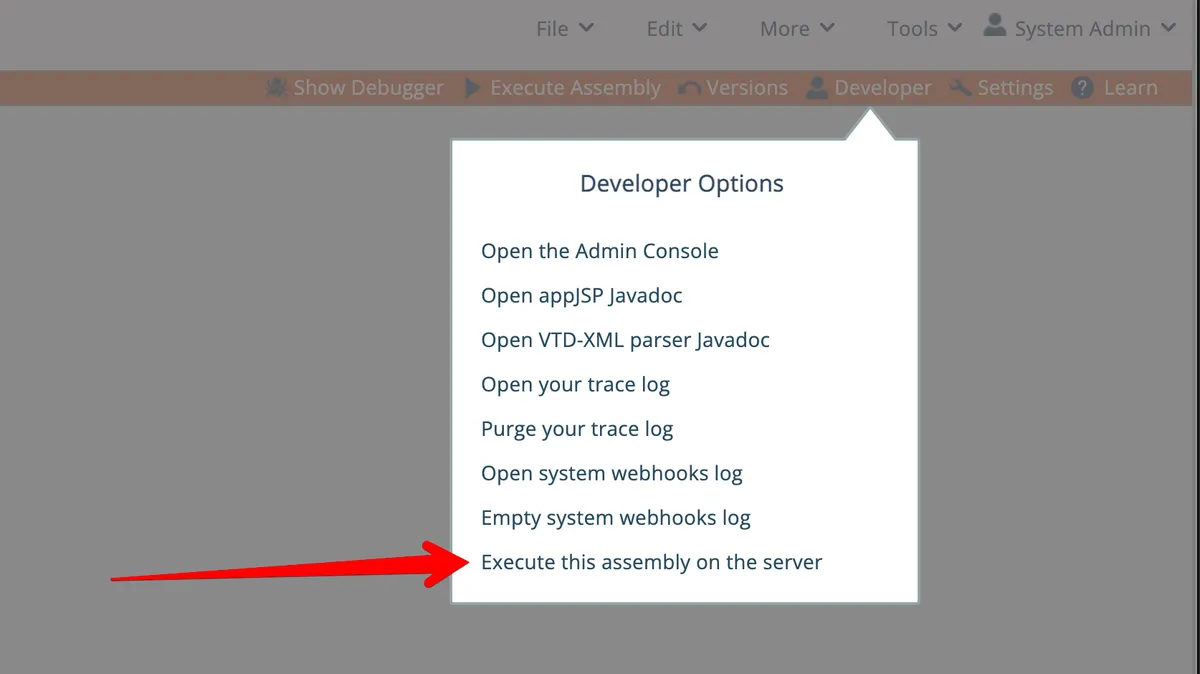
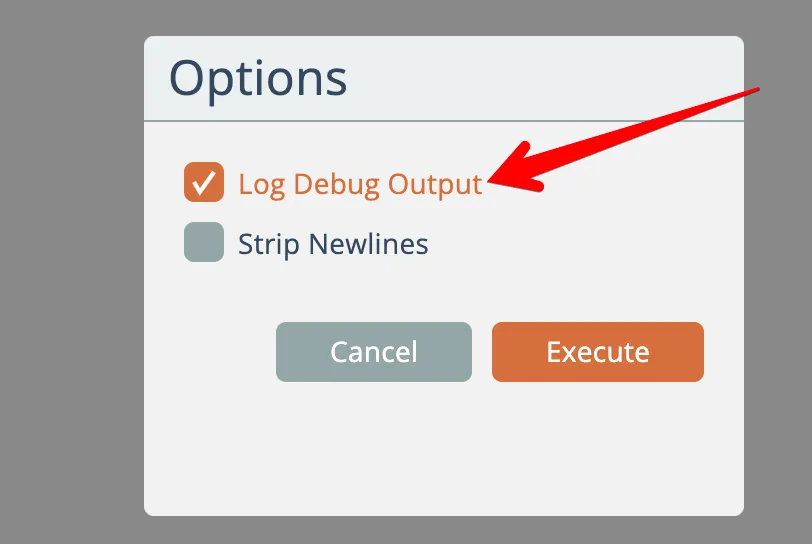
Leave debug information on so any _debug() output or runtime errors show up:
A new browser tab opens with the server's execution output:
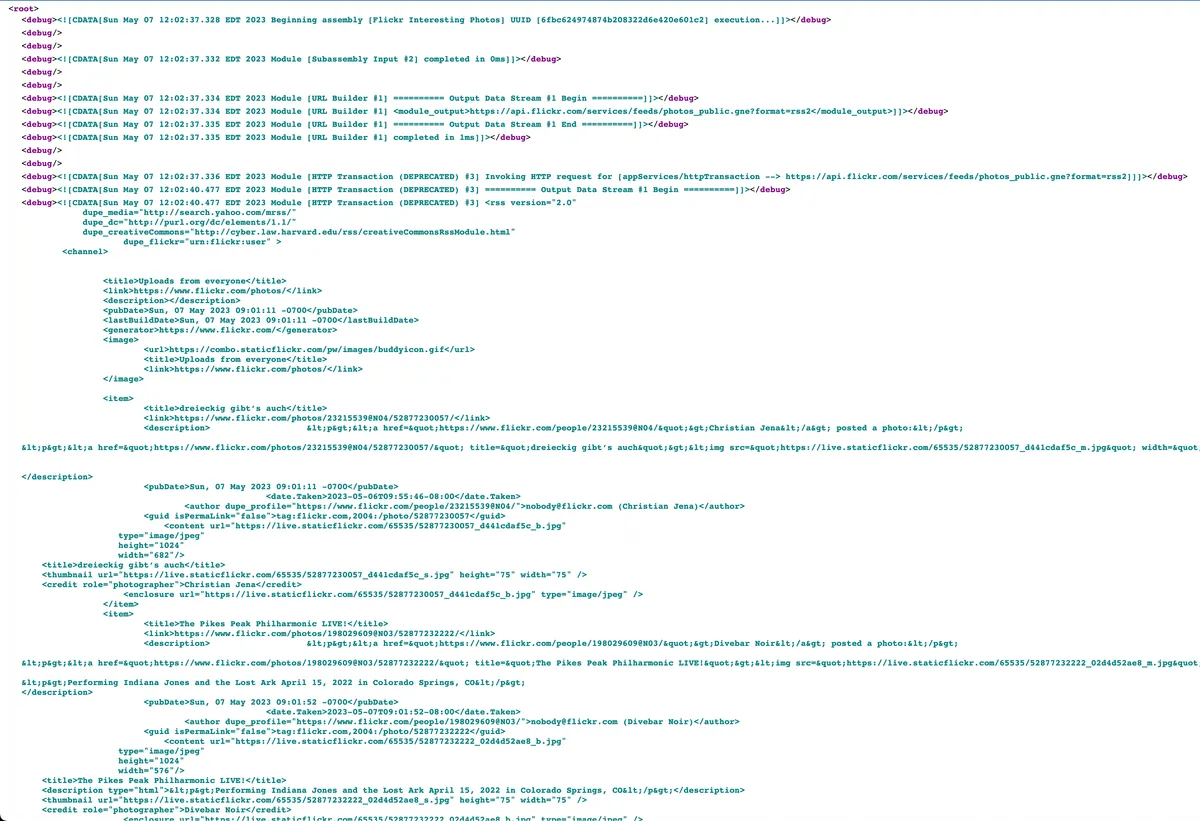
Install an XML Viewer plugin in your browser so the output XML renders formatted instead of raw.
You can refresh the output page after making Java code changes and saving the module, for quick test iterations.
Post to our Community Forum when you need help building new modules.