
GuidePlatformv1
Module Settings
Design module settings using a drag-drop interface to control behavior without adding complexity to the module's interface or wiring data inputs.
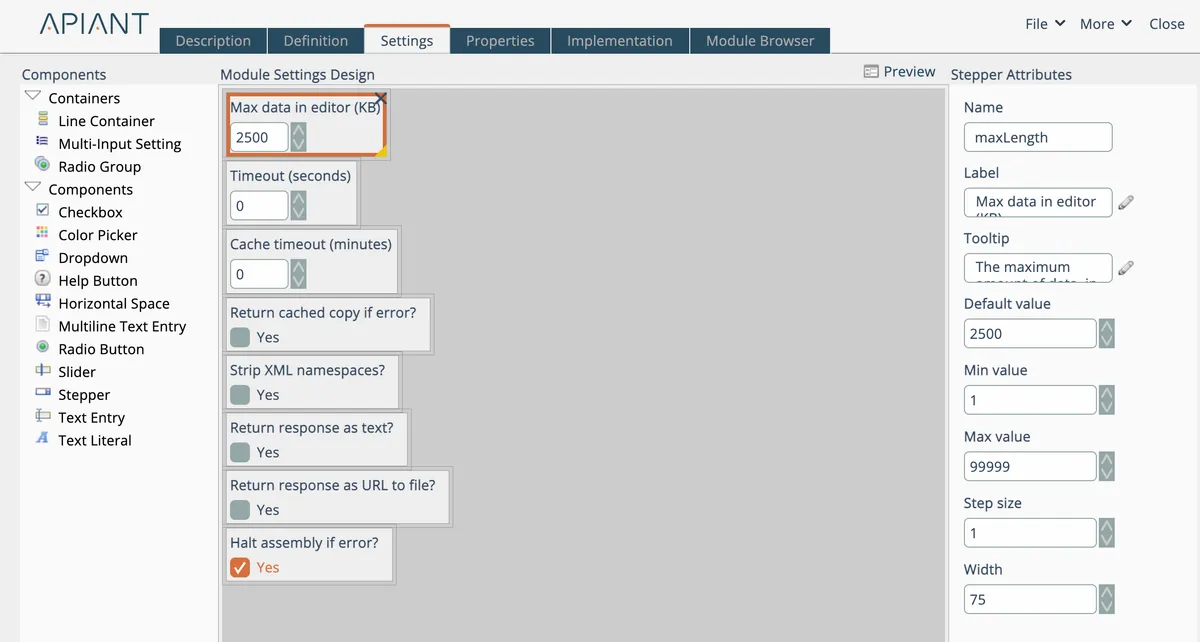
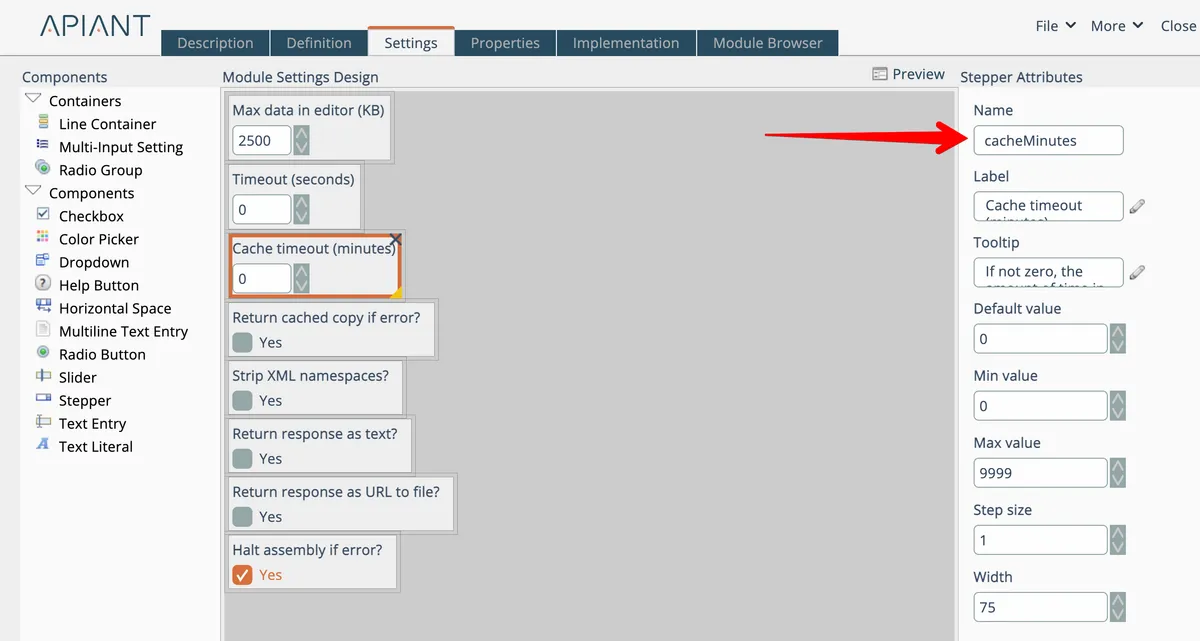
This tab is a drag-drop designer to define additional settings that control the module's behavior.
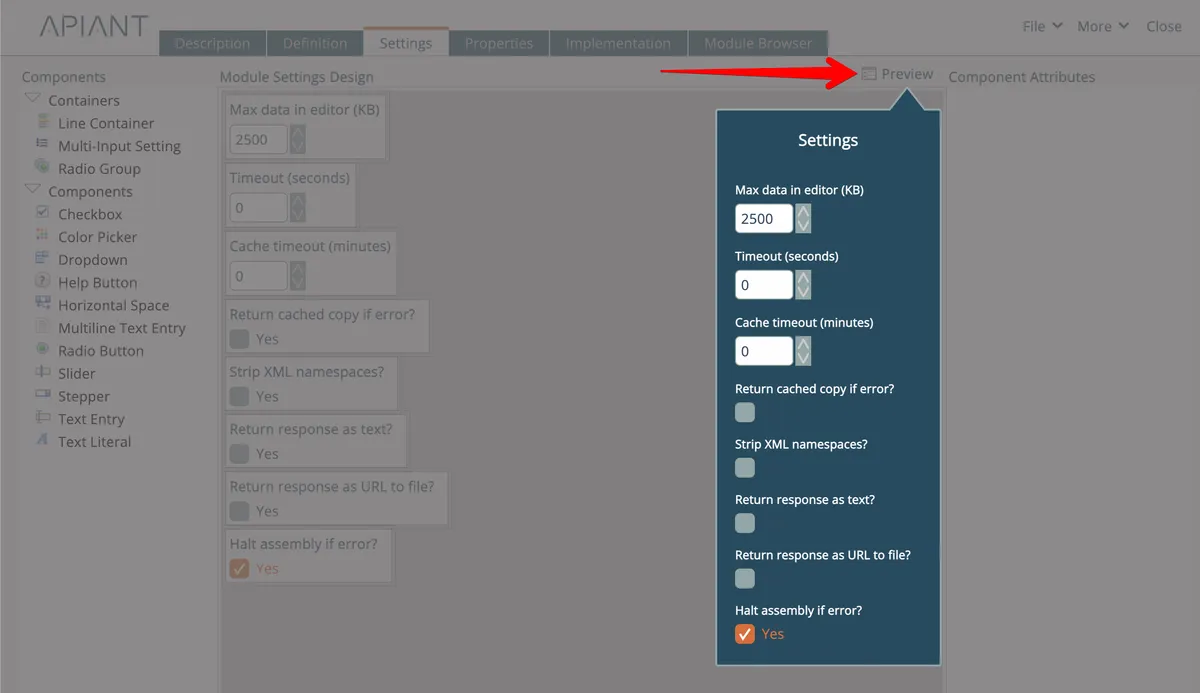
Use the Preview link to see how the settings render:
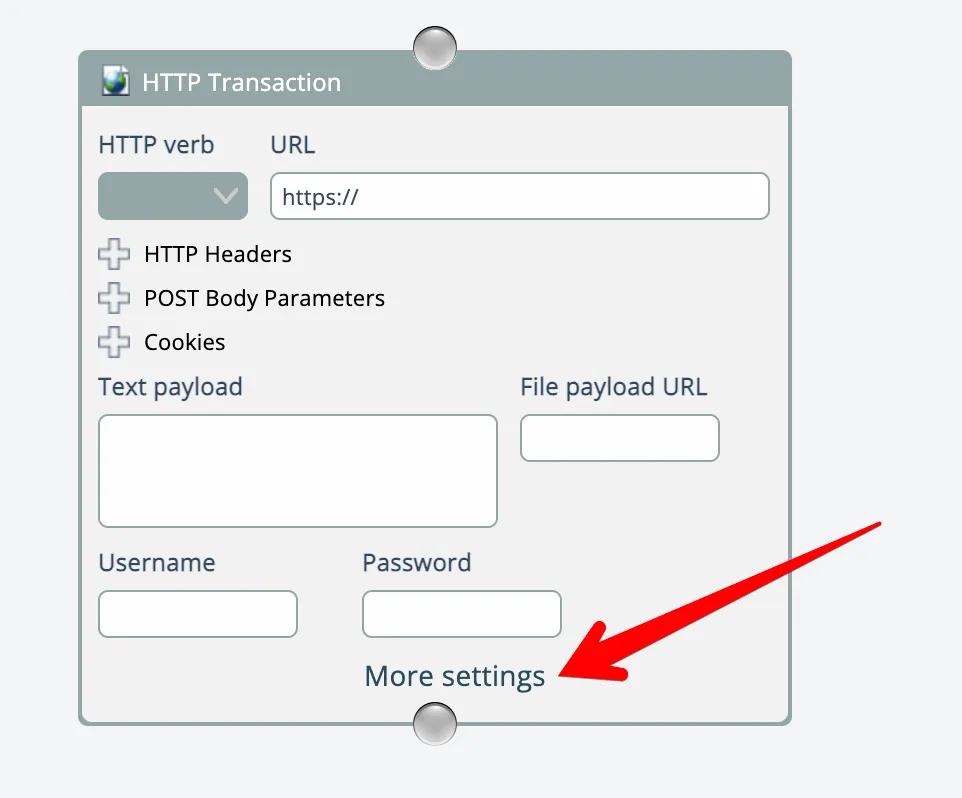
Once settings are defined, a link appears at the bottom of the module:
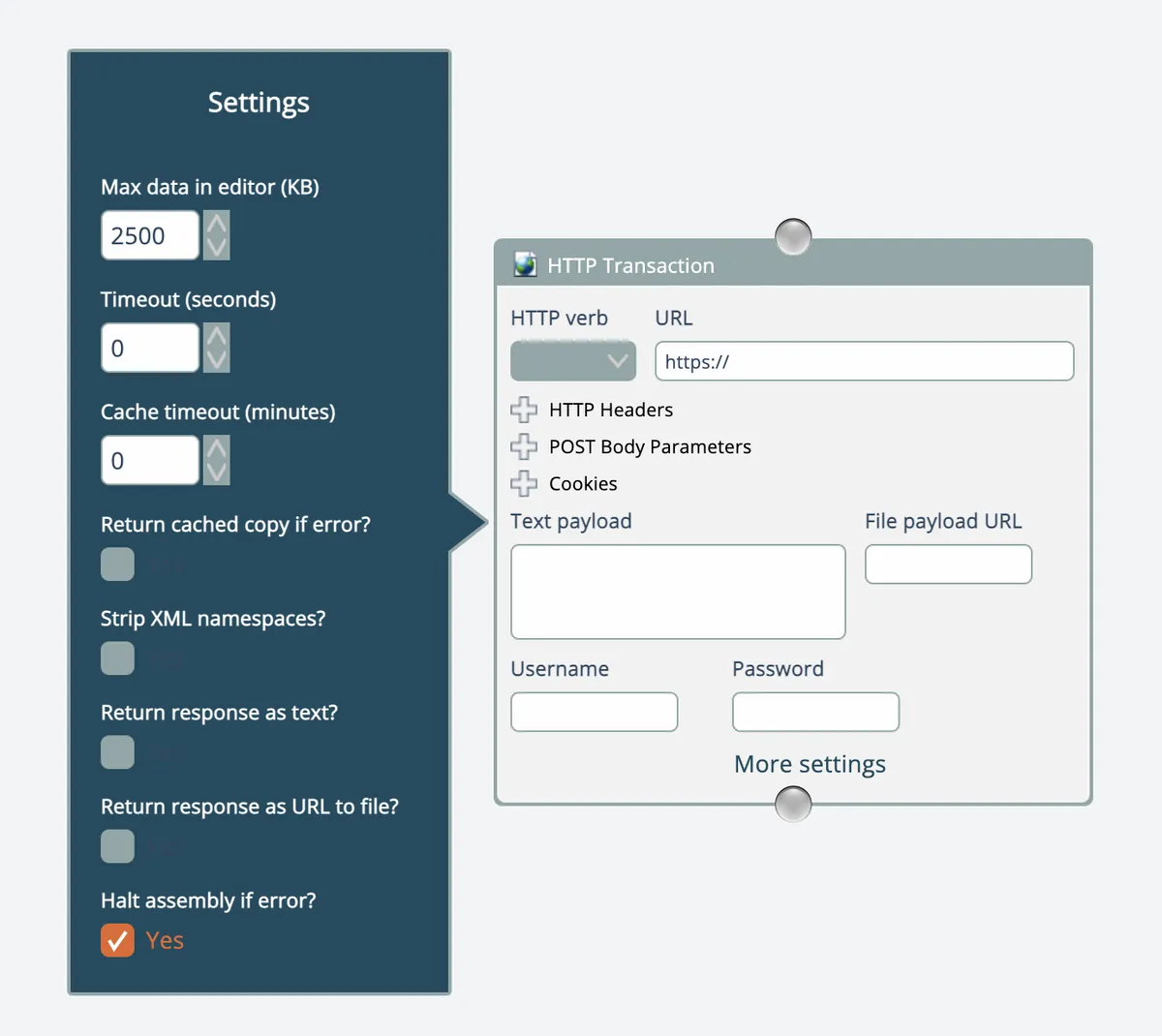
Settings open next to the module when the link is clicked:
Settings keep a module's main UI from getting too complex. Use settings only for values that don't need to be wired into the module.
Like a module definition component, each setting component has a name; the implementation code uses that name to read the setting's value:

Related docs
Last updated April 27, 2026