
GuideAPI Appsv1
MBO auto sign-in not working
Diagnostic steps to resolve Mindbody auto sign-in failures after Zoom meetings, including enabling settings, host procedures, and checking automation errors.
Troubleshooting steps if your clients aren't being automatically signed in Mindbody after a Zoom Meeting has ended
If your clients are not being signed-in to Mindbody automatically after you end a meeting, check the following:
1. Is the feature turned on in your Settings?
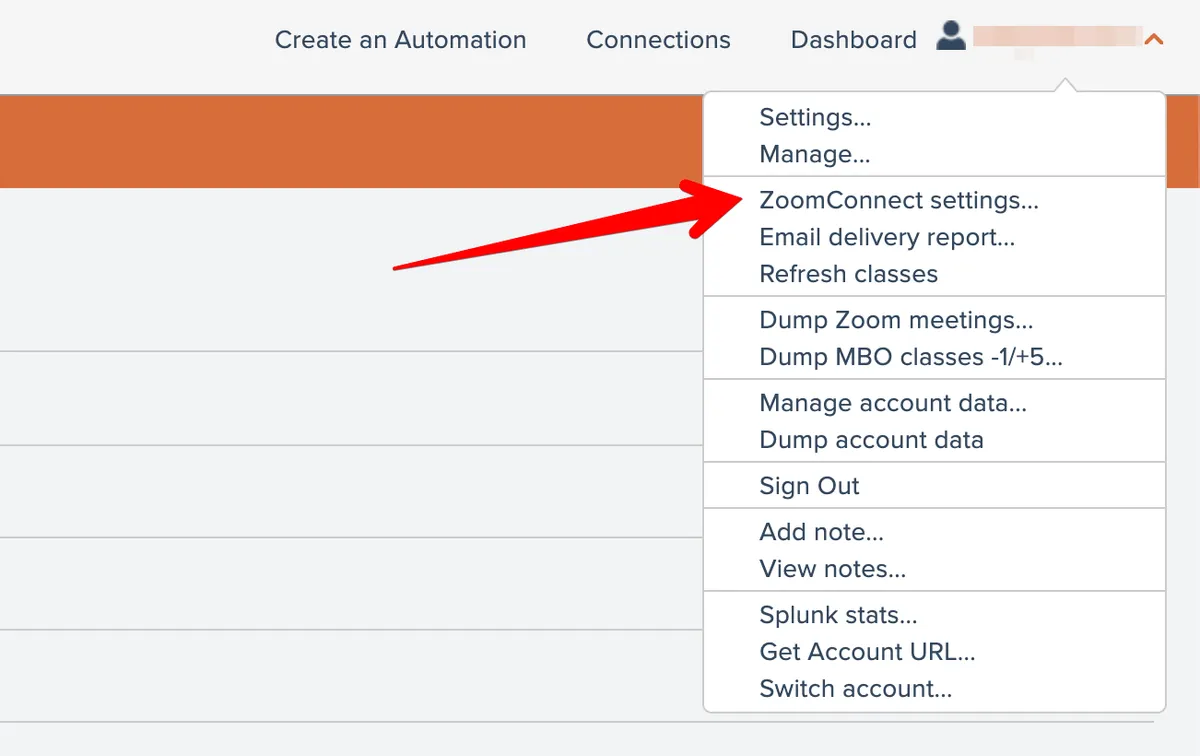
Open your ZoomConnect Settings:
Check that "Signin attendees in mbo" is enabled:

2. Make sure that the Host ends the meeting properly
The meeting Host has to click End at the end of the meeting:

3. Did the automation produce errors?
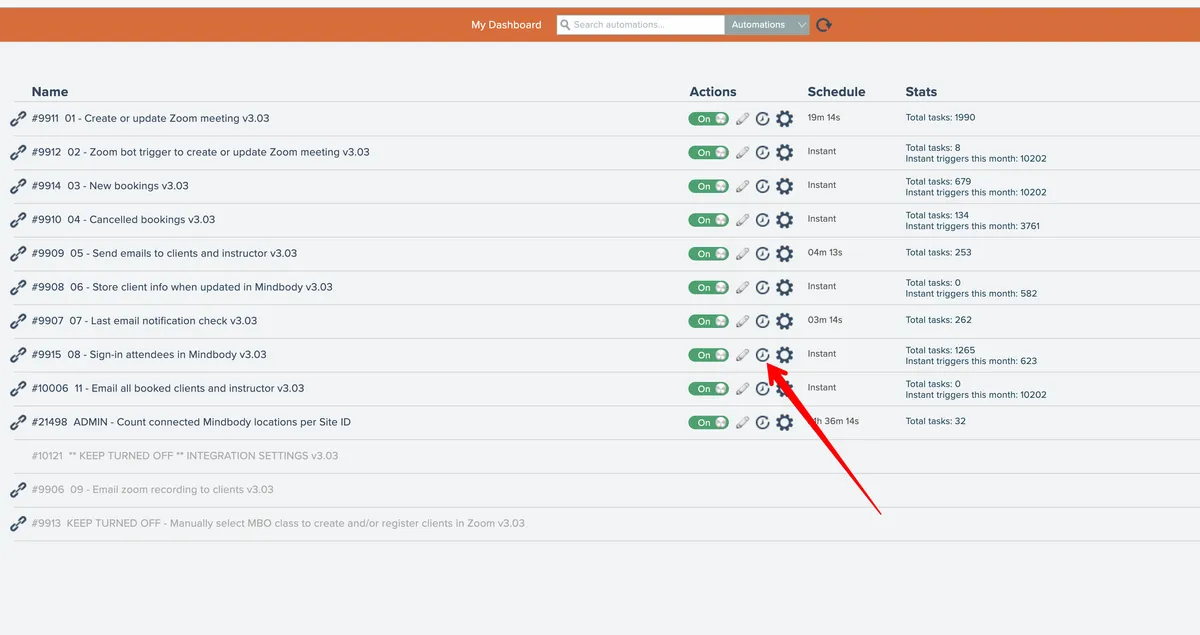
Click the History icon for automation "08 - sign-in attendees in Mindbody":
Filter its history by Errors:

Click on the error. You may be able to Retry it. If it still doesn't work and you need help troubleshooting, click the link icon shown below and send it to us: Contact ZoomConnect Support


Related docs
Last updated April 27, 2026