
Workshops / Enrollments
Configure Zoom meeting registration for workshop enrollments in Mindbody by adjusting the last email notification check timing to ensure clients receive Zoom links before class starts.
How to resolve Zoom meeting registration when a client is added to a Workshop/ Enrollment in Mindbody
ZoomConnect supports workshops/enrollments within Mindbody, but keep in mind your cutoff for clients to sign up for enrollments should be 75 minutes before the next class. If your clients are not getting the email link sent to them at the time your Send Email automation is programmed to send, then you will need to change the "Last email notification check mins" setting.
Why this is happening: there is a minor delay in API communications from Mindbody to APIANT, so we rely on the initial creation of the Zoom meeting with enrolled clients and the last check automation.
How to fix:
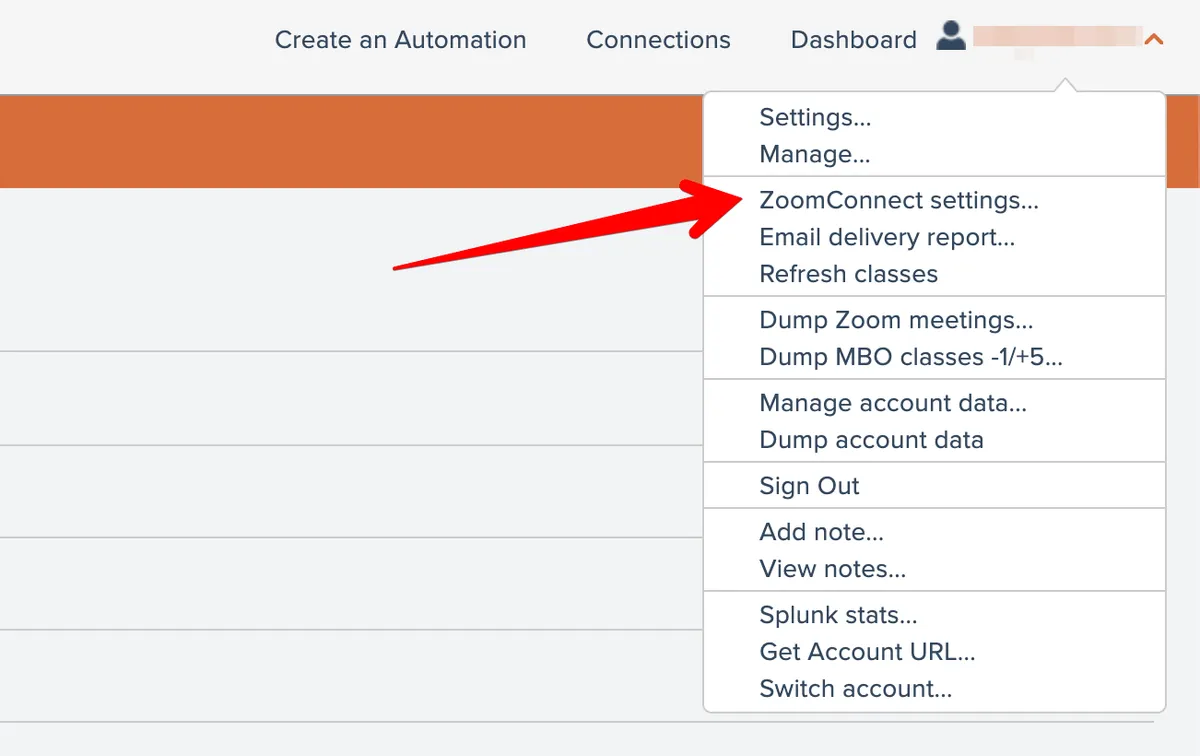
Access your ZoomConnect settings here:
Find the ‘Last email notification check mins’ setting and change it to 75:
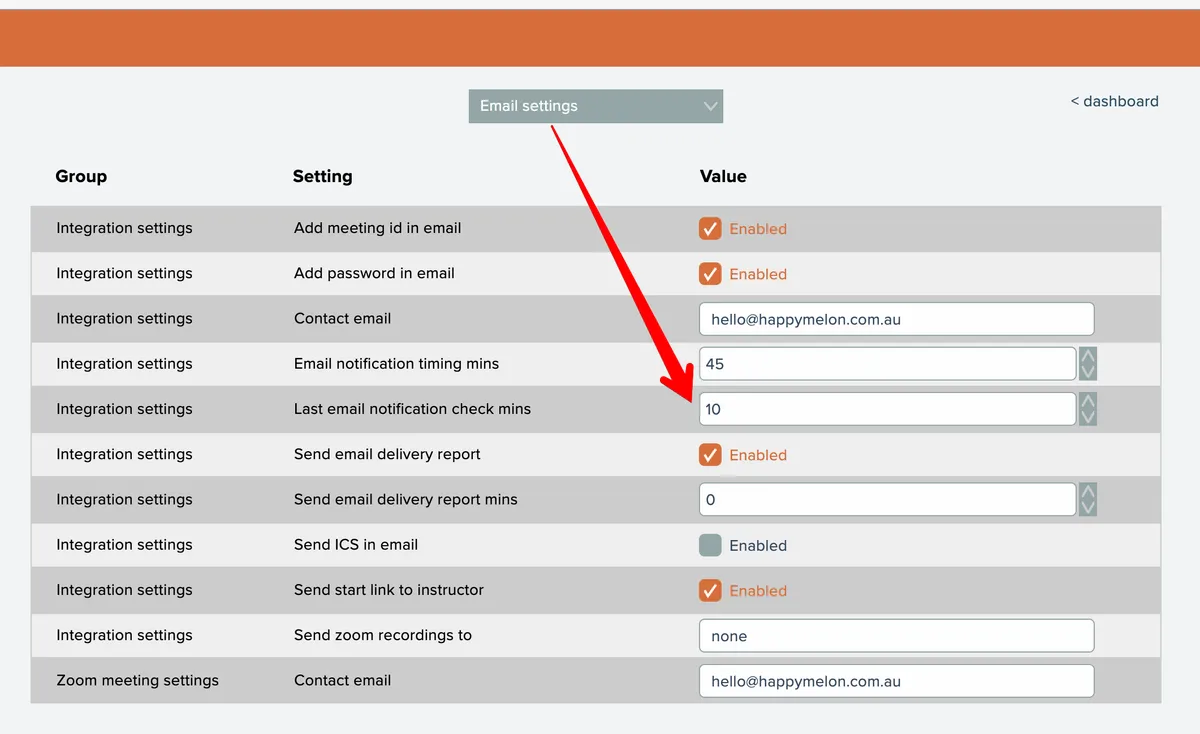
This will cause the automation to run 15 minutes before your email notifications are sent. The automation will double check the Workshop/Enrollment roster, ensuring that everyone on the list gets the email in time.