
GuideAPI Appsv1
Manual updates and bookings
Manually trigger Zoom meeting creation and client registration for classes to ensure booked participants receive confirmation emails through a dedicated automation.
Force the system to create/update a Zoom meeting and to register all booked clients so they receive their emails
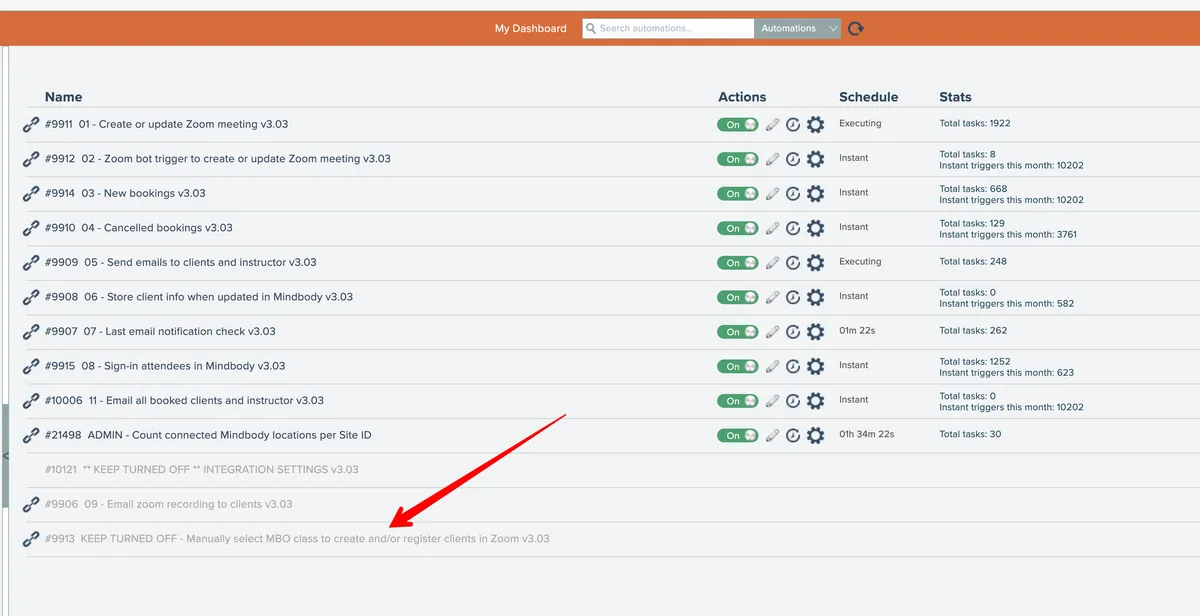
If you need to manually force the system to create or update a zoom meeting and register all booked clients so they can get emails, you can manually run an automation to process a class into Zoom.
The automation is named "KEEP TURNED OFF - Manually select MBO class to create and/or register clients in Zoom"
This video walks you through using it:
If you don't see this automation in your account or if you need help using it, Contact APIANT support
Related docs
Last updated April 27, 2026