
Retrying a single errored data row
Manually retry individual errored data rows from the data row history screen using stored data, edited data, or fresh data fetching from triggers.
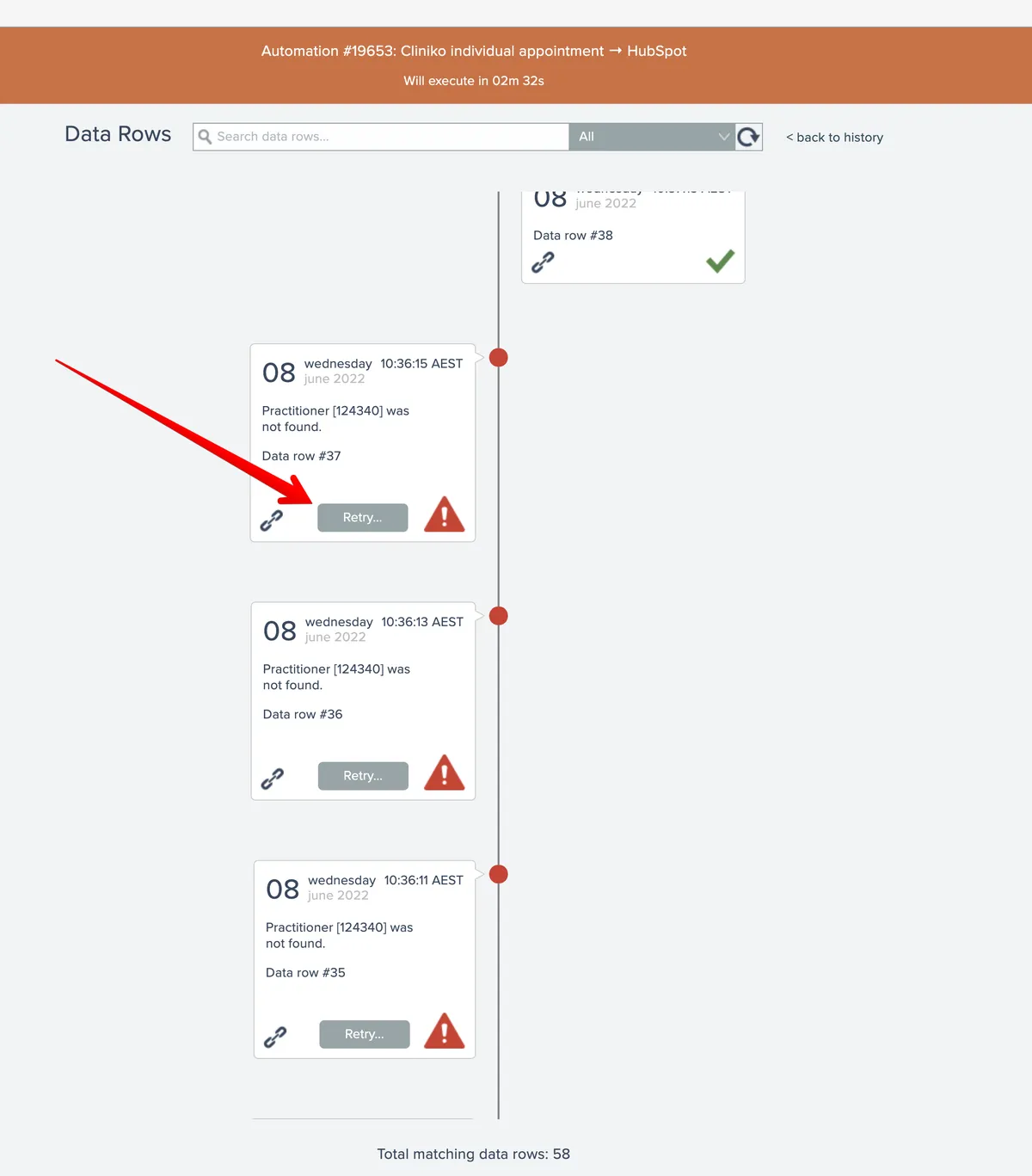
From the second-level data row history screen, individual errored data rows can be retried by clicking their Retry button:
After clicking the button, the retry mode can be specified:
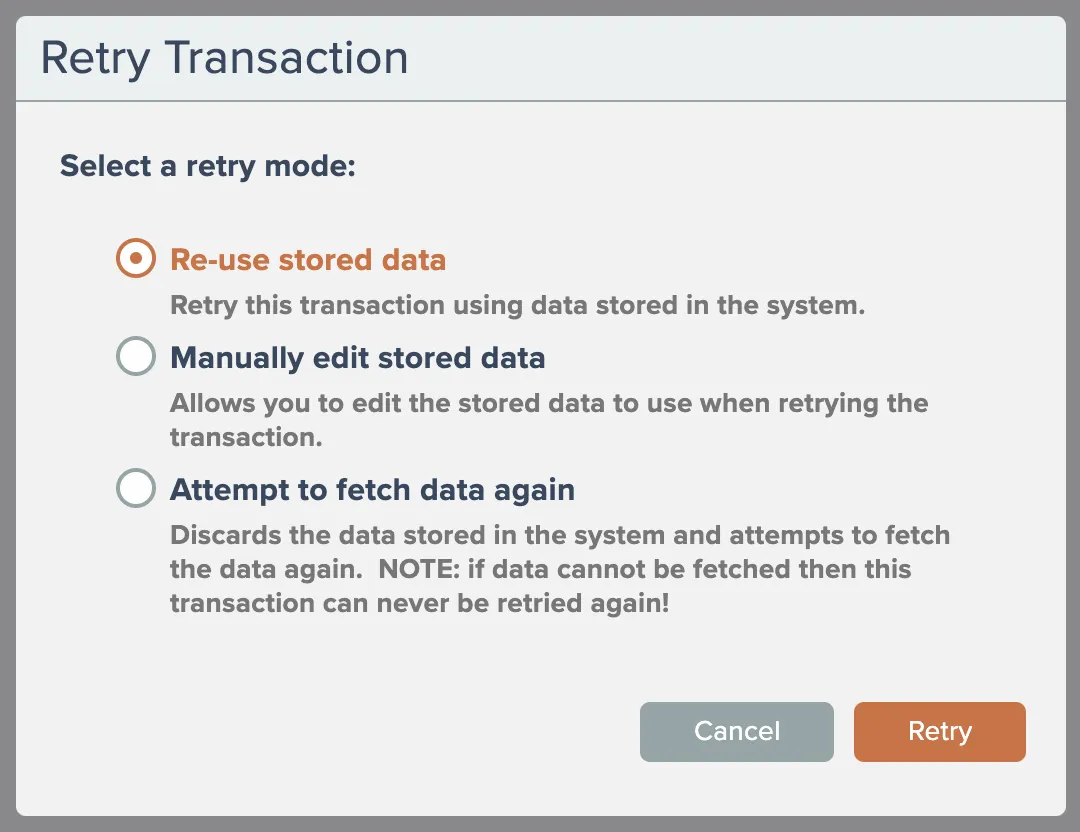
The system can re-use the existing stored data to perform the retry, you can manually edit the stored data, or the system can attempt to fetch the data again from the trigger(s).
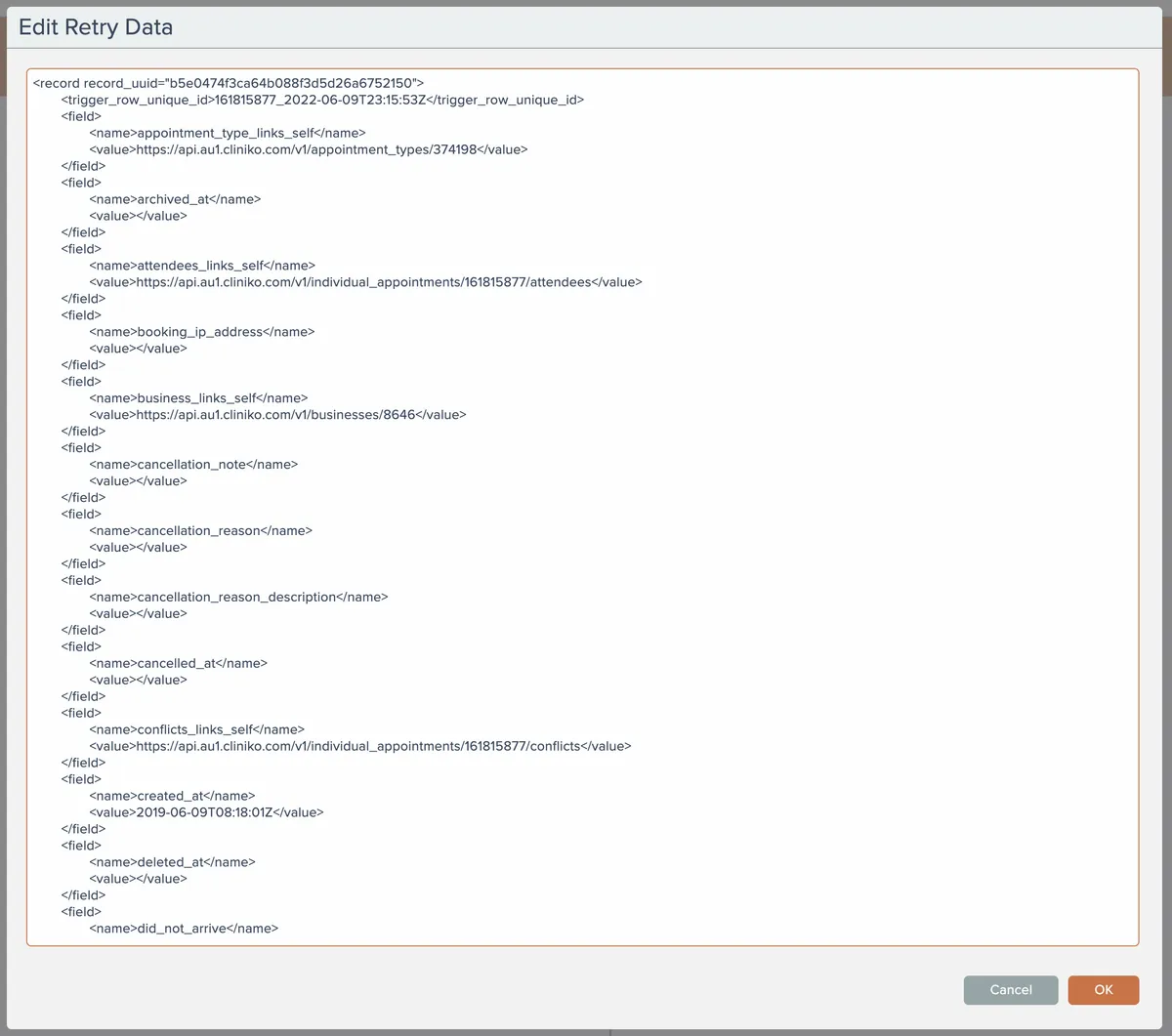
Selecting to manually edit the stored data shows a text editor where the trigger data row record can be edited:
If the option to fetch data again is used and the system is unable to fetch the data, then those transactions can never be retried again!