
GuidePlatform UI (Fallback)v1
Retrying multiple errored data rows
Bulk retry failed data rows from the data row history screen by selecting errors and choosing whether to reuse stored data or refetch from triggers.
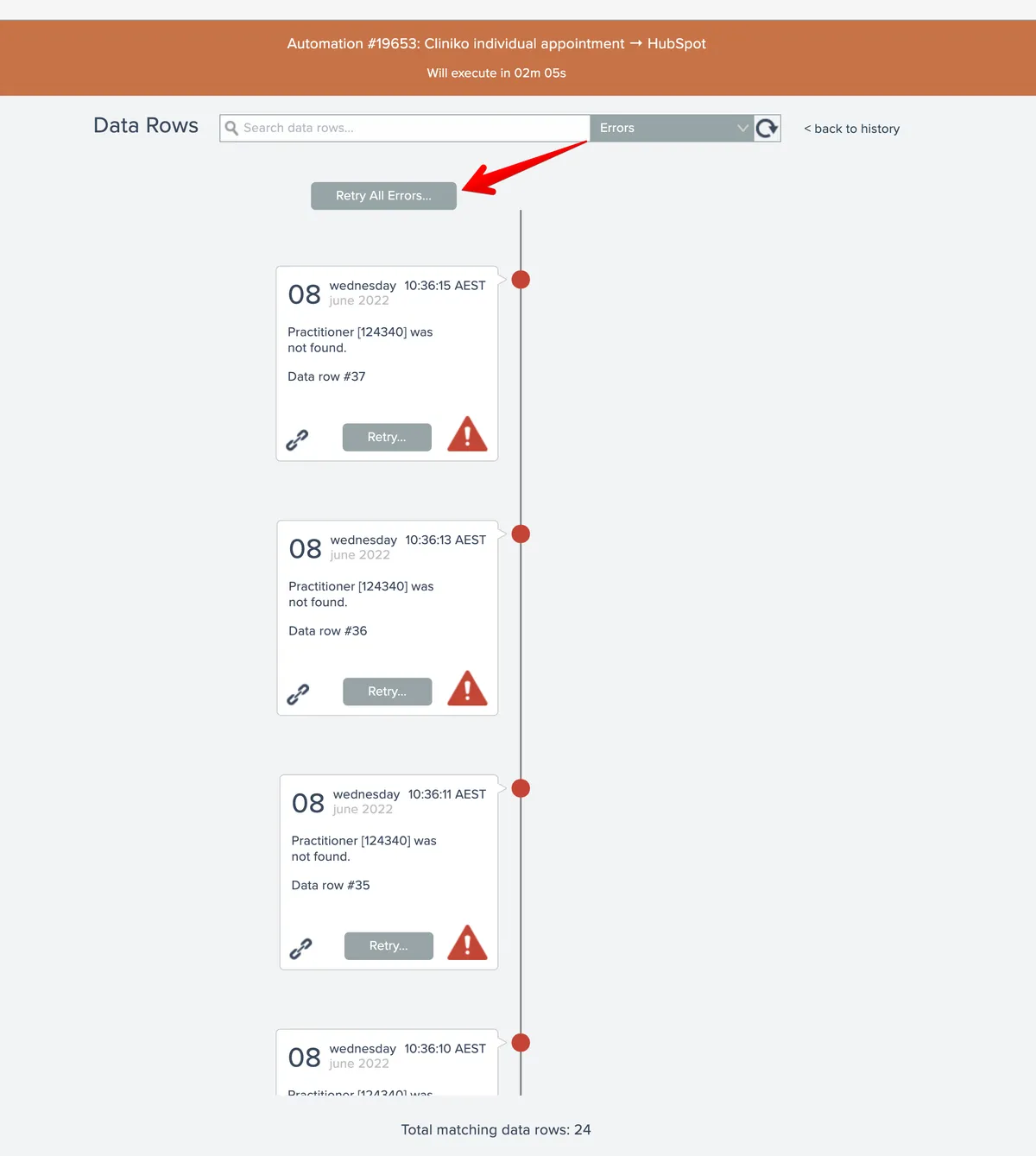
1From the second-level data row history screen, multiple errored data rows can be retried by first selecting the Error filter. If multiple data rows are returned the Retry All button will appear:
After clicking the Retry All button, the retry mode can then be specified:
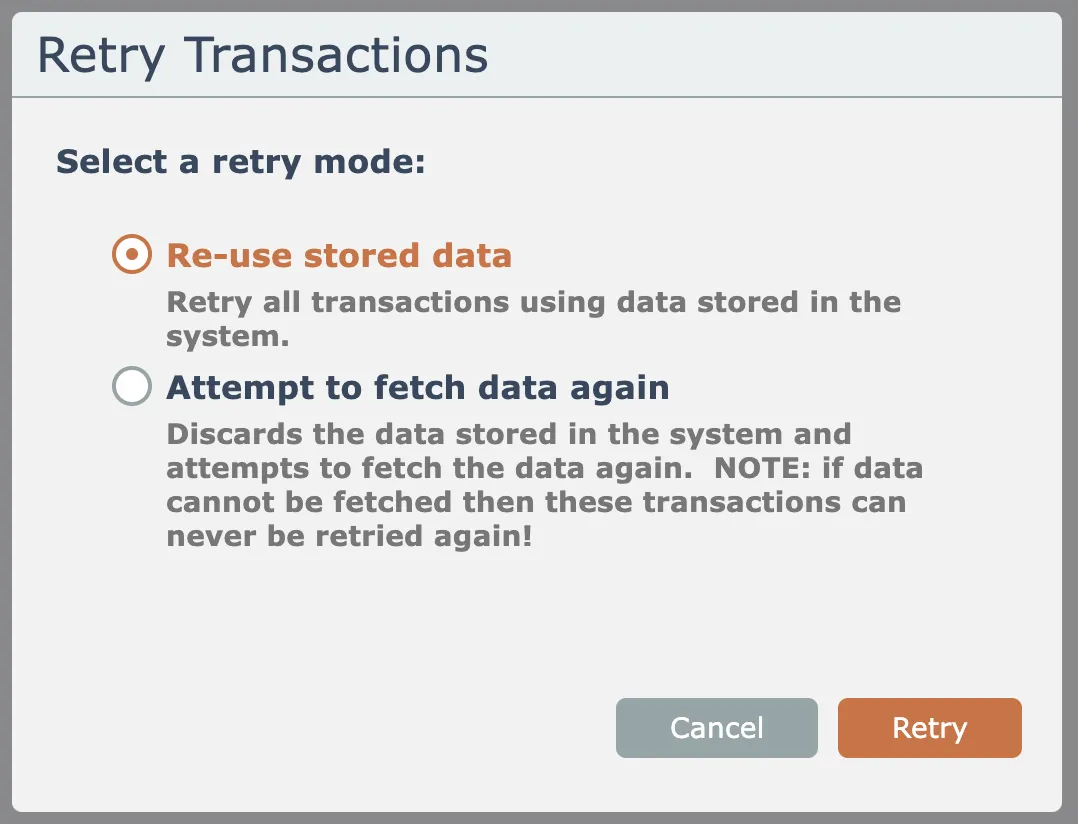
The system can either re-use the existing stored data to perform the retry, or it can attempt to fetch the data again from the trigger(s).
If the option to fetch data again is used and the system is unable to fetch the data, then those transactions can never be retried again!
Related docs
Last updated May 4, 2026