
GuidePlatform UI (Fallback)v1
Retrying multiple errors
Batch retry failed executions from the execution history using stored data or by refetching from triggers, with options to specify retry behavior across multiple errors.
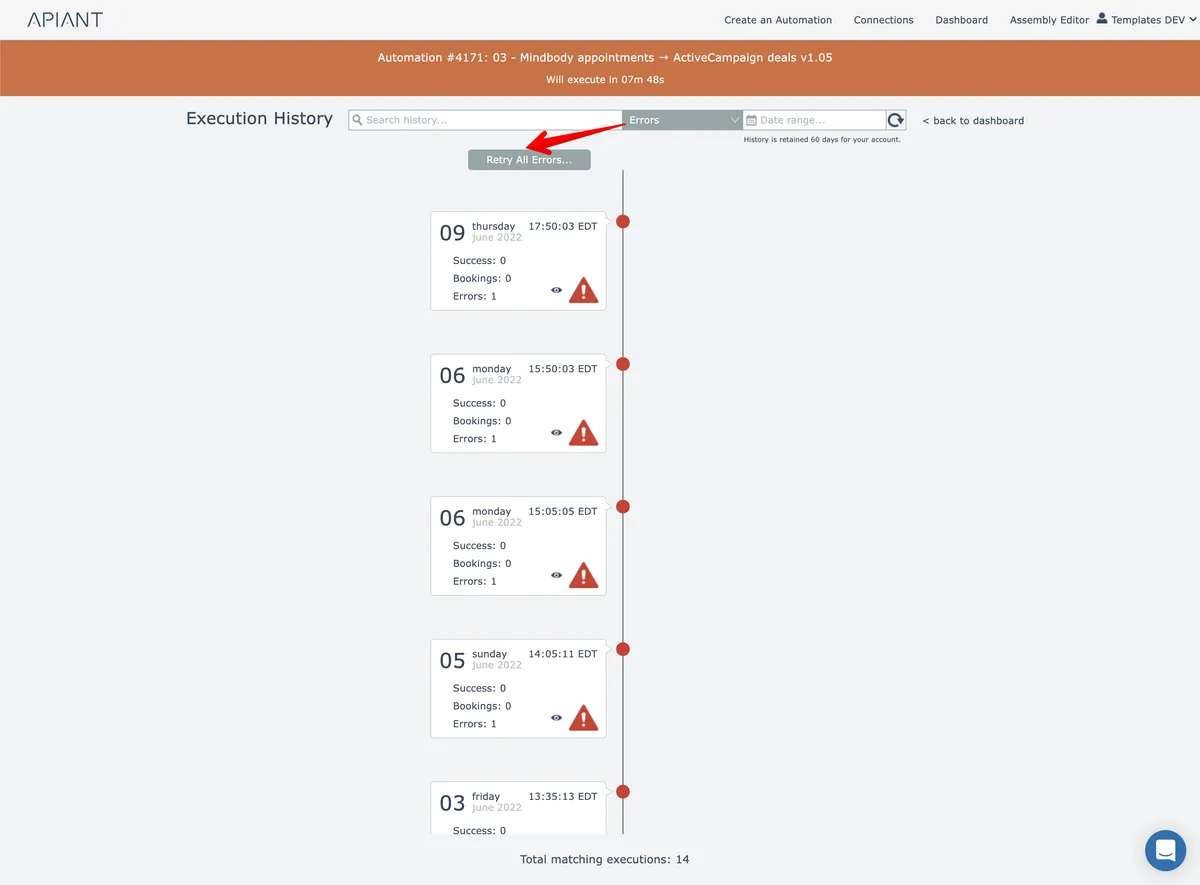
In the top-level execution history screen, when the "Errors" filter is applied, the "Retry all errors" button appears if any errors match the specified search and date criteria:
After clicking the Retry All button, the retry mode can then be specified:
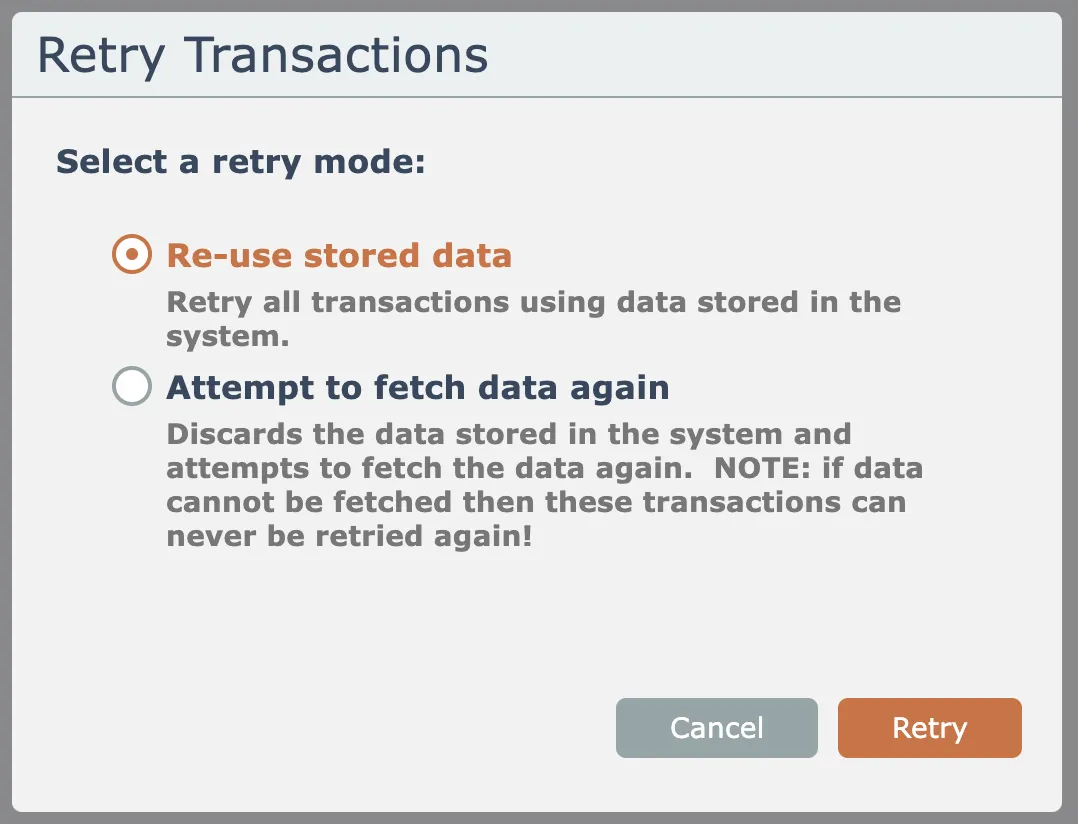
The system can either re-use the existing stored data to perform the retry, or it can attempt to fetch the data again from the trigger(s).
If the option to fetch data again is used and the system is unable to fetch the data, then those transactions can never be retried again!
Related docs
Last updated May 4, 2026