
Manually execute an automation
Trigger polling automations on demand using Execute Now, with options for normal, test, or export execution modes to control data emission.
To manually execute a polling automation, open its gear menu and select the Execute Now option:
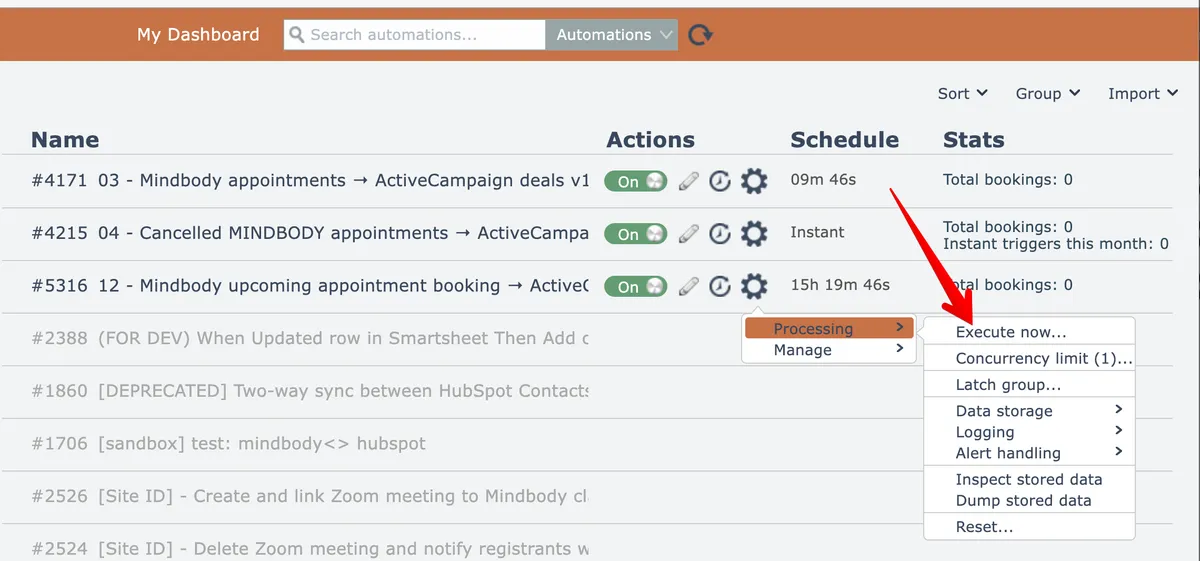
NOTE: this menu option does not appear for automations that only contain webhook instant triggers.
Then choose an execution mode:
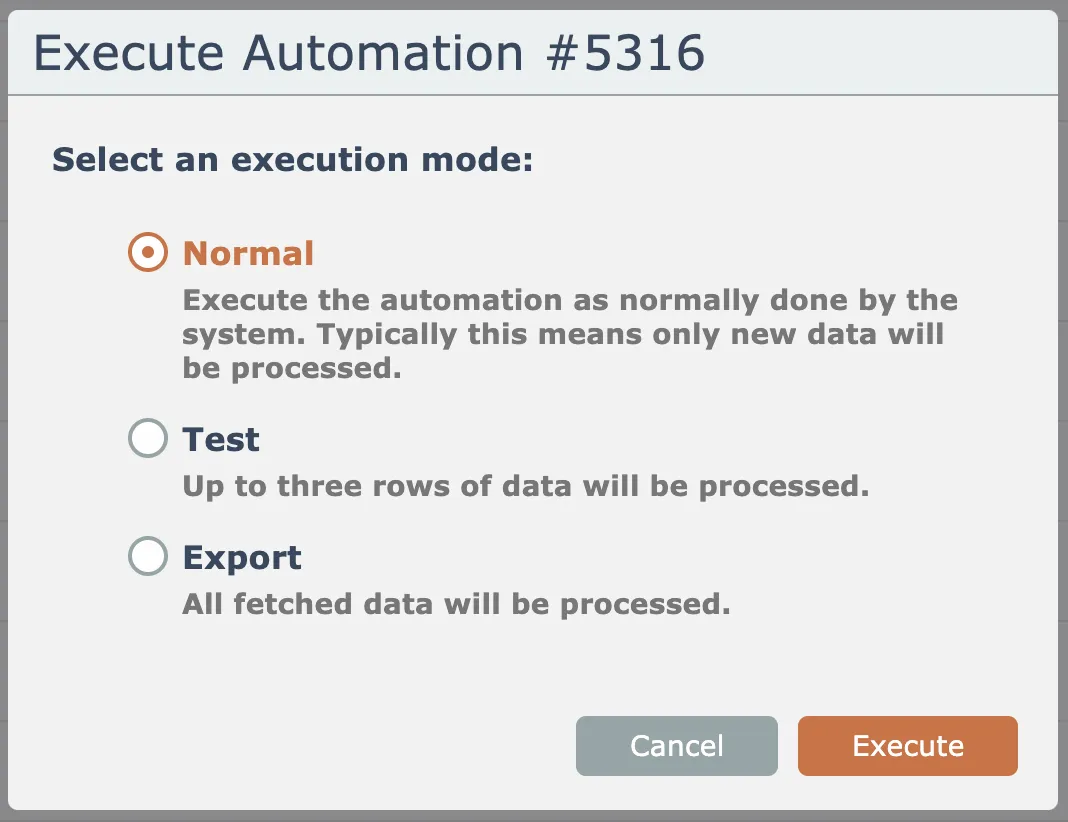
The mode determines how much data the polling trigger(s) will emit:
-
Normal mode runs the automation just as the system does. Depending on the trigger(s), this means the trigger(s) will emit any new or updated data since the last time the automation was normally executed.
-
Test mode forces the trigger(s) to emit up to 3 data records.
-
Export mode forces the trigger(s) to emit all data records they fetch. The number of emitted data records will vary depending on the trigger's implementation.