
GuidePlatform UI (Fallback)v1
Resetting an automation
Resetting an automation to its initial state and understanding how polling automations handle data processing after reset, including the first execution behavior.
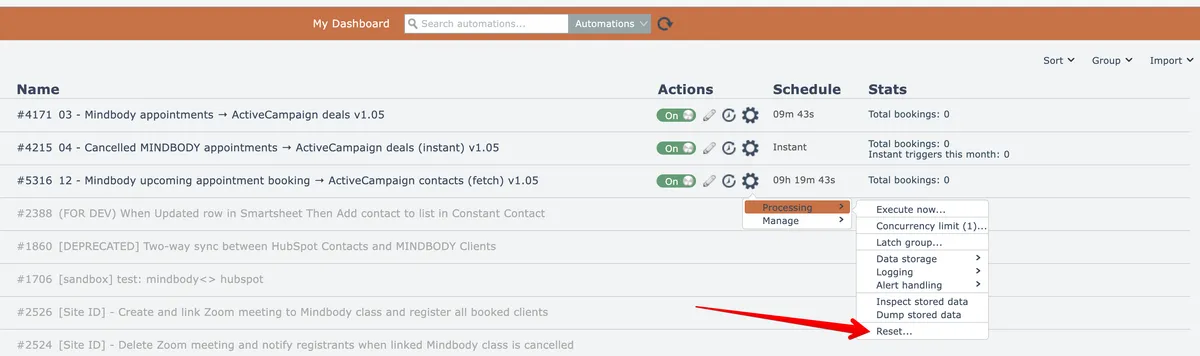
Automations can be reset to their initial state via the Reset menu option here:
A confirmation dialog will appear:
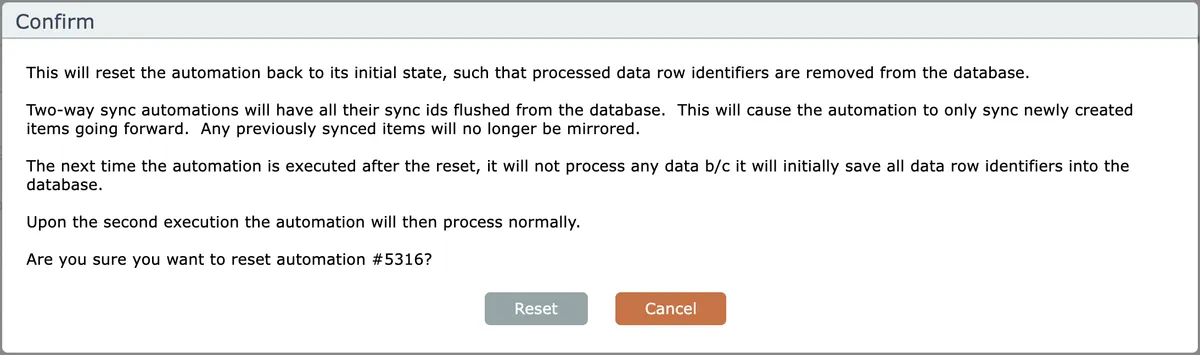
After resetting a polling automation, the next time it executes it will not process any data because it will save all the initial data row identifiers into the database, to avoid a possible flood of processing.
The polling automation will start to process items normally upon its second execution.
Related docs
Last updated May 4, 2026