
GuidePlatform UI (Fallback)v1
Managing stored data
Access and manage automation scope data stored in your account, including searching entries and performing row-level actions like deletion and editing.
Accounts having the "Switch Account", "Assembly Developer", or "Automation Debug Logs" permissions can access a menu option under the Account menu at the top right to manage account data:
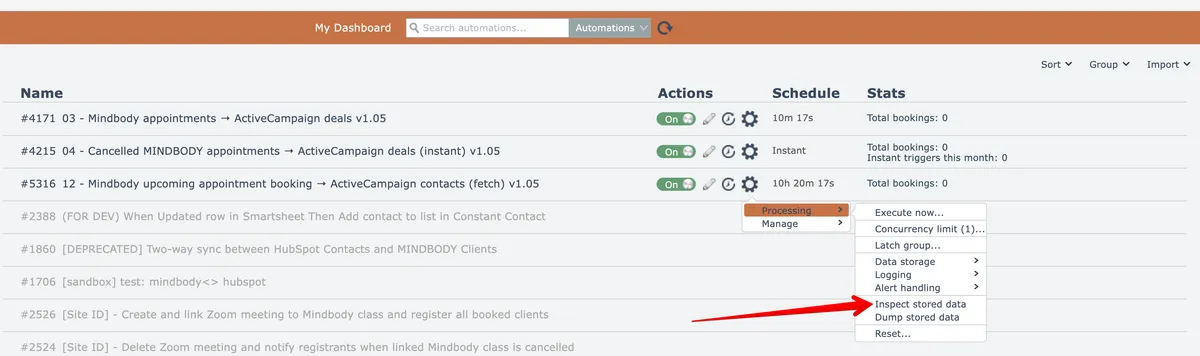
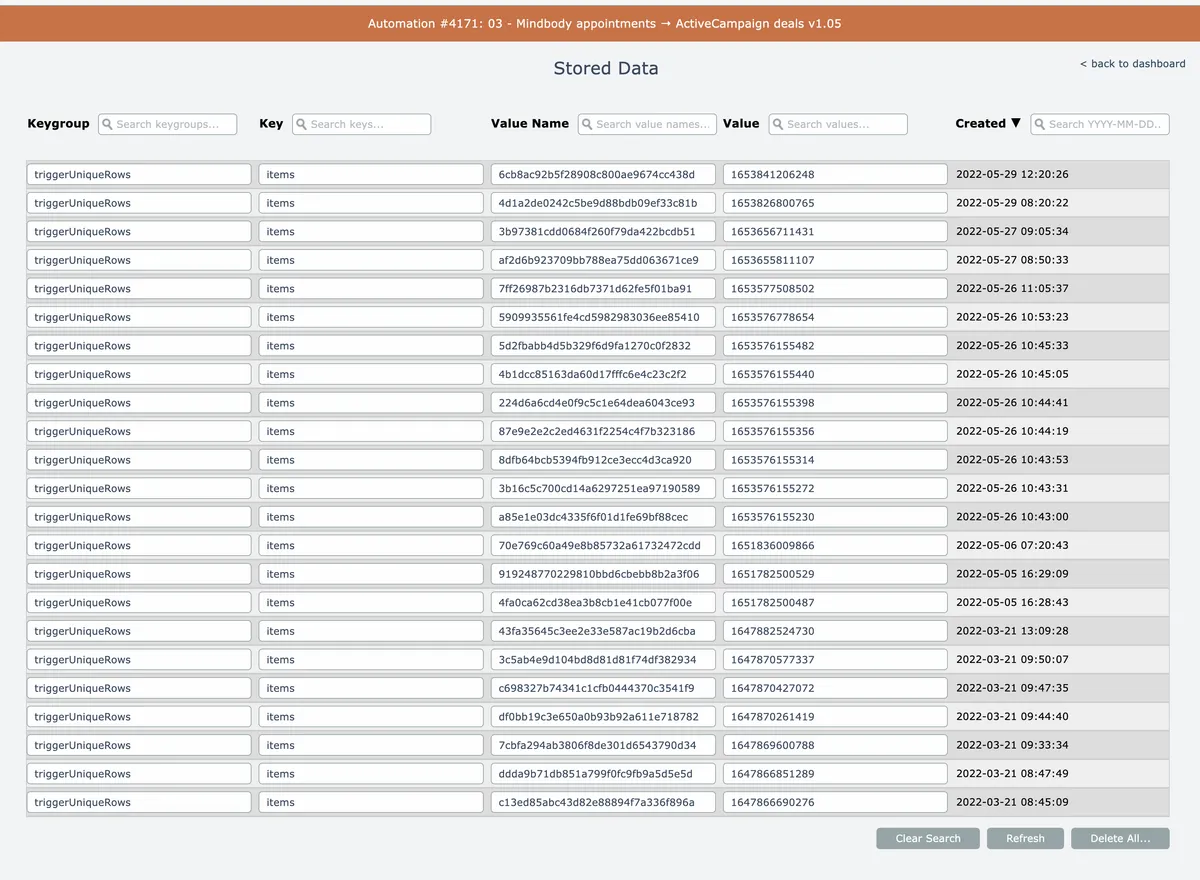
Any data stored by the automation in the automation scope appears.
Searches can be performed via the text entry fields at the top of the columns. Use asterisks '*' for wildcard matching.
The Created column text can be clicked to change the ordering from newest entries to oldest entries.
Mouse over rows to perform individual row actions:

Related docs
Last updated May 4, 2026