
Execution history
View detailed records of each automation execution including processed rows, errors, billing units, and searchable history with retention based on system configuration or subscription plan.
Each time an automation is executed, the results of the execution are recorded in its execution history:
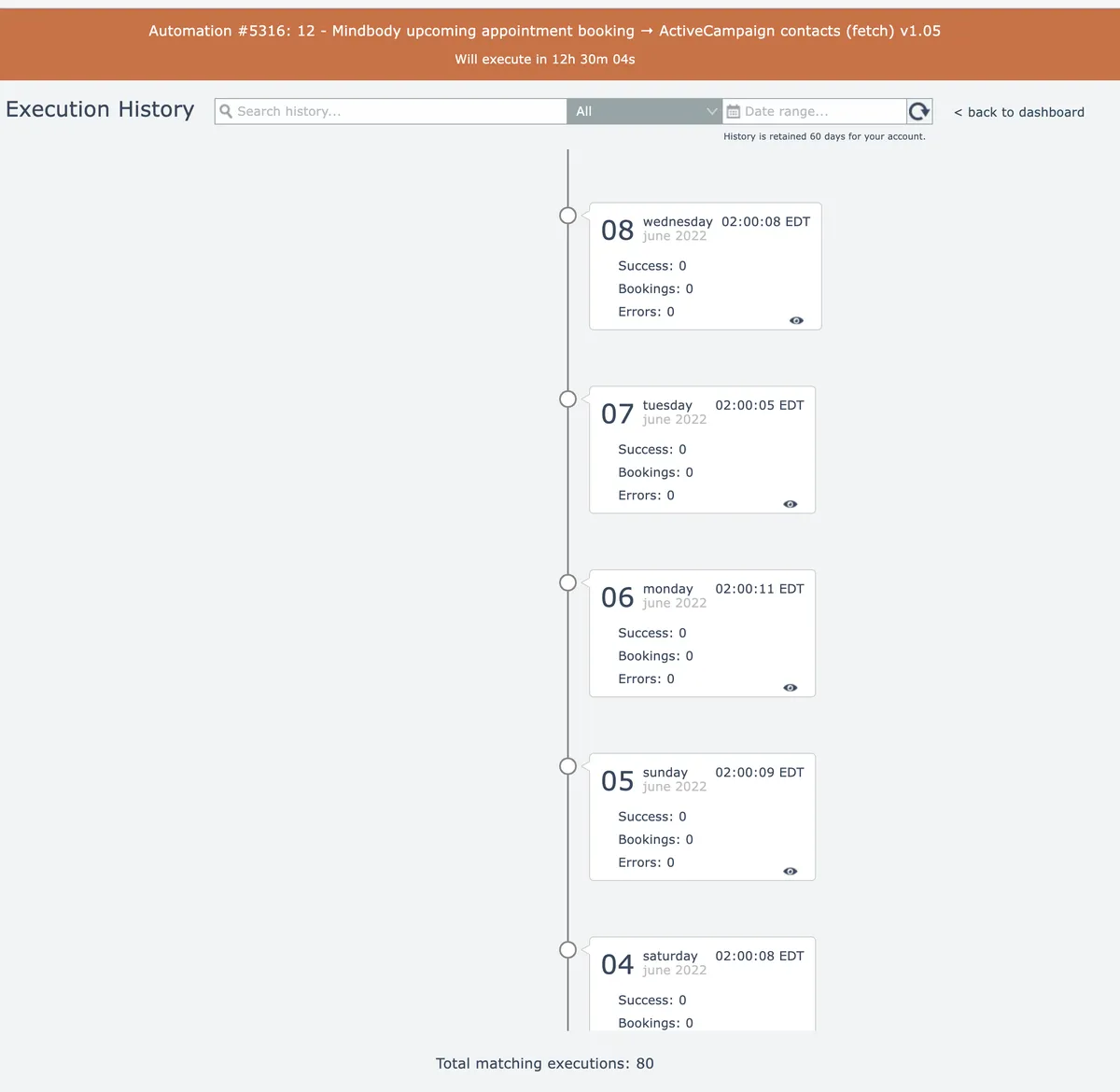
History retention depends on either the system's configuration or the account's subscription plan. If a limit is defined, it is displayed under the date range at the top right of the screen.
Each entry records the number of successfully processed, filtered, and errored data rows.
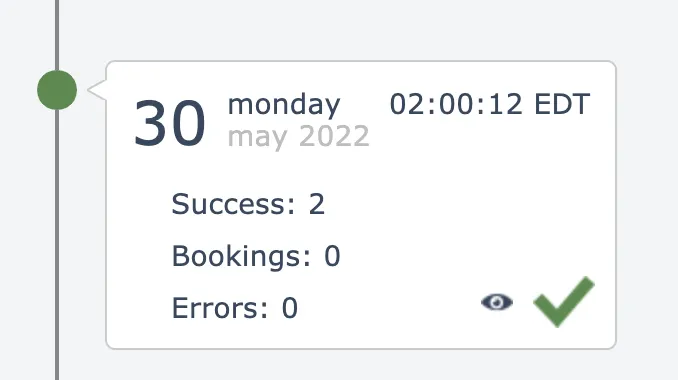
If the account has a subscription plan, a count of the plan's billing units is also displayed. The default billing unit is "task", which is a count of how many non-system actions were executed. In this example, the billing unit is "Booking":
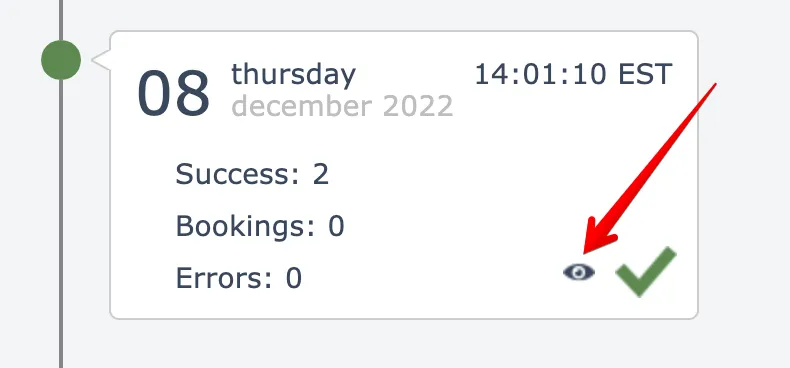
If the account has the "Assembly Developer" or "Switch Account" permission the "eye" icon at the lower right will provide access to stored history information:
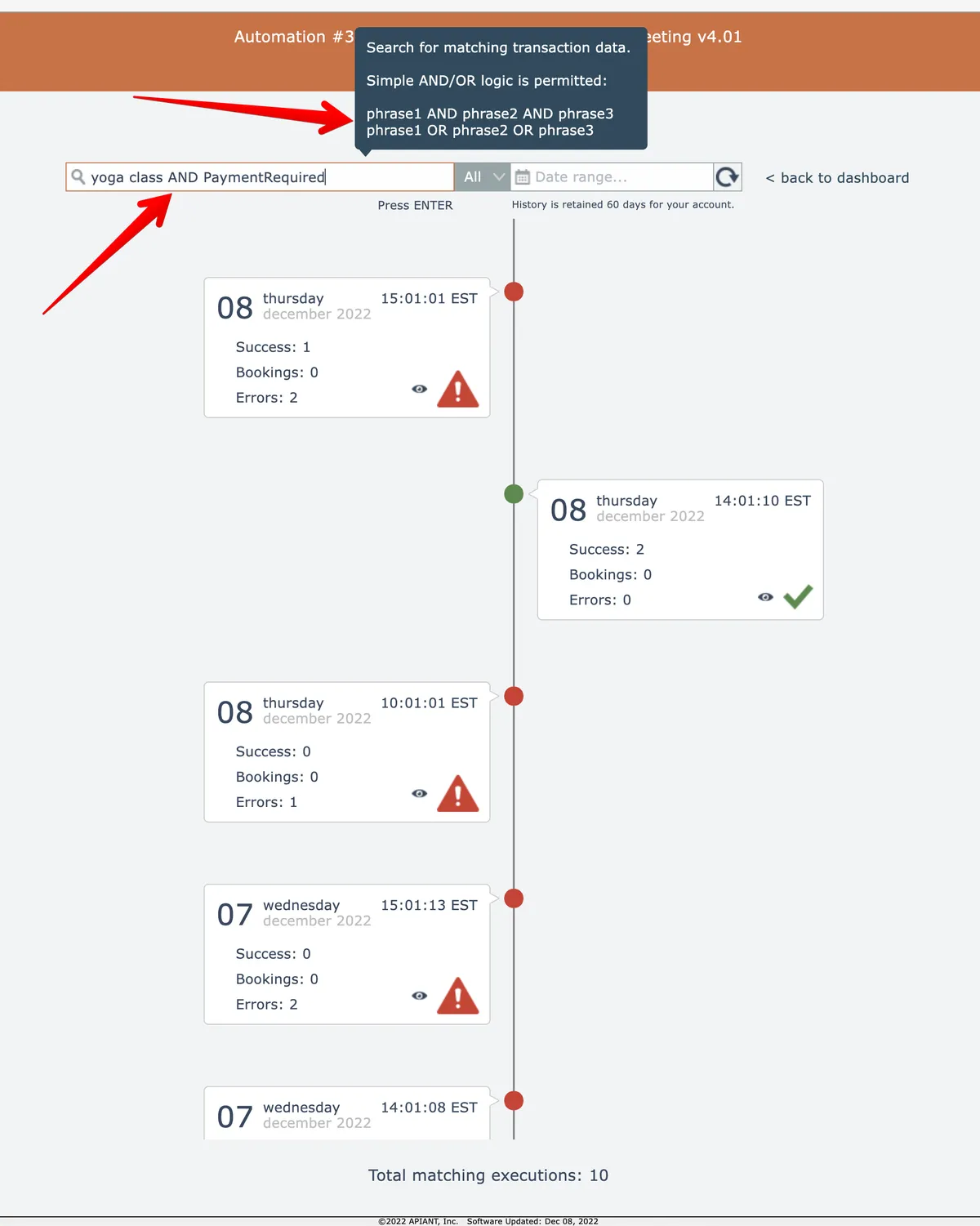
Execution history is searchable. Simple AND/OR logic can be used:
In this section
Drilling into execution history
Inspect individual automation executions and view the specific data rows processed during each run from the execution history screen.
Retrying multiple errors
Batch retry failed executions from the execution history using stored data or by refetching from triggers, with options to specify retry behavior across multiple errors.
Searching execution history
Search execution history using text queries across transaction data, trigger outputs, and action fields, with support for AND/OR logic, status filters, and date range restrictions.