
Latch groups
Synchronization mechanism allowing parent automations to execute multiple child automations in parallel and wait for all of them to complete before continuing processing.
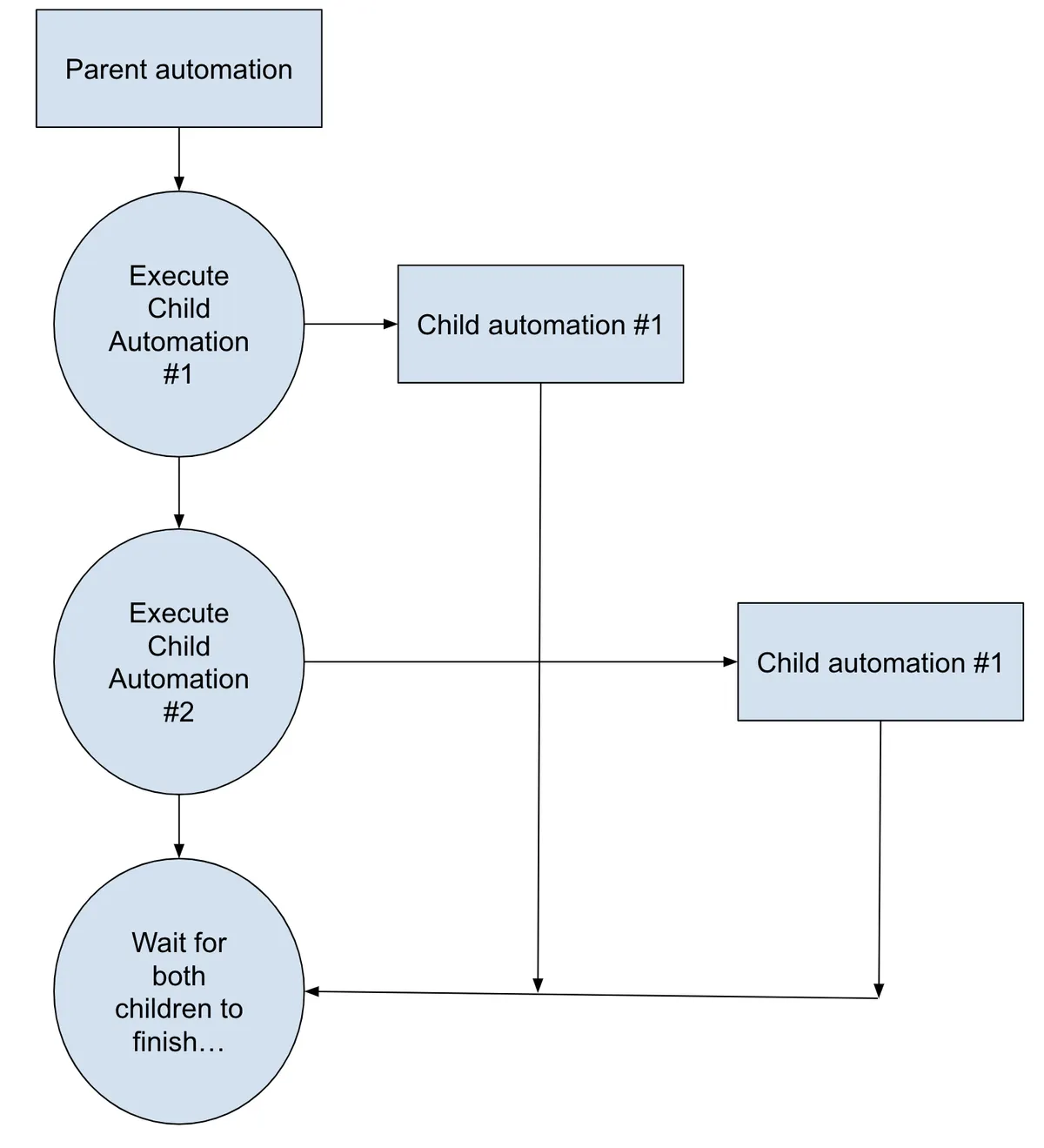
Latch groups provide a synchronization mechanism so a parent automation that executes multiple child automations in parallel can wait for all childing to finish before continuing its processing.
This diagram depicts the concept:
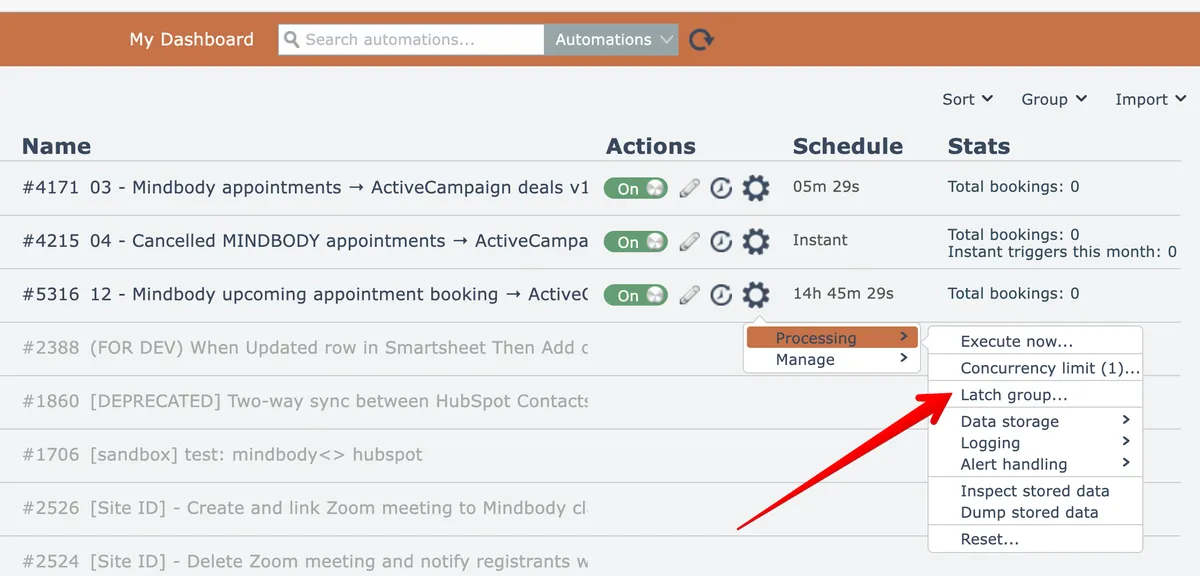
To accomplish this, each child automation is first placed into the same Latch Group via their gear menu option here:
Enter the same name for the Latch Group here:
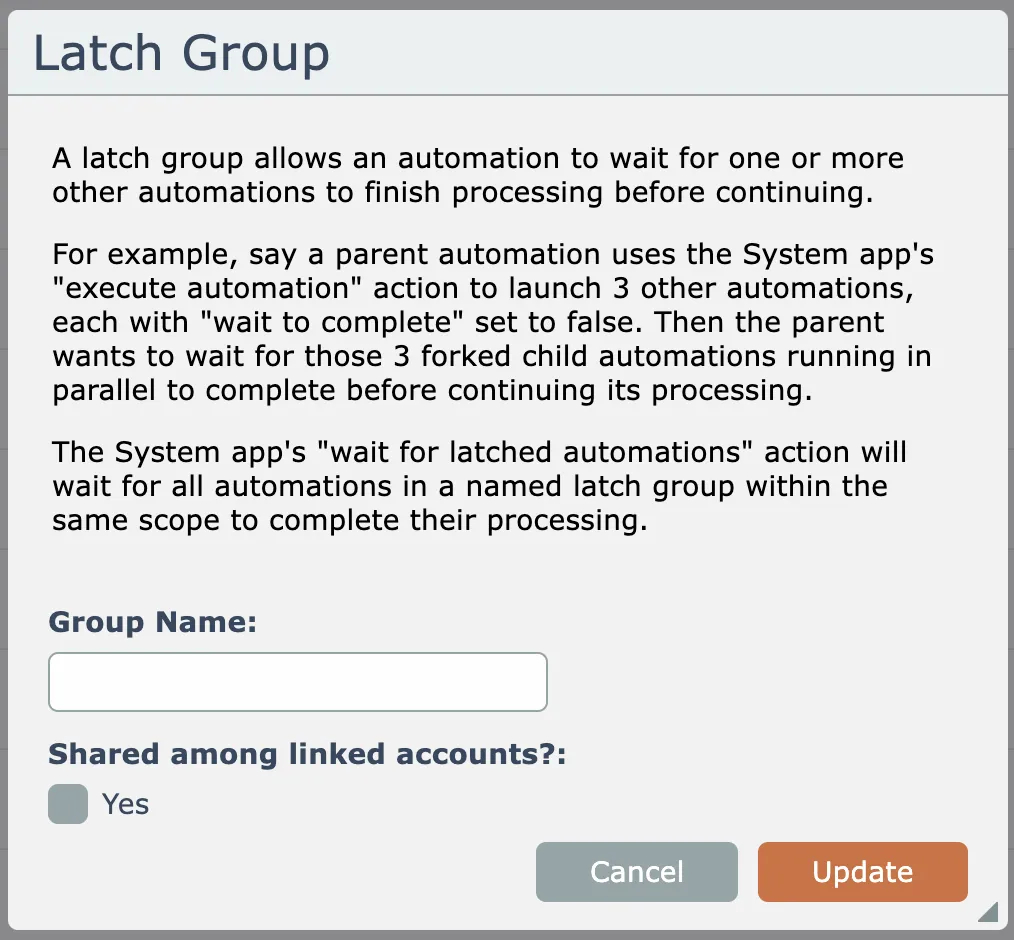
Latch groups can optionally be shared across linked accounts. That means that a parent automation in a parent account can execute child automations across multiple linked child accounts and wait for those child automations to finish.
Then the parent automation can be edited to add the "execute automation" action found in the System app to execute the child automations:
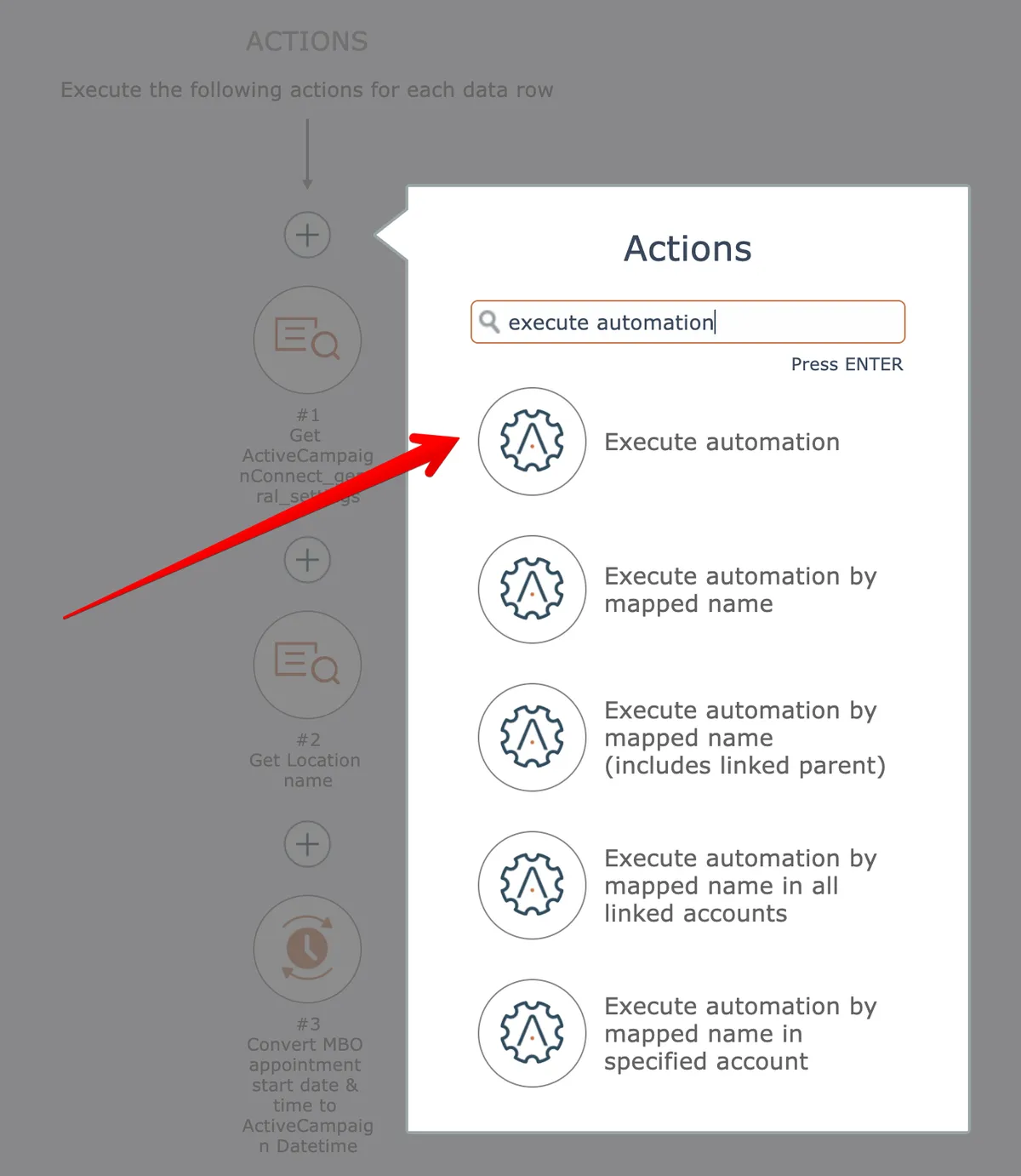
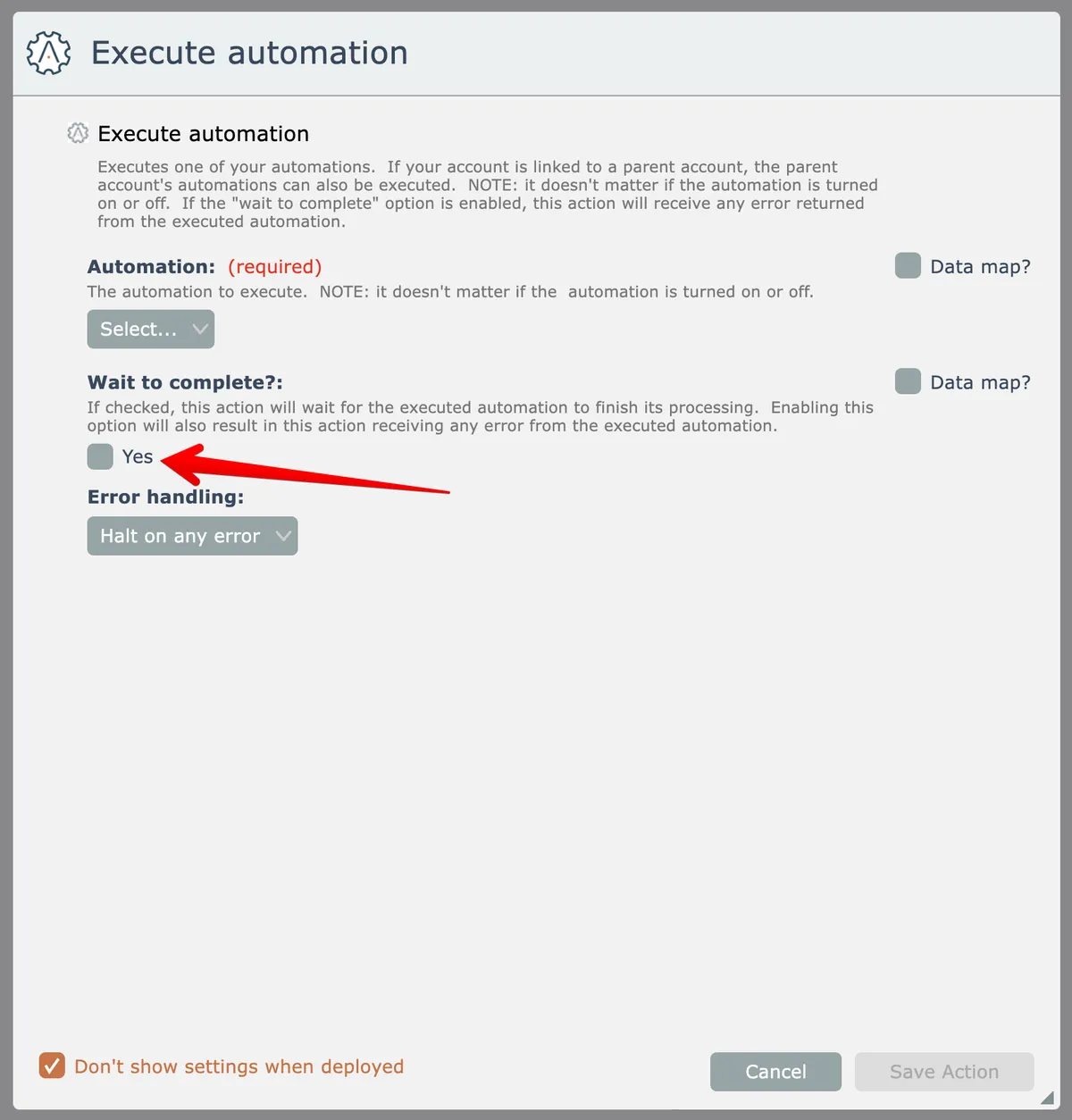
Be sure to configure the "execute automation" action so that the "wait to complete" option is disabled:
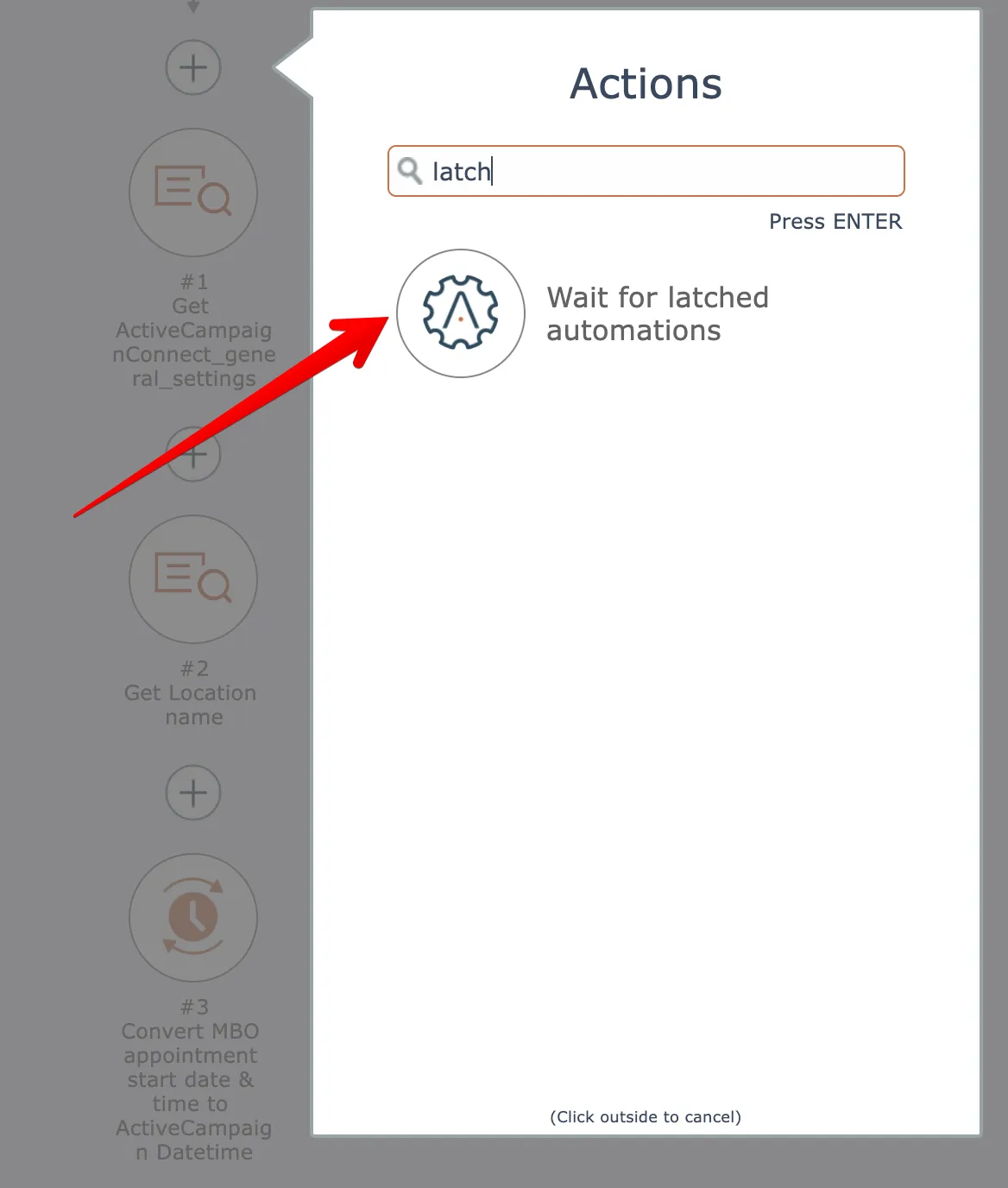
The in the parent automation, use the "wait for latched automation" action found in the System app:
Enter the Latch Group name you configured for each of the child automations:
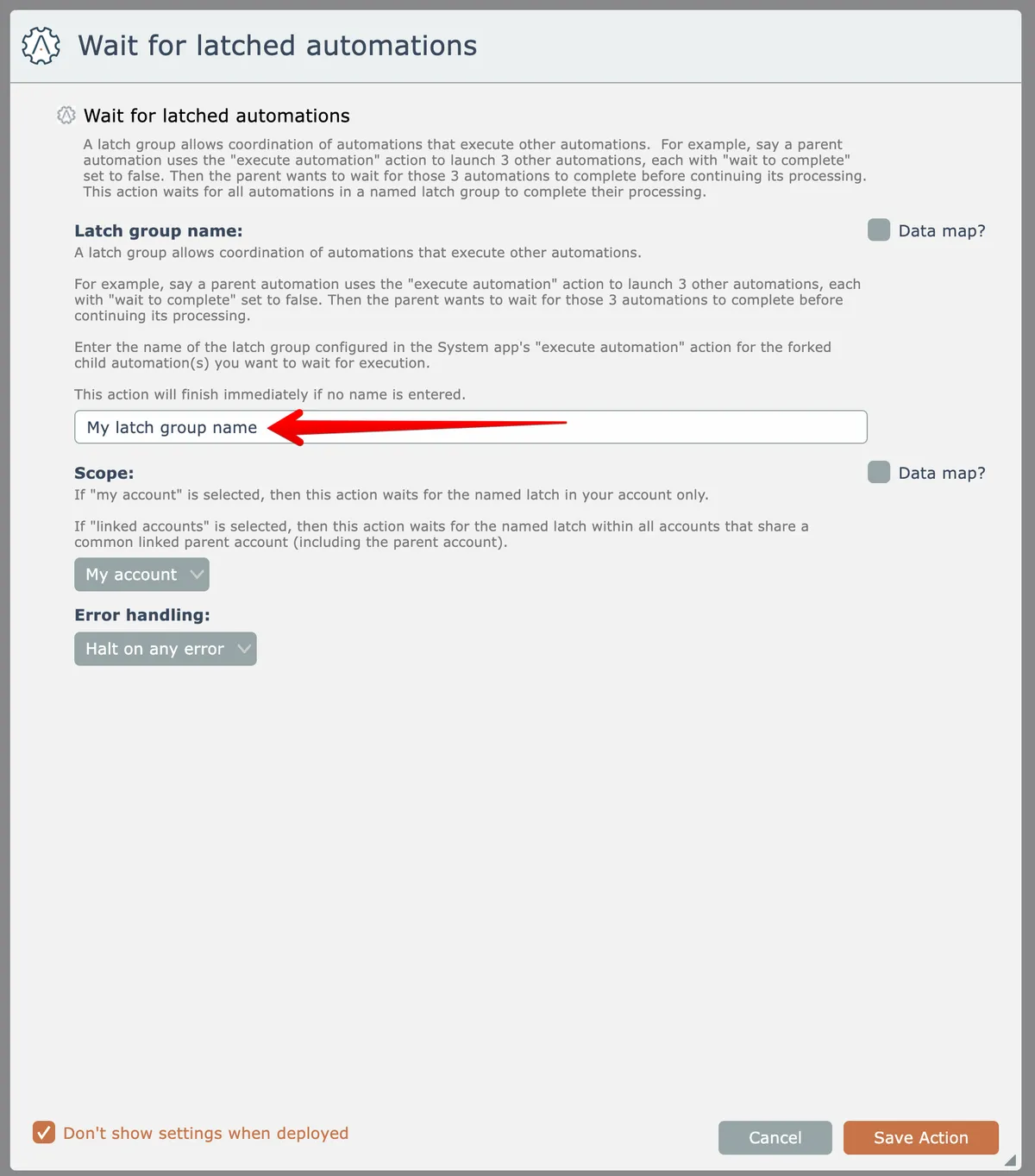
Optionally, if using a Latch Group across linked accounts then change the scope option to "linked accounts".