
GuidePlatform UI (Fallback)v1
Tagging an automation
Apply tags to automations through the gear menu to organize and quickly search for workflows by their associated labels.
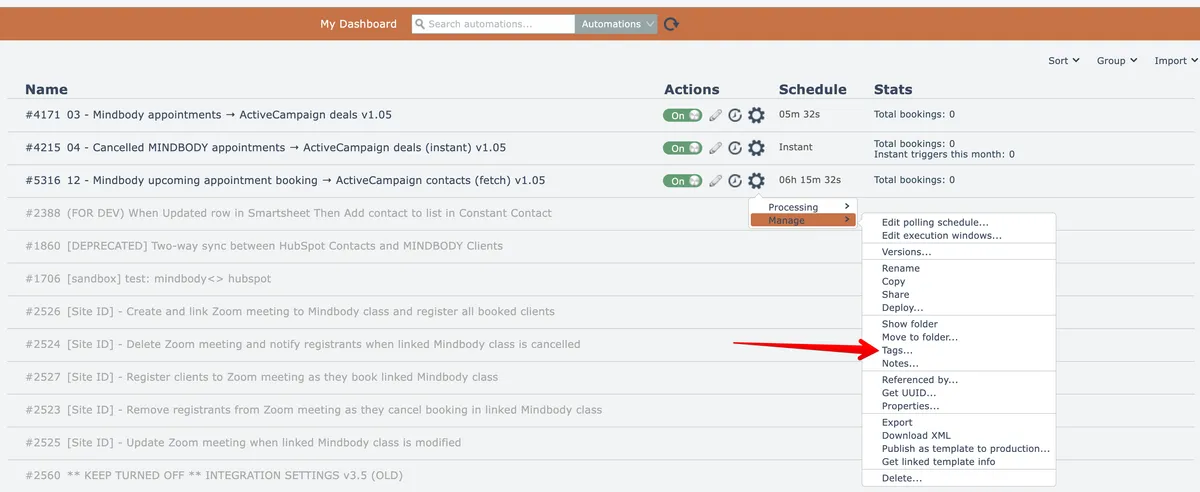
An automation can be tagged with one or more tags by choosing this option from the gear menu:
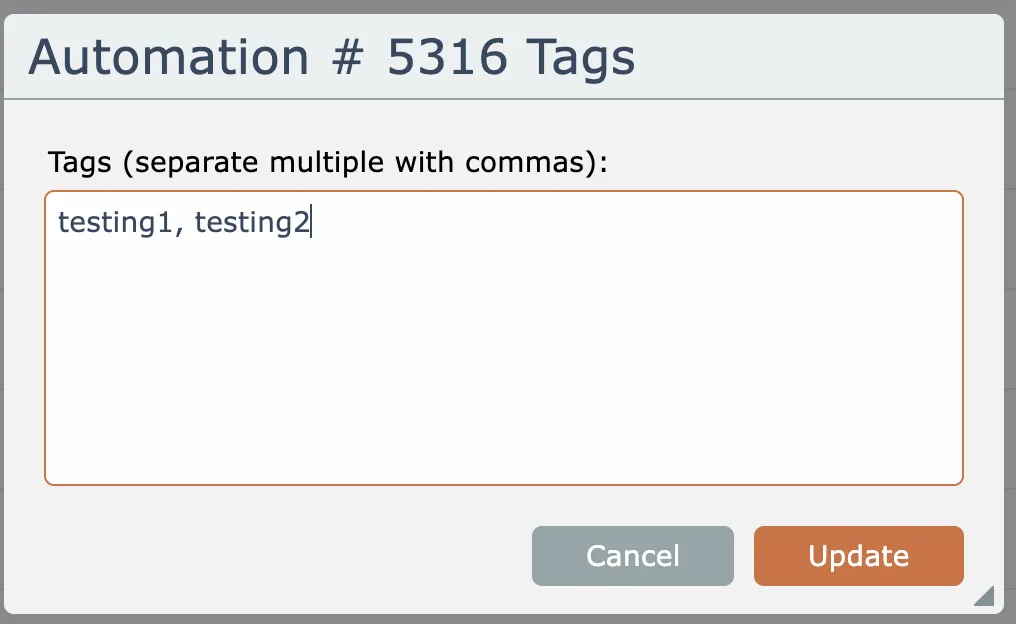
Enter one or more tags, separated by commas:
Then the automation can be found by searching for one of its tags:

Related docs
Last updated May 4, 2026