
GuidePlatform UI (Fallback)v1
Determining an automation's folder
Viewing an automation's folder location helps you quickly identify where a specific automation is stored when browsing all automations.
When viewing the "All" folder of automations, it may be helpful to know which folder a particular automation is in.
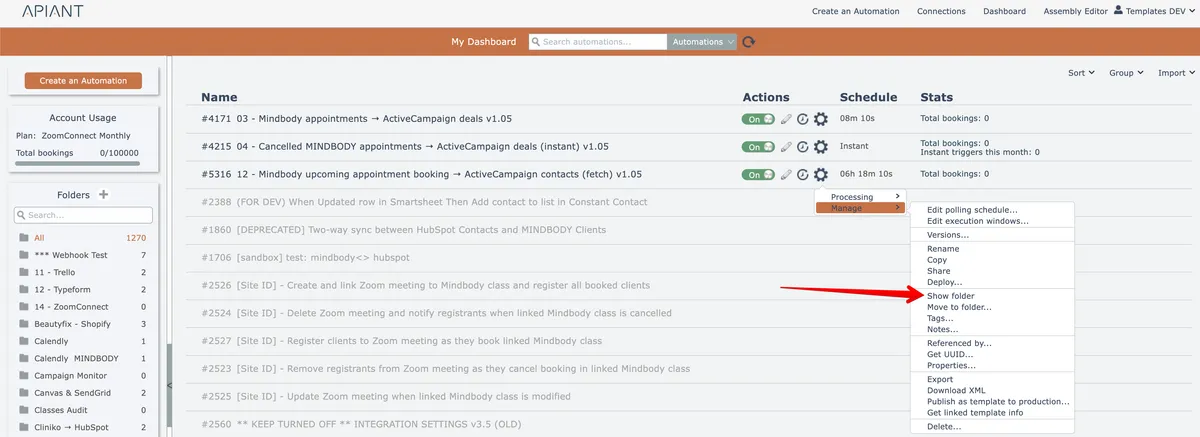
To view an automation's folder, choose this option from the gear menu:
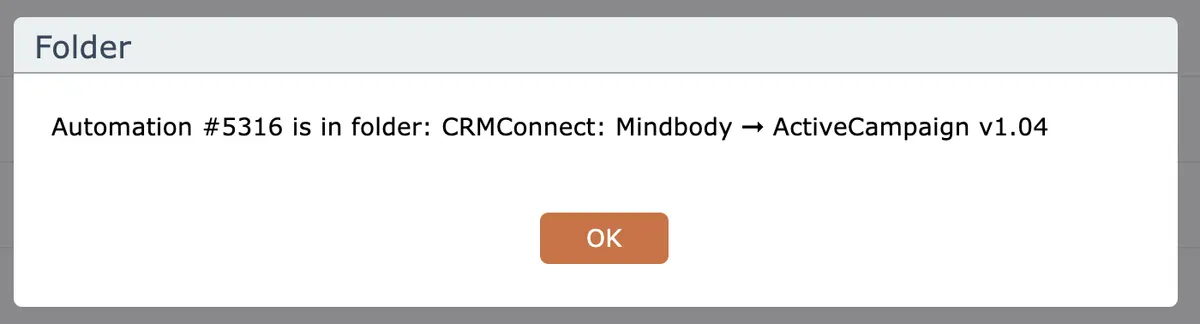
The automation's folder will be displayed:
Related docs
Last updated May 4, 2026