
GuidePlatform UI (Fallback)v1
Share an automation
Enable other system account users to access and save their own copies of your automations through a shareable URL generated from the gear menu.
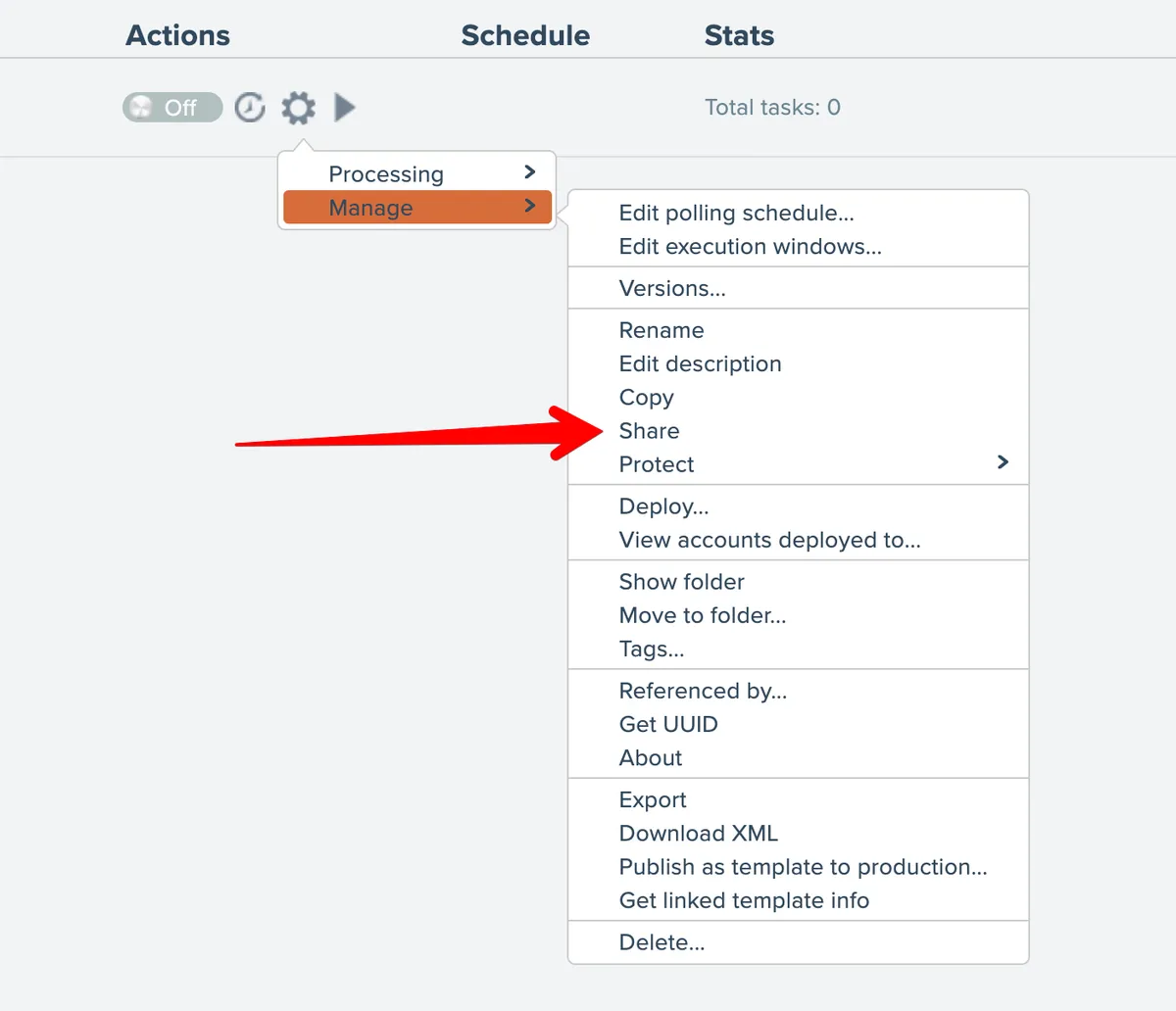
An automation can be shared with another person who has a system account. That person will be able to save their own copy of the shared automation. To share an automation, choose the Share option from the gear menu:
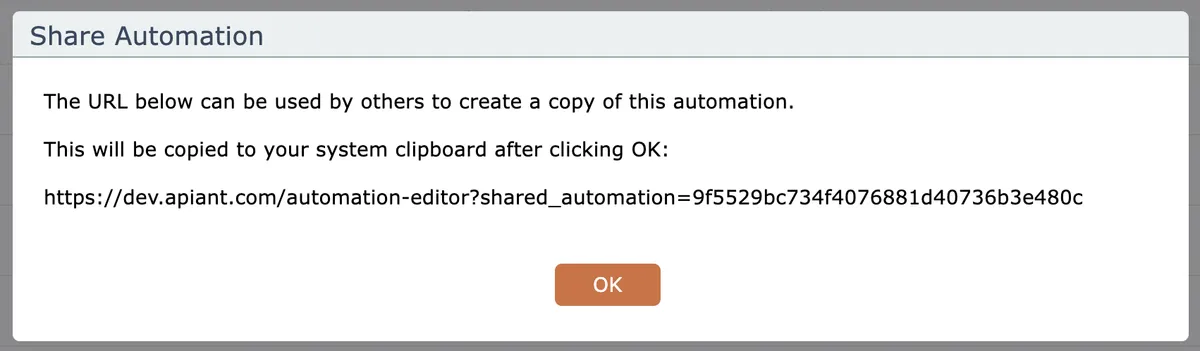
A URL will be provided and copied to your system clipboard. Provide that URL to the other account holder who you want to share the automation with:
Related docs
Last updated May 4, 2026