
GuidePlatform UI (Fallback)v1
Rename a group
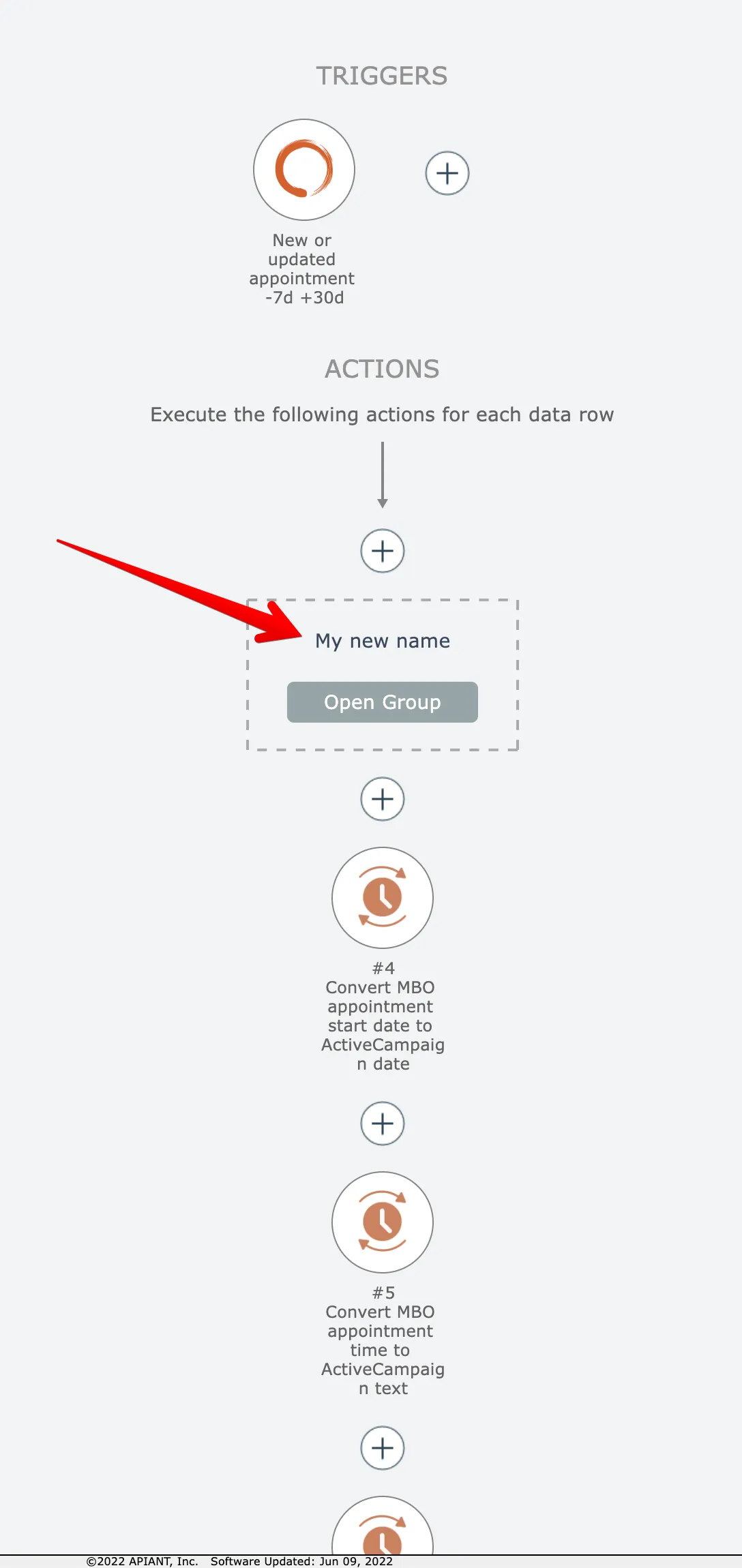
Modify a group's name by opening it, selecting the rename option, entering the new name, and confirming the change.
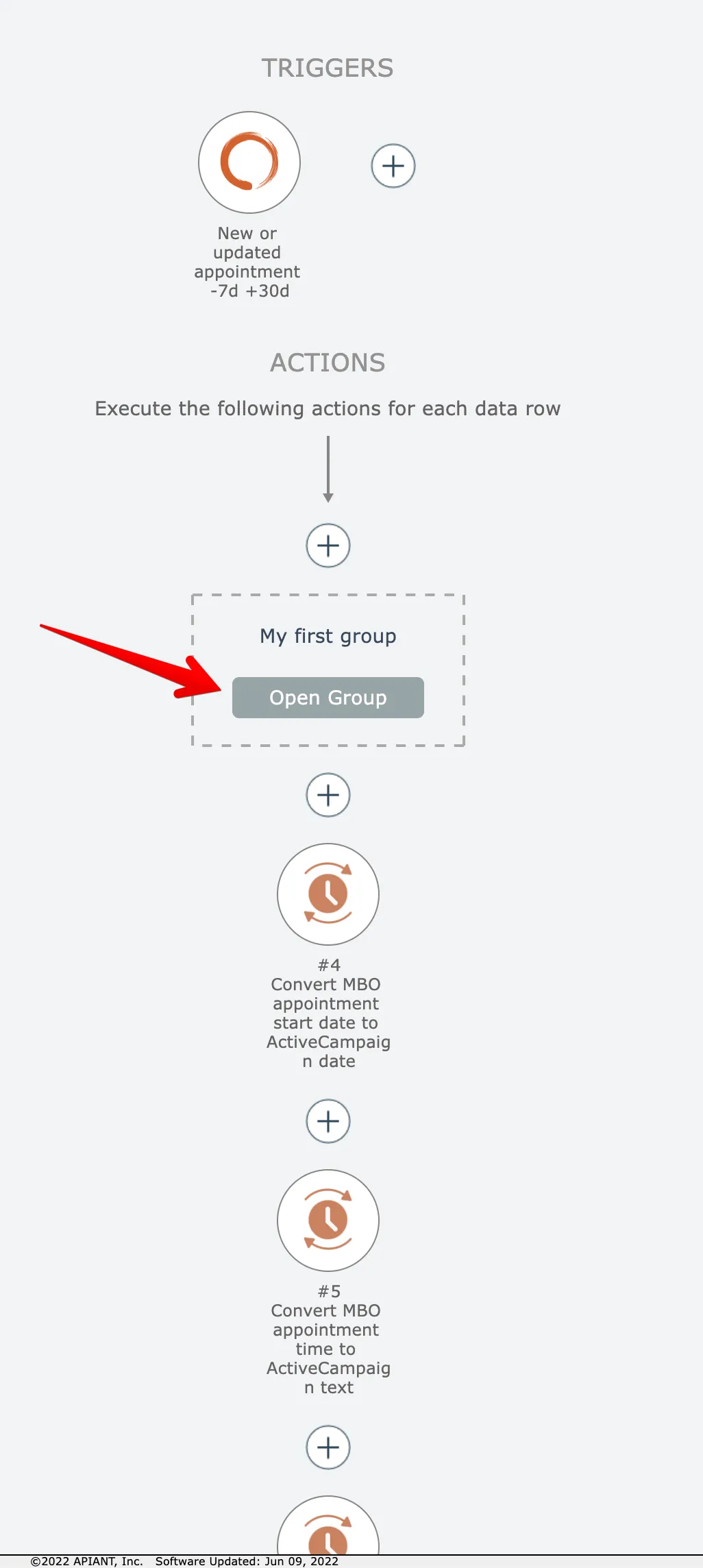
To rename a group, first open the group to be renamed by clicking its Open button:
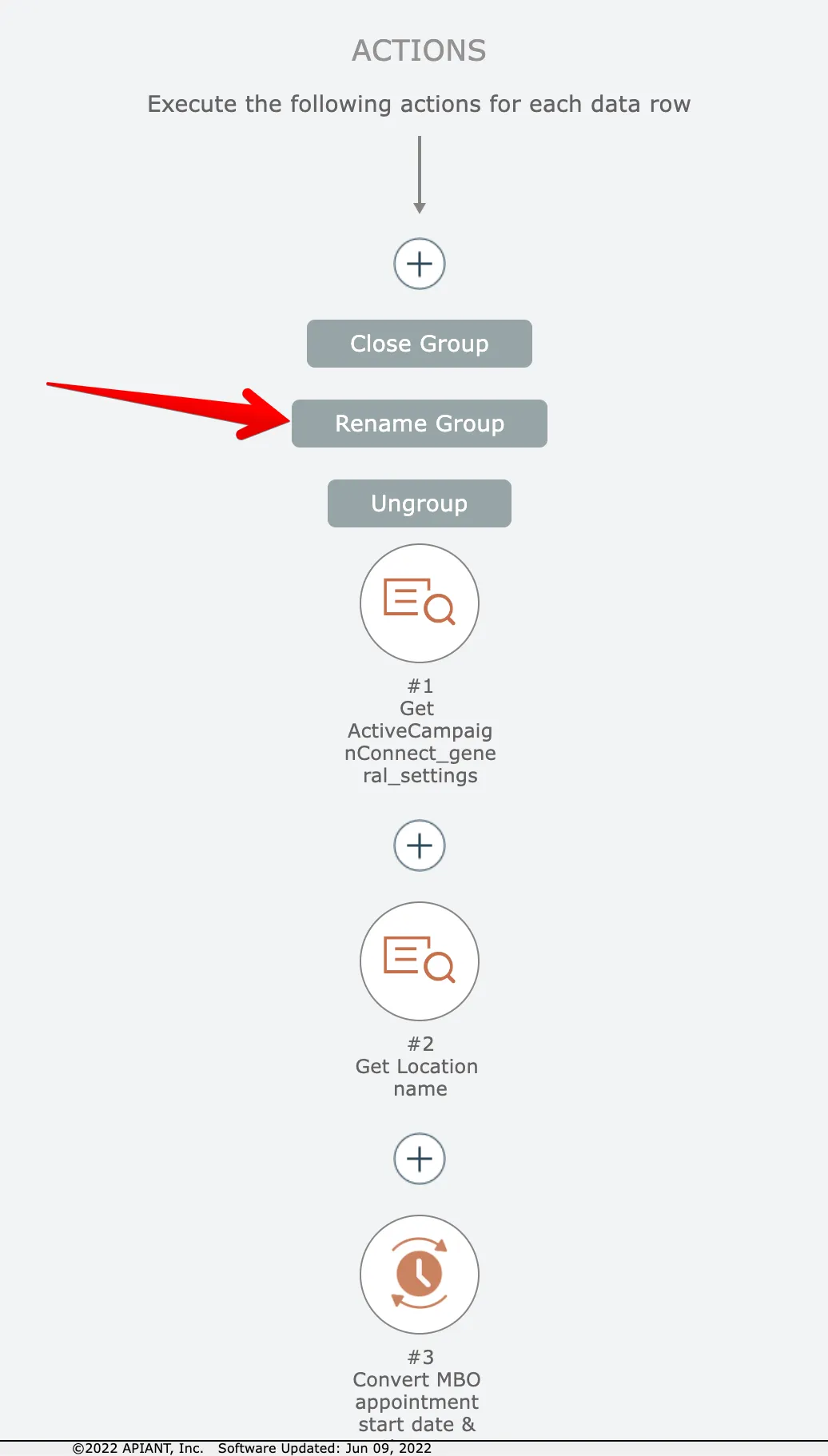
Then click the Rename button:
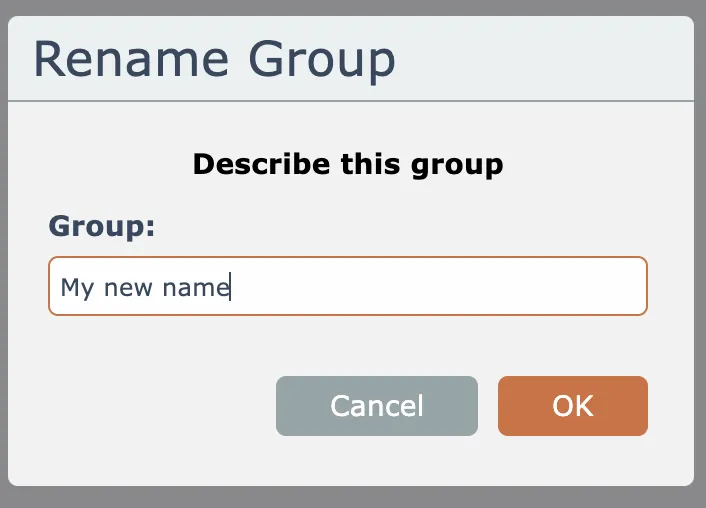
Then give the group a new name and click the OK button:
Related docs
Last updated May 4, 2026