
Skip to content
APIANTdocs
GuidePlatformv1

Rename a folder

Learn how to rename a folder on this platform by following these easy steps. Find out how to access the gear menu, choose the Rename option, and enter a new name for your folder. Simplify folder management with our quick and straightforward tutorial.

#automation

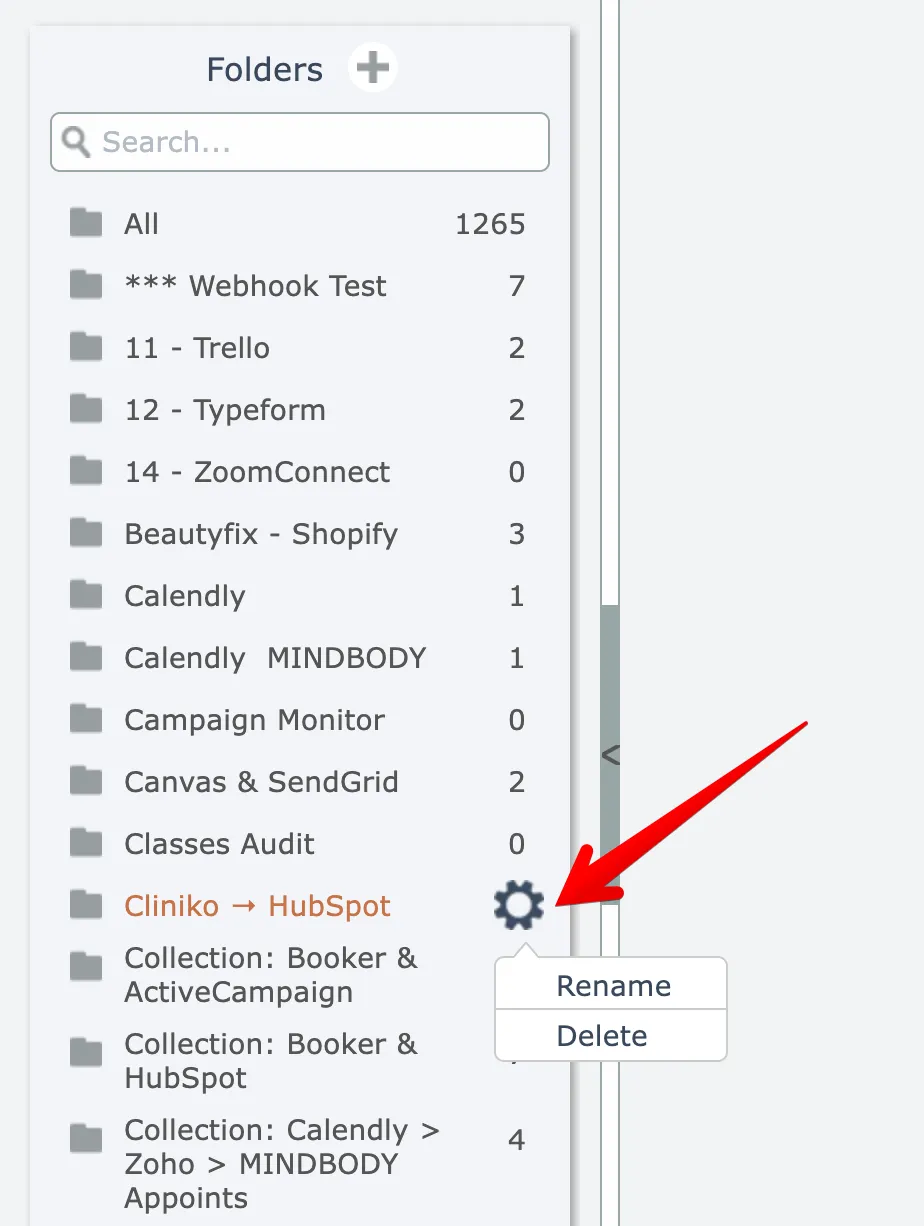
To rename a folder, hover over the desired folder in the list and open its gear menu, then choose the Rename option:
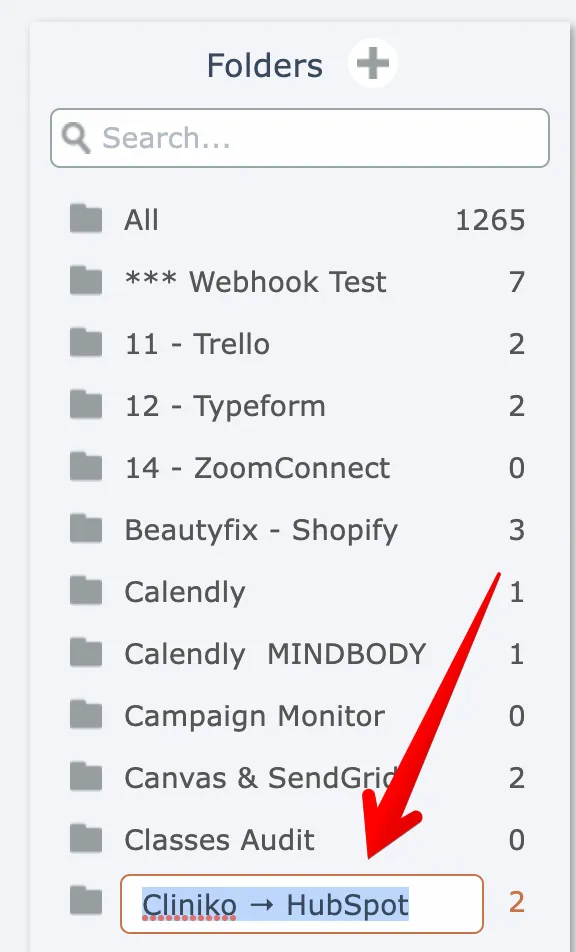
Then enter a new name:
Related docs

CRMConnect: DonorPerfect → ActiveCampaign
#automation
Automation Editor
#automation
AppConnect
#automation
APIANT Inline
#automation
CRMConnect: DonorPerfect → HubSpot
#automation
Last updated April 4, 2026