
GuidePlatform UI (Fallback)v1
Ungrouping
Removing group containers from actions while preserving the individual actions within them for independent use and management.
Ungrouping actions just removes the group. The actions themselves remain.
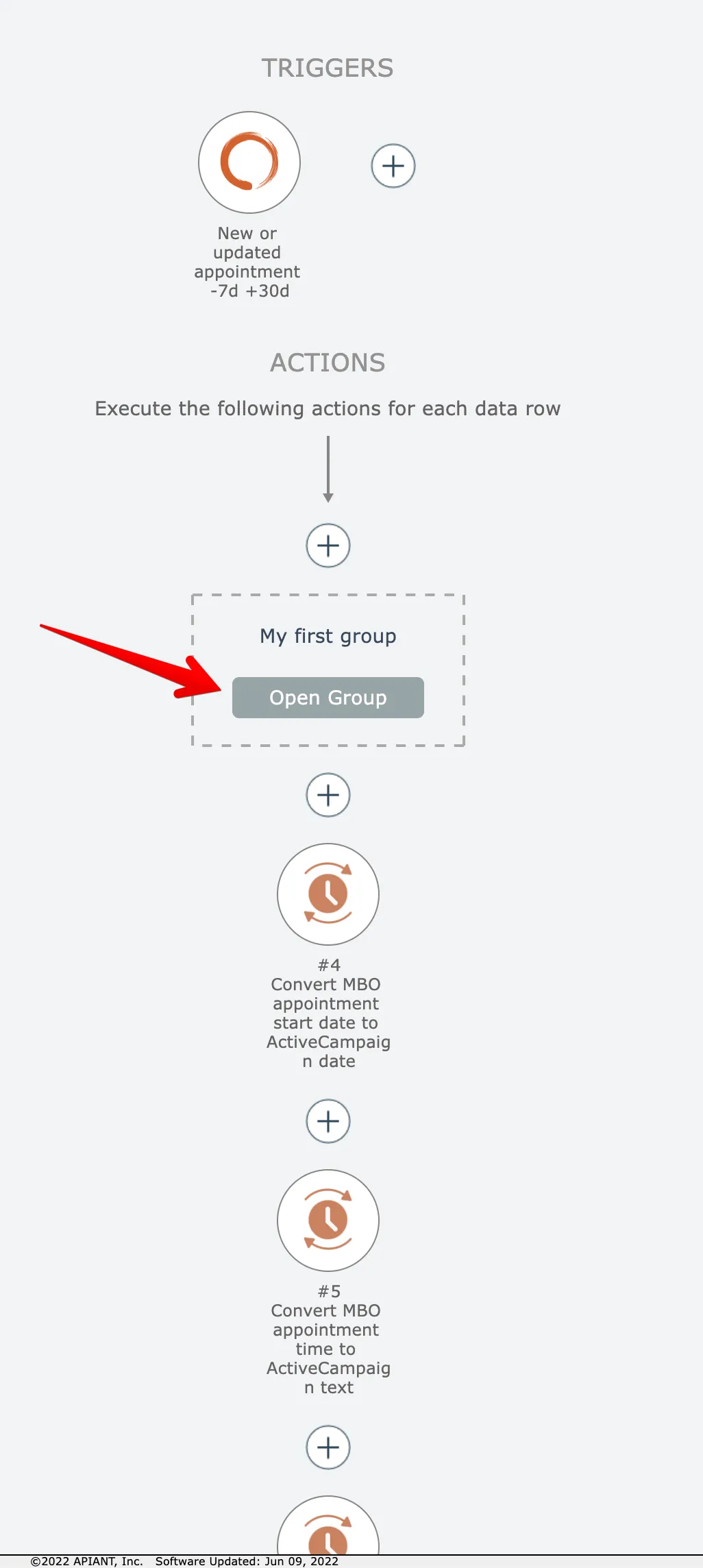
To ungroup actions, first open the group by clicking its Open button:
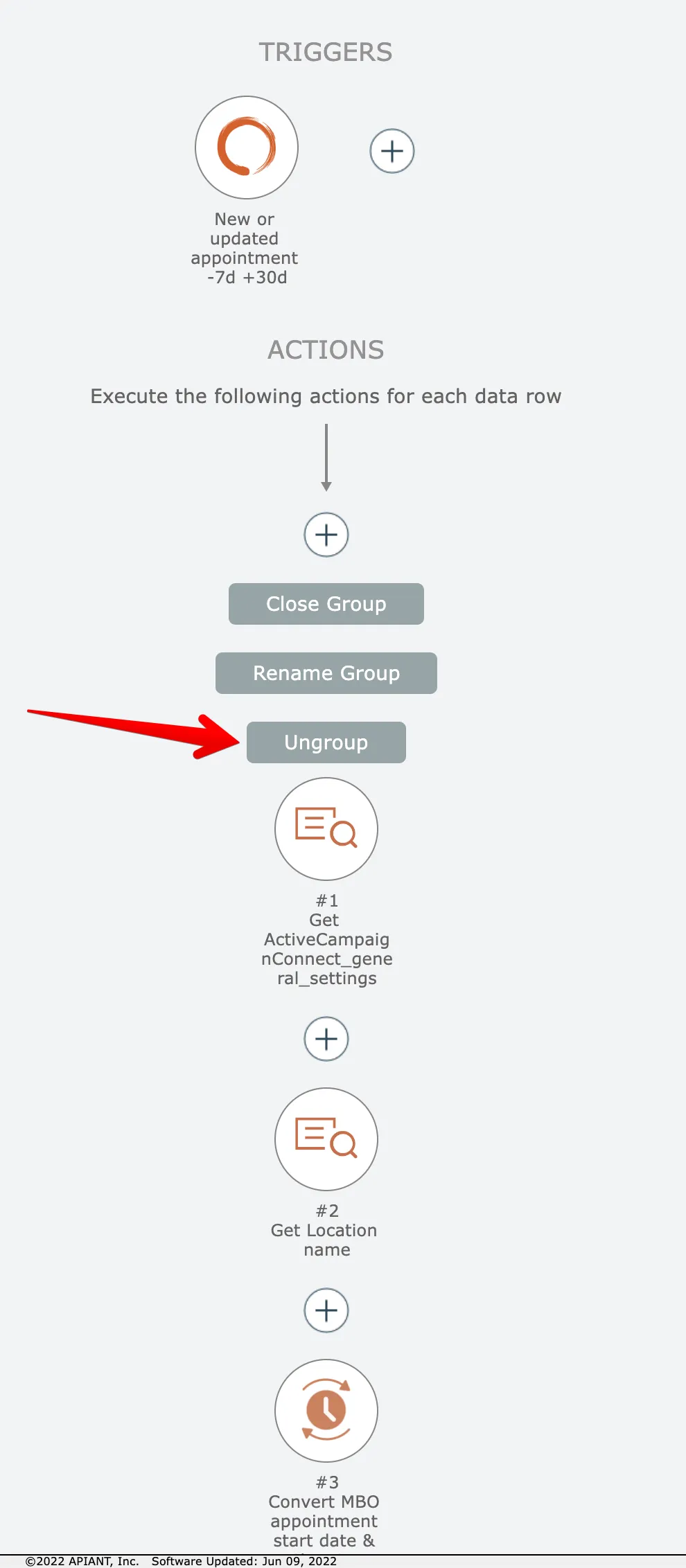
Then click the Ungroup button:
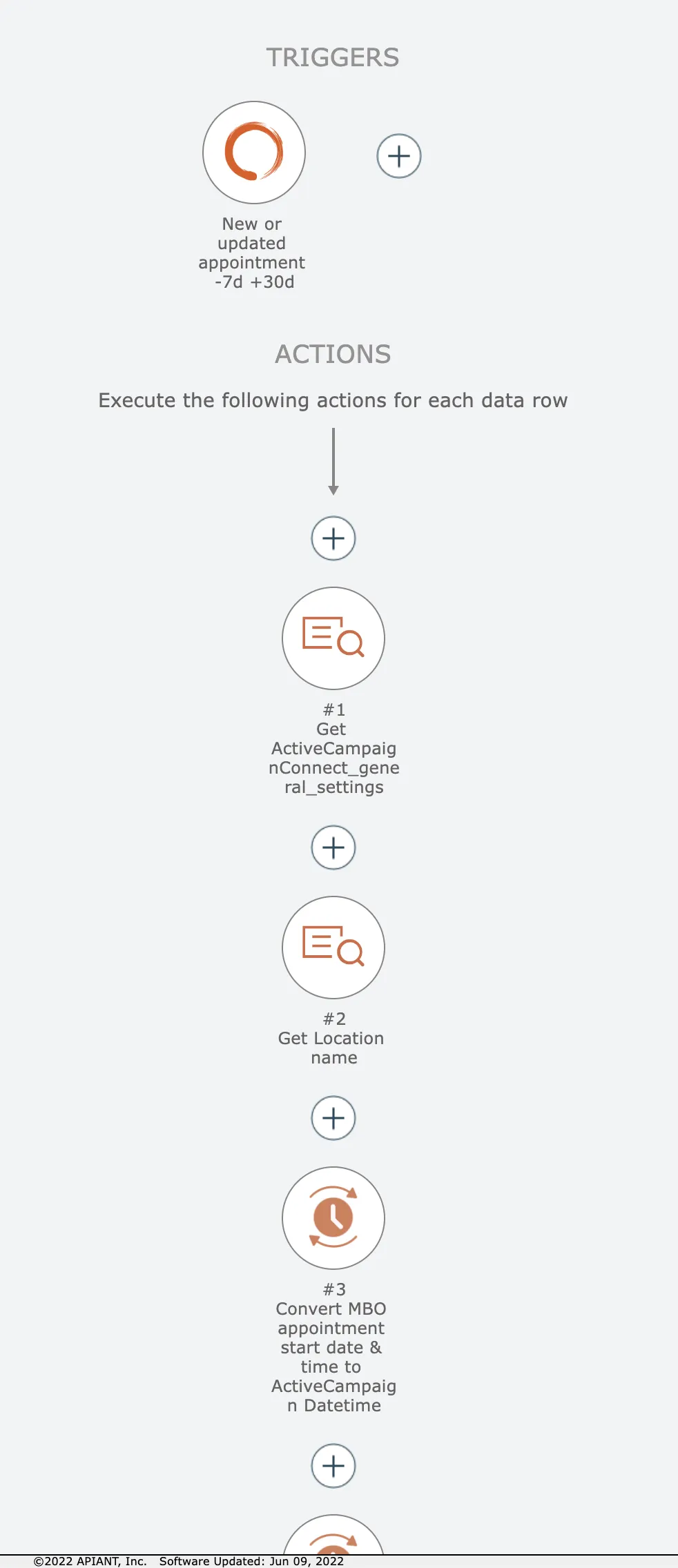
The actions are then ungrouped:
Related docs
Last updated May 4, 2026