
GuidePlatform UI (Fallback)v1
Disable an item
Prevent specific automation steps from executing by disabling individual items, which appear greyed out with a disabled label in the editor.
Items can be disabled so they won't be executed when the automation runs.
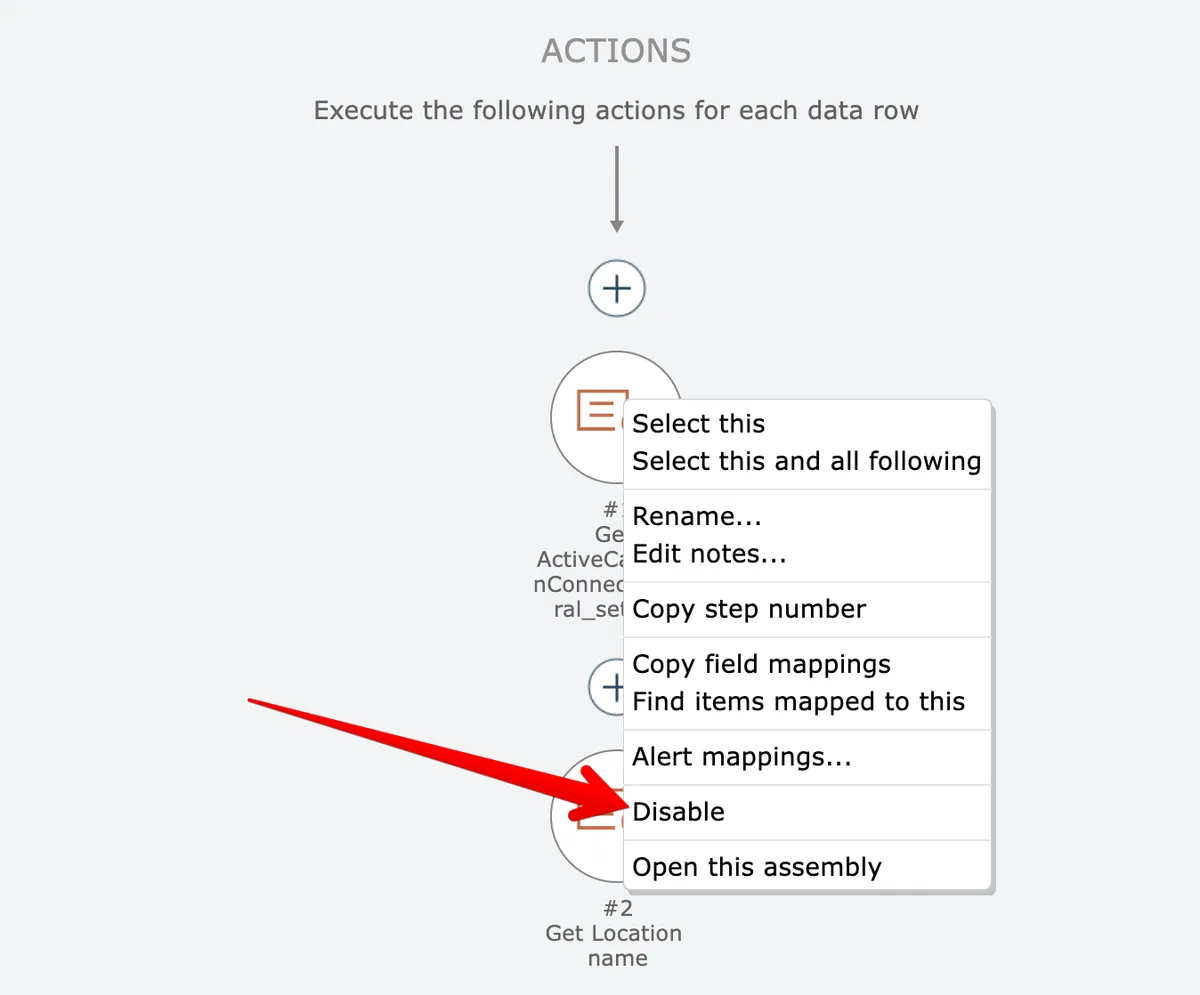
To disable a single item, right click on the item and choose the disable option:
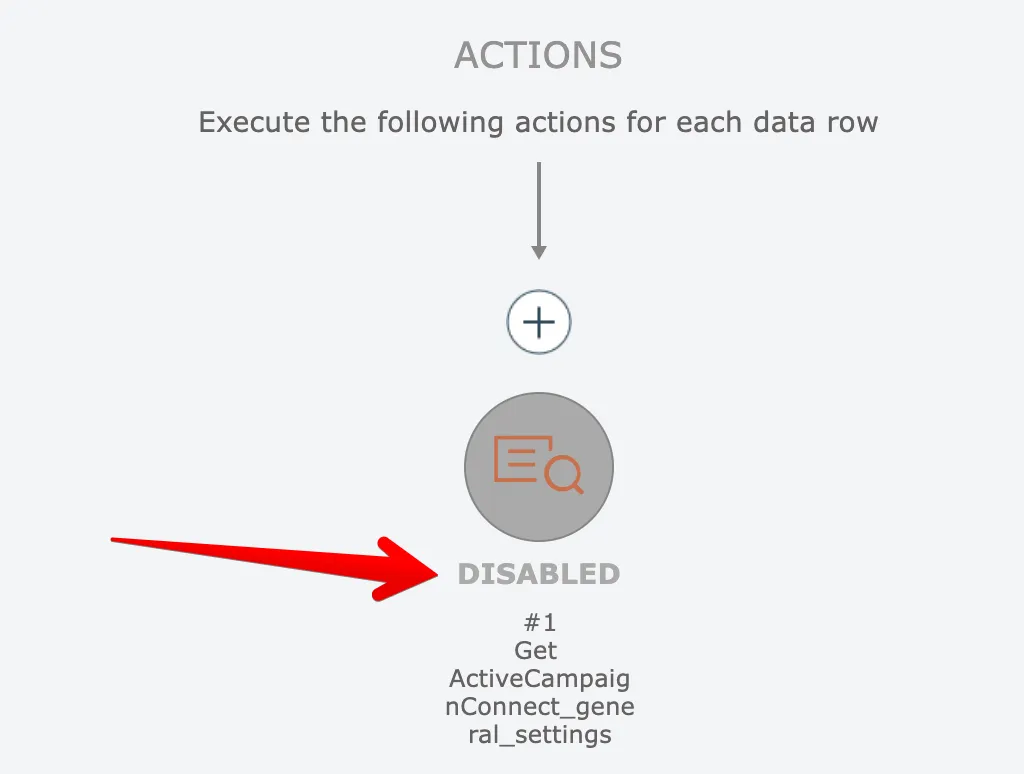
Disabled items are shown in grey and have the word DISABLED underneath them:
To disable multiple items at once, see Disabling multiple items
Related docs
Last updated May 4, 2026