
GuidePlatform UI (Fallback)v1
Configure your timezone
Your account timezone determines how date and time values are interpreted across automations and scheduled tasks throughout the platform.
A timezone is associated with your APIANT account. Your automations that rely on dates and times will reference your configured timezone.
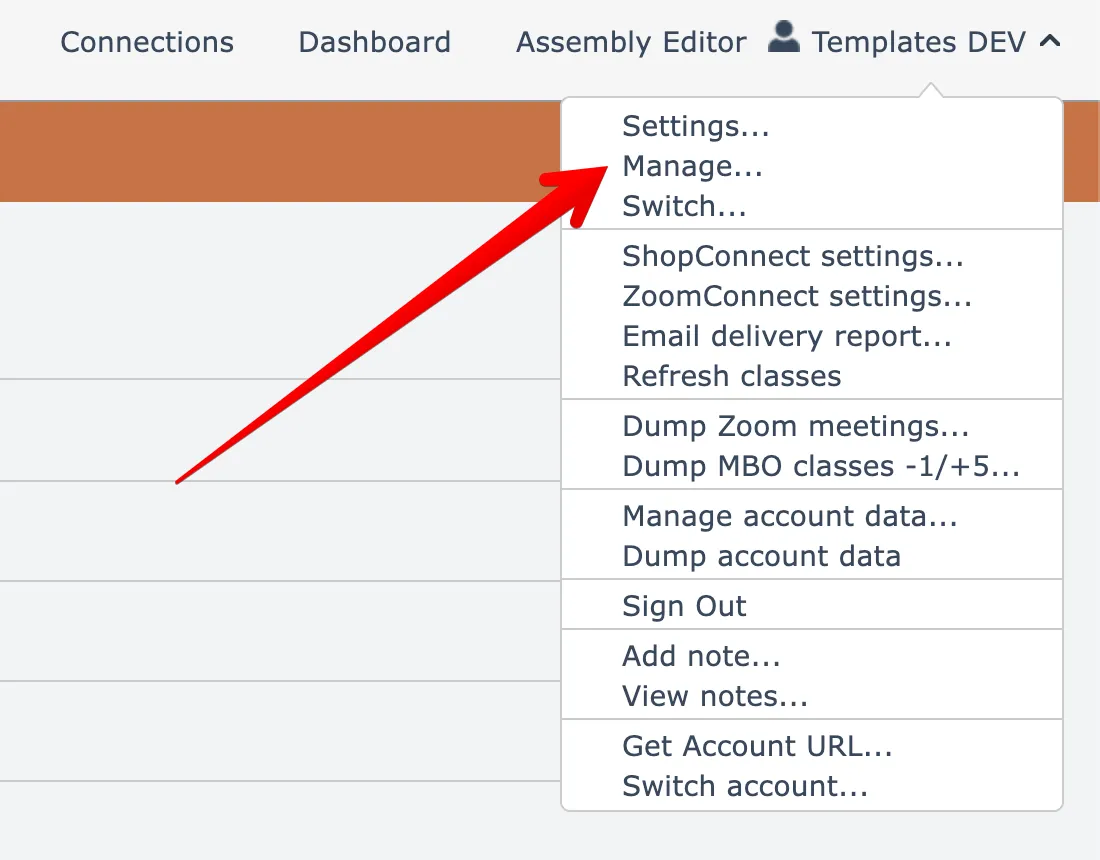
To update your timezone, open the Manage account menu option found under your account name menu at the top right:
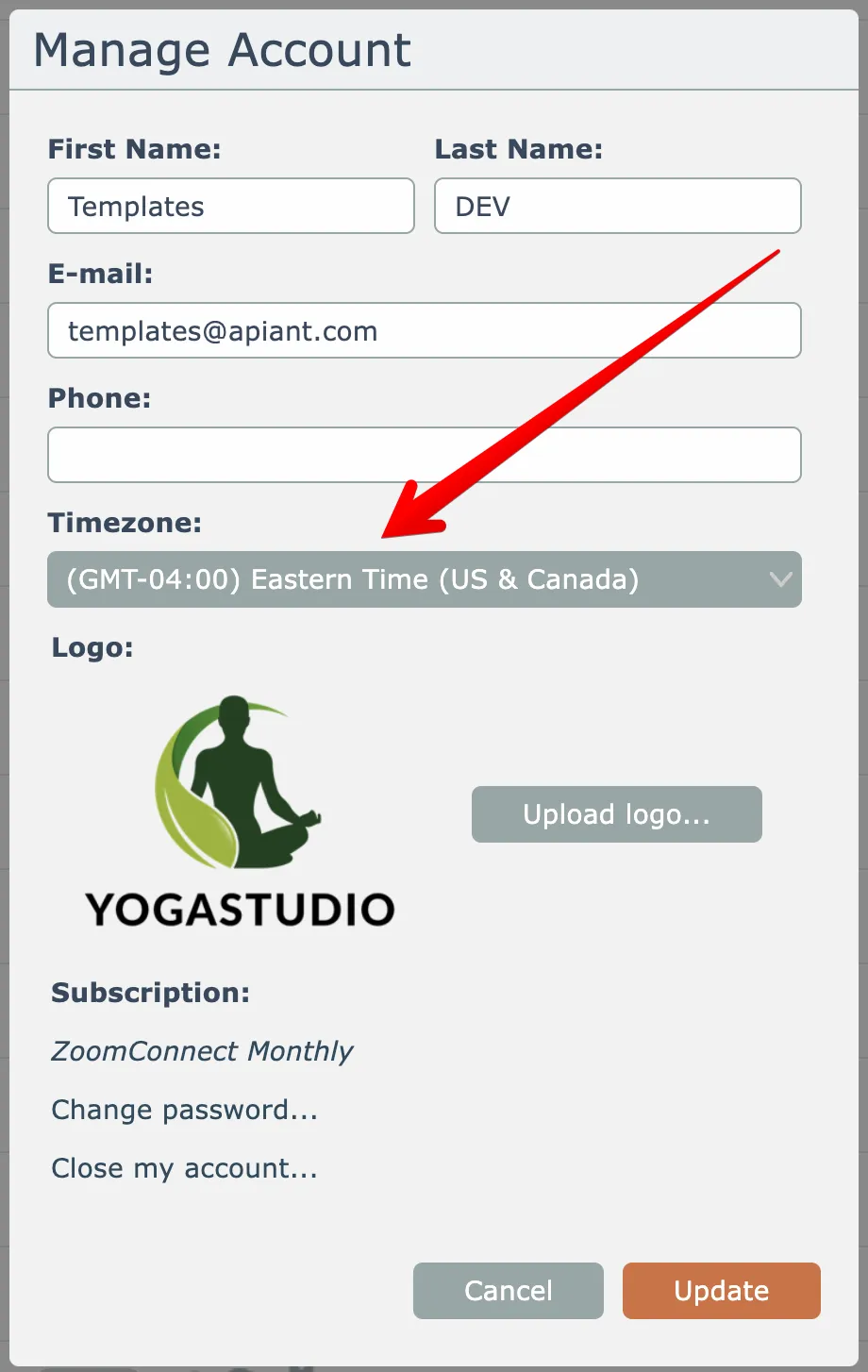
Then choose a timezone from the dropdown list and click Update to save:
Last updated May 4, 2026