
Protecting output data
Restrict module output data visibility to assembly owners only, preventing other account users from viewing sensitive information in editors, logs, and debug mode.
This functionality is not often needed, but is provided for the rare situation when you do.
The ability to protect a module's output data was not intended to be used for API Keys. For a discussion on how API keys are managed and secured in the system, see API Credentials Management.
You may encounter a situation where you want to hide module output data from other accounts that can access your assembly or who will view logs generated by your assembly (e.g. automation logs, see Viewing item details in history).
The output data from a module can be protected. When protected, these behaviors are enforced:
- Only the assembly's owner can view the module's output data in the assembly editor.
- Only the assembly's owner can move the module's output wire. Otherwise, another account with access to the assembly could move the output wire to a non-protected module and view the output data that way.
- Only the assembly's owner can view debug information for the module when the assembly is executed in the assembly editor in debug mode.
- The module will not log its output data when it executes in automations. You can fully turn off a module's logging if needed, see Logging.
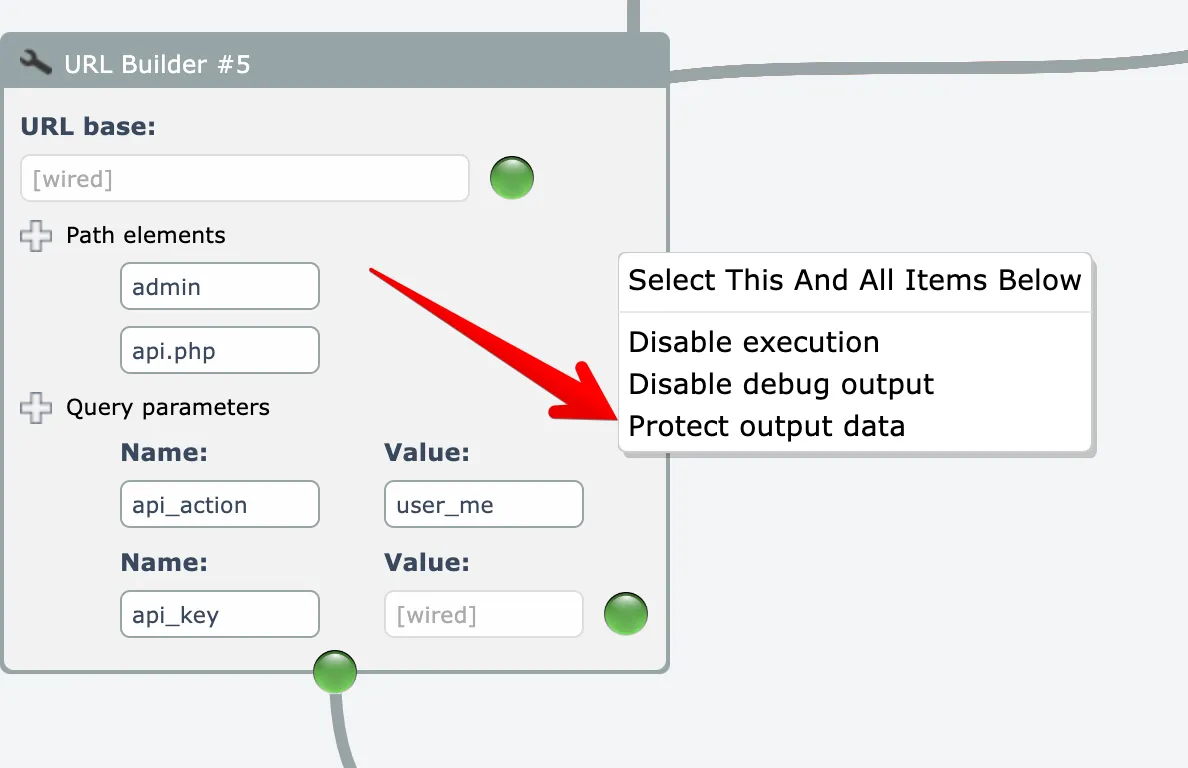
To protect output data for a single module or subassembly, right-click on the module and choose the "protect output data" menu option:
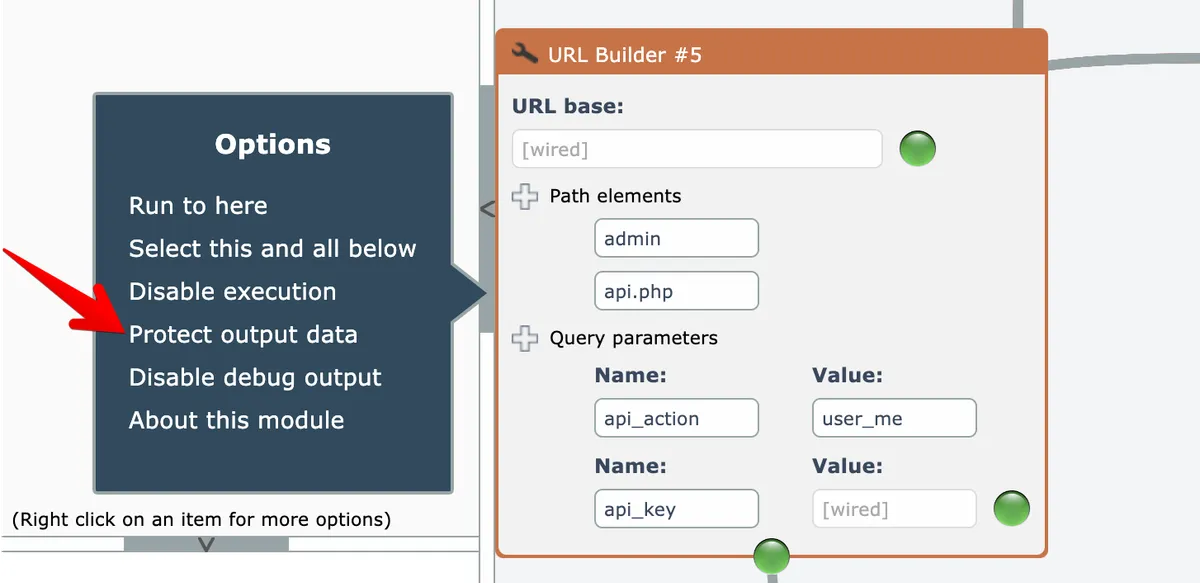
Alternatively, you can single-click on an item and choose the same menu option here:
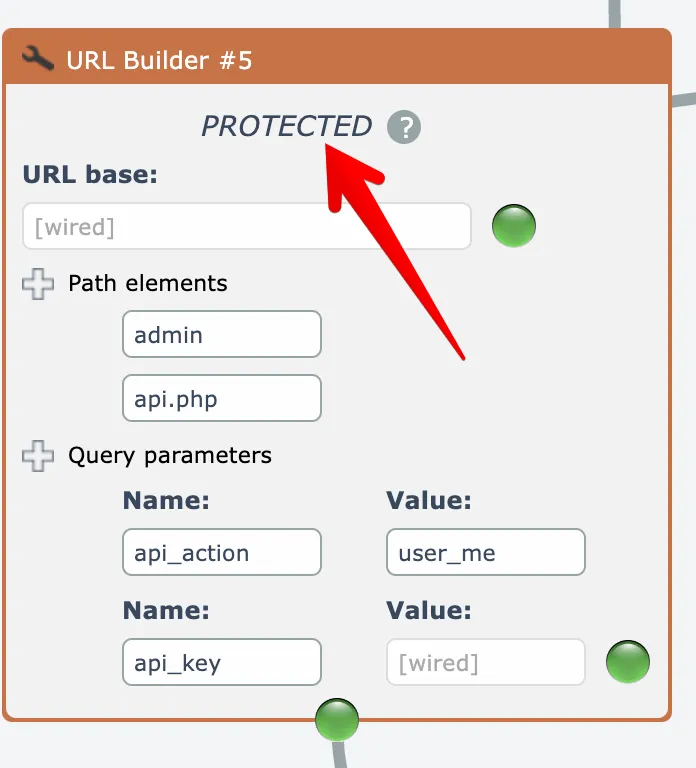
Modules that have their output data protected will display a message at their top:
The menu options act as toggles, so you can disable output data protection when needed.
You will frequently need to protect the output data for multiple modules in a chain in order to protect sensitive data until it no longer has any visibility.
Beware that a module may still log sensitive data as it does its processing. To turn off a module's logging, see Logging