
Tenants and Linked Accounts
Multi-tenant architecture allowing a single server to host multiple isolated organizations with separate databases and user accounts, plus the ability to link child accounts to parent accounts within a tenant.
Tenants
A single physical server can be divided into multiple tenant systems.
Each tenant has its own database and separate directories for filesystem storage.
Tenants have their own collection of individual user accounts and linked accounts.
Tenants are created and managed in the system's Admin Console.
When signing into the system, if the provided email address exists only in a single tenant then the sign-on will automatically complete using that tenant.
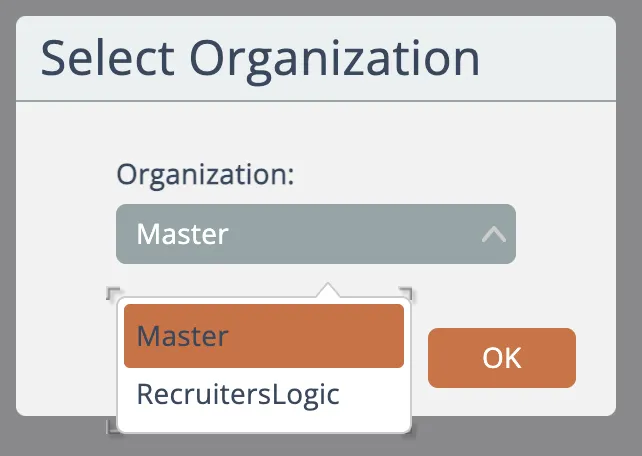
If, however, the provided email address exists in multiple tenants a selection dialog will appear asking to choose which tenant organization to use:
Linked Accounts
Within each tenant, individual user accounts can optionally be linked together.
One account is the parent account. One or more child accounts can be linked to the parent.
See Linked Accounts for more information.