
GuidePlatform UI (Fallback)v1
Renaming an automation
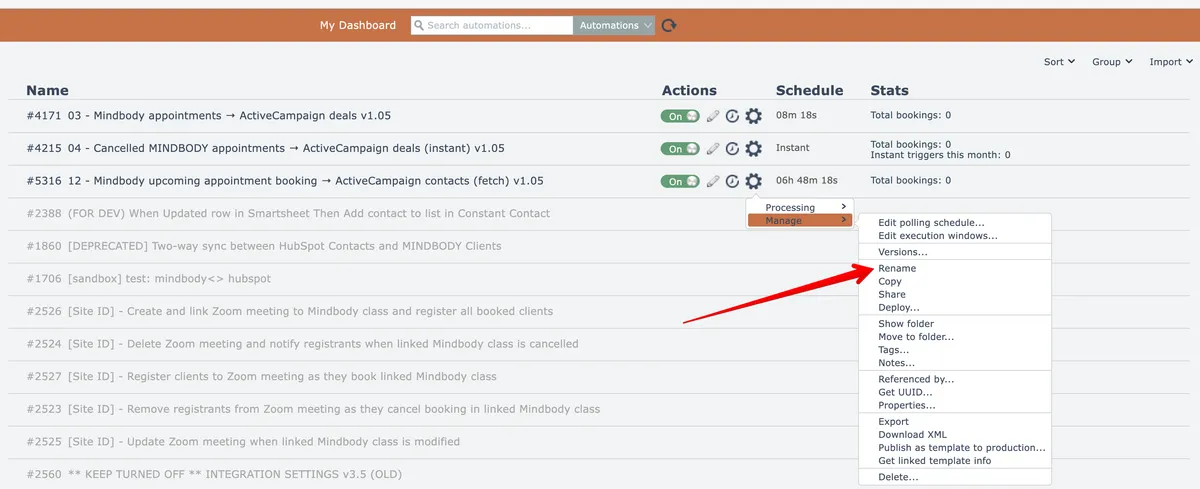
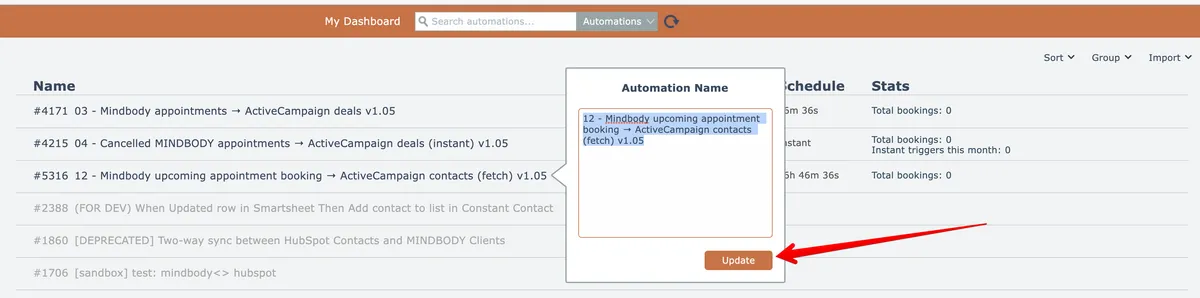
Modify automation names using the gear menu option or by clicking the automation name directly in the list view, then confirm the change.
An automation can be renamed by choosing this gear menu option:
Alternatively, the automation's name can be clicked in the list:

Edit the name and click the Update button to apply the change:
Related docs
Last updated May 4, 2026