
Automation list
Easily navigate automations on your dashboard with a user-friendly scrollable list. Get instant access to active and inactive automations for efficient management.
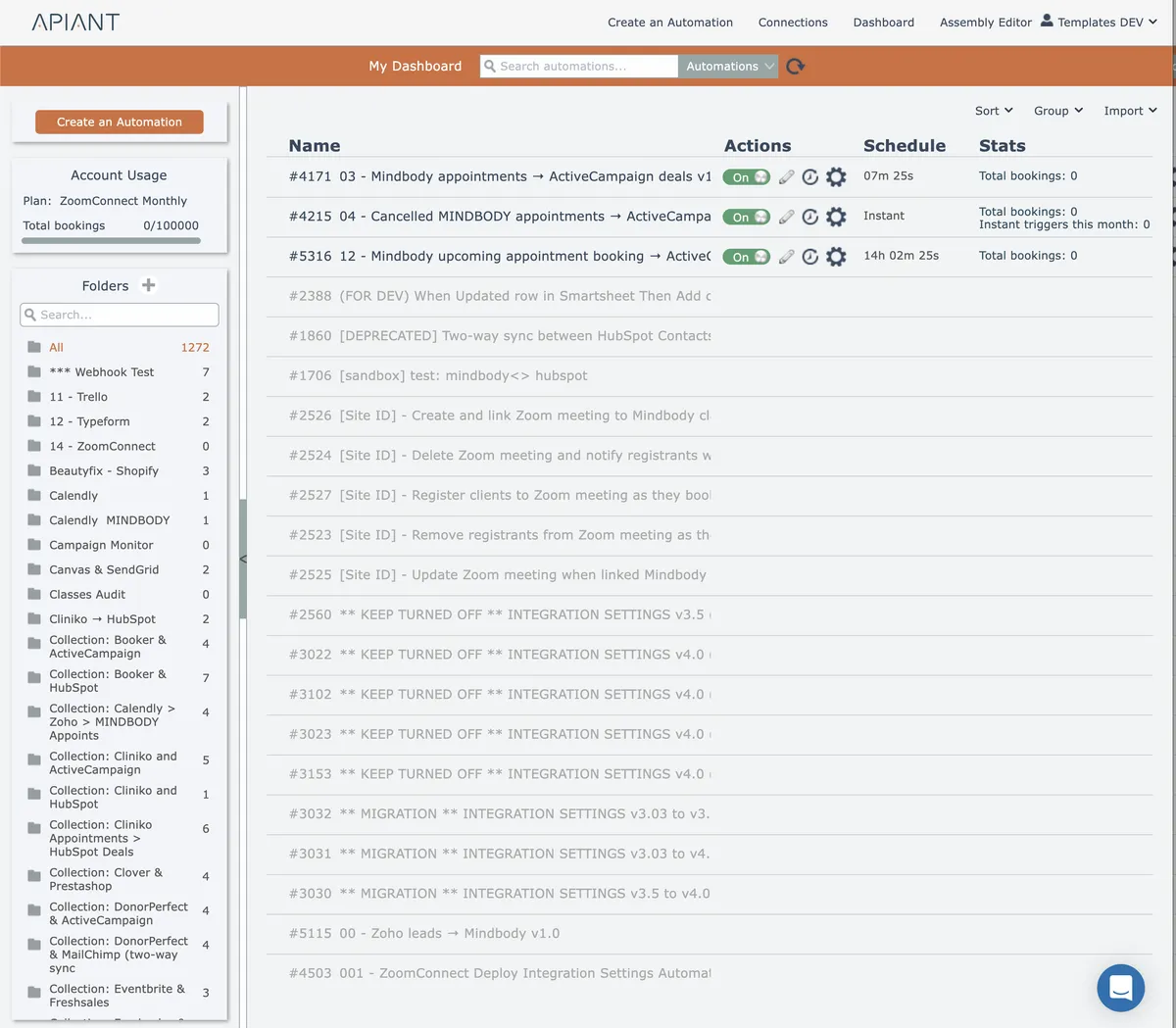
When the dashboard first loads, all automations are displayed. The list of automations is scrollable.
Active automations (those turned on) are displayed at the top of the list. Inactive automations (those turned off) follow.
In this section
Determining when a polling automation will execute
Polling automations display a countdown timer with tooltip showing the queued execution date and time, though actual execution may vary based on system load and configured execution windows.
Filter by folder
Narrow your automation list by selecting a specific folder to view only the automations stored within that folder.
Searching the list
Find automations by name, number, tag, implementation content, or execution history data using the dashboard search feature.
Sorting the list
Organize your automations list by name, ID, or runtime references to find specific automations and visualize parent-child relationships between automations and subroutines.
Unlinking deployed automations
Disconnecting deployed automations from their parent instances to prevent automatic updates and preserve account-specific customizations made to child automations.