
GuidePlatform UI (Fallback)v1
Edit notes about an item
Add descriptive notes to automation diagram items to document their purpose and functionality using the right-click context menu.
Items in an automation diagram can have notes, to help better describe their purpose and functionality.
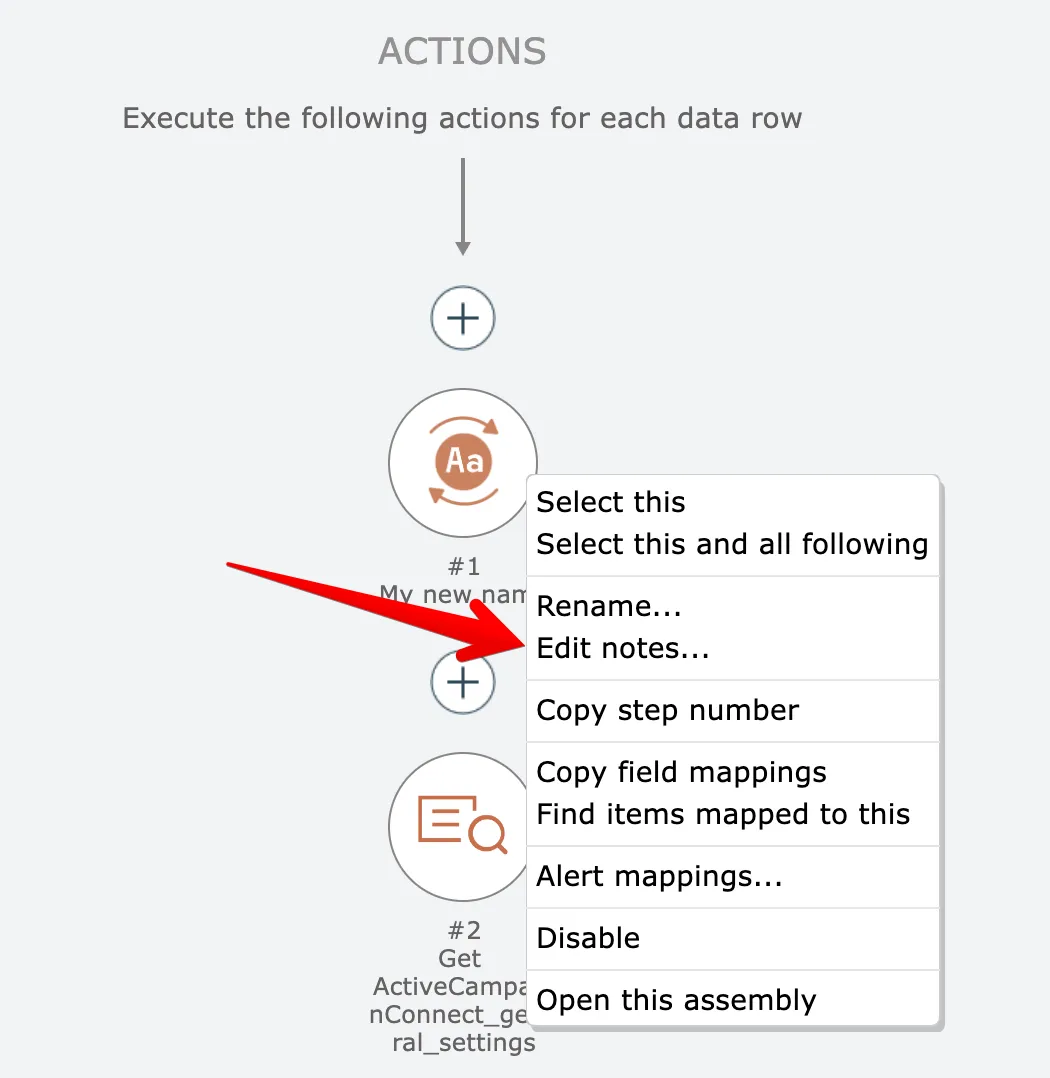
To edit notes for an item, right-click on the item and choose the Notes option:
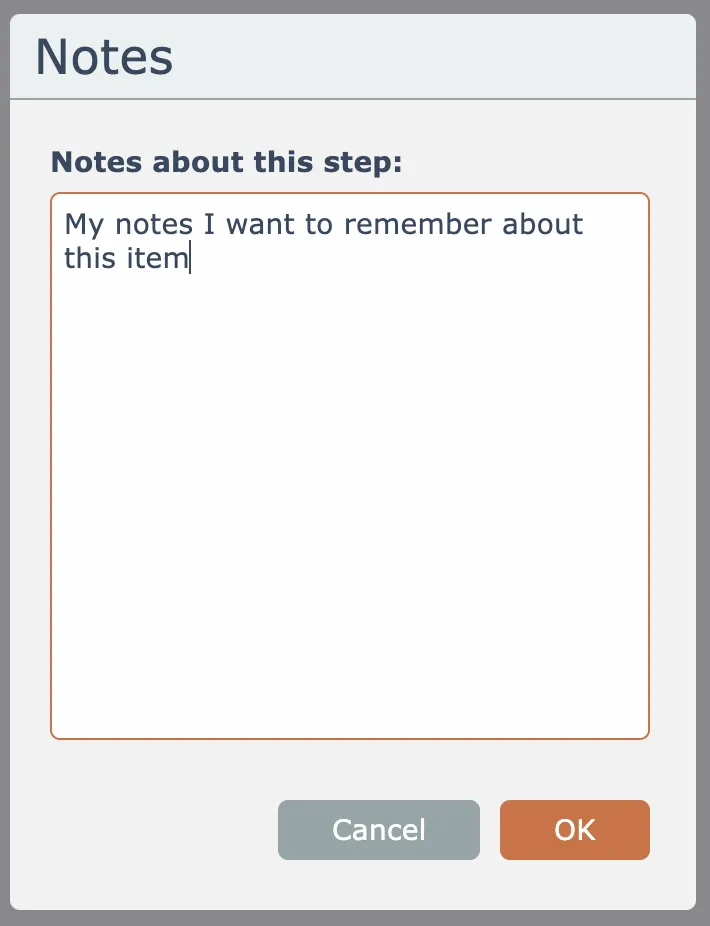
Enter notes about the item and click the OK button:
The notes appear with a yellow background underneath the item:
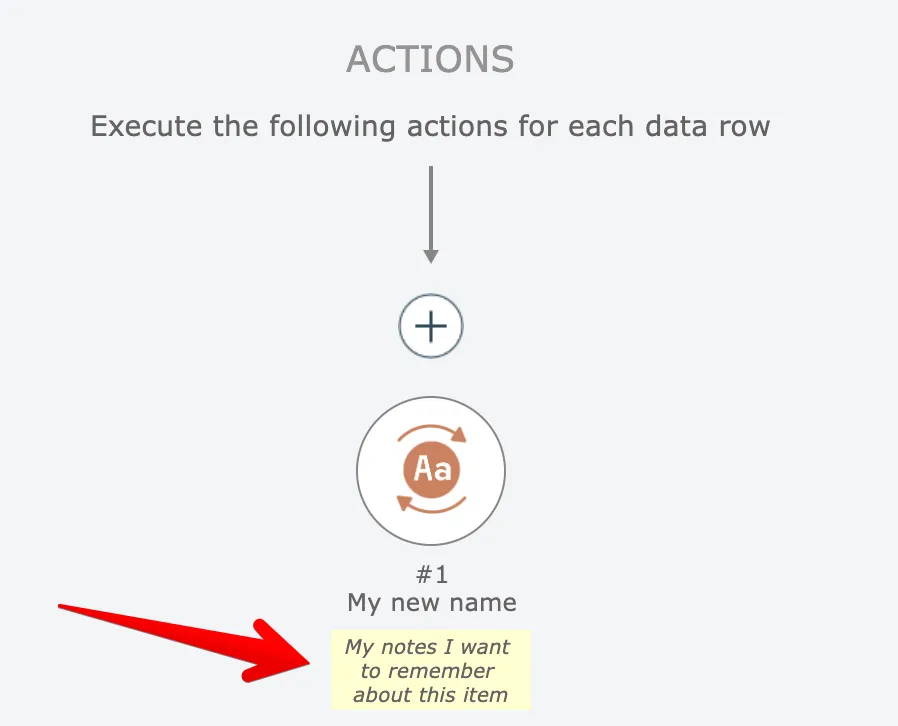
You can edit existing notes by simply clicking on the yellow note text.
Related docs
Last updated May 4, 2026