
GuidePlatform UI (Fallback)v1
Rename an item
Customize automation diagram items with descriptive names by clicking their text or using the right-click context menu to clarify purpose and functionality.
Items in an automation diagram can be renamed, to help better describe their purpose and functionality.
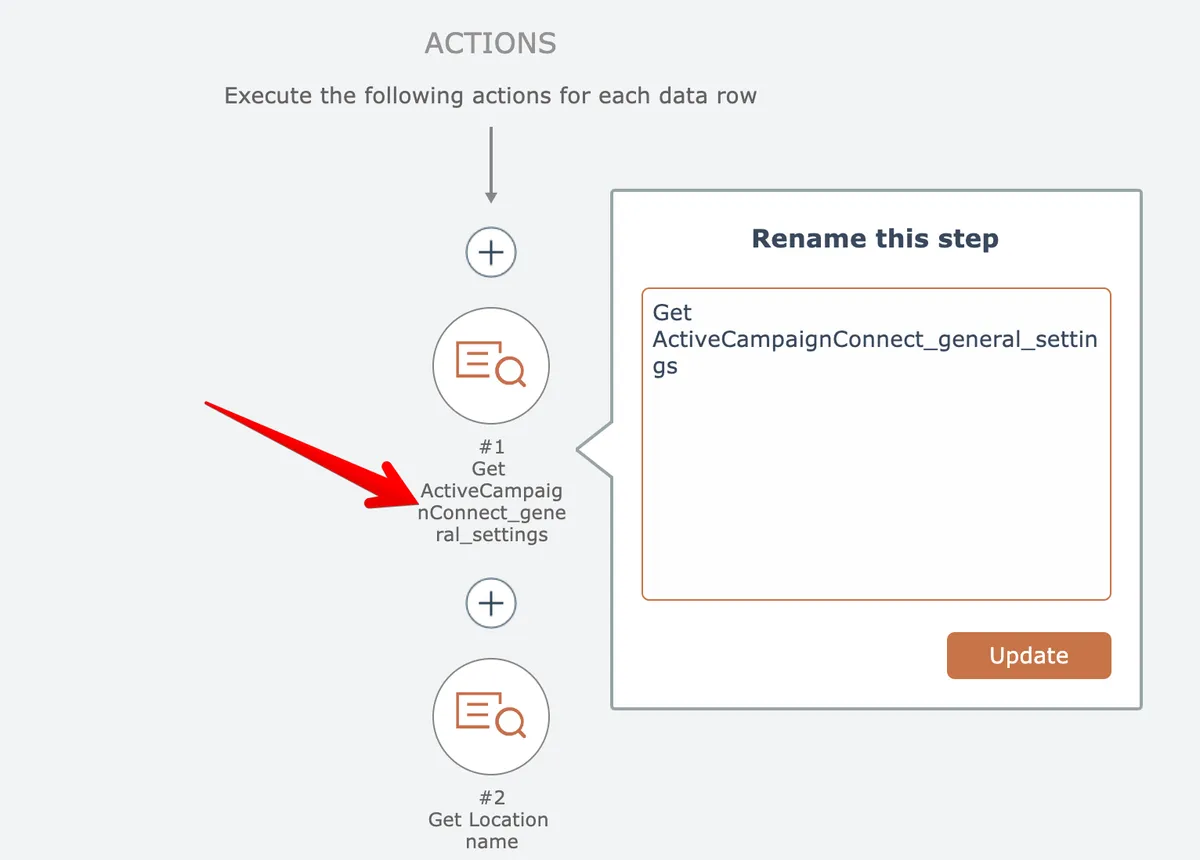
To rename an item, click its text:
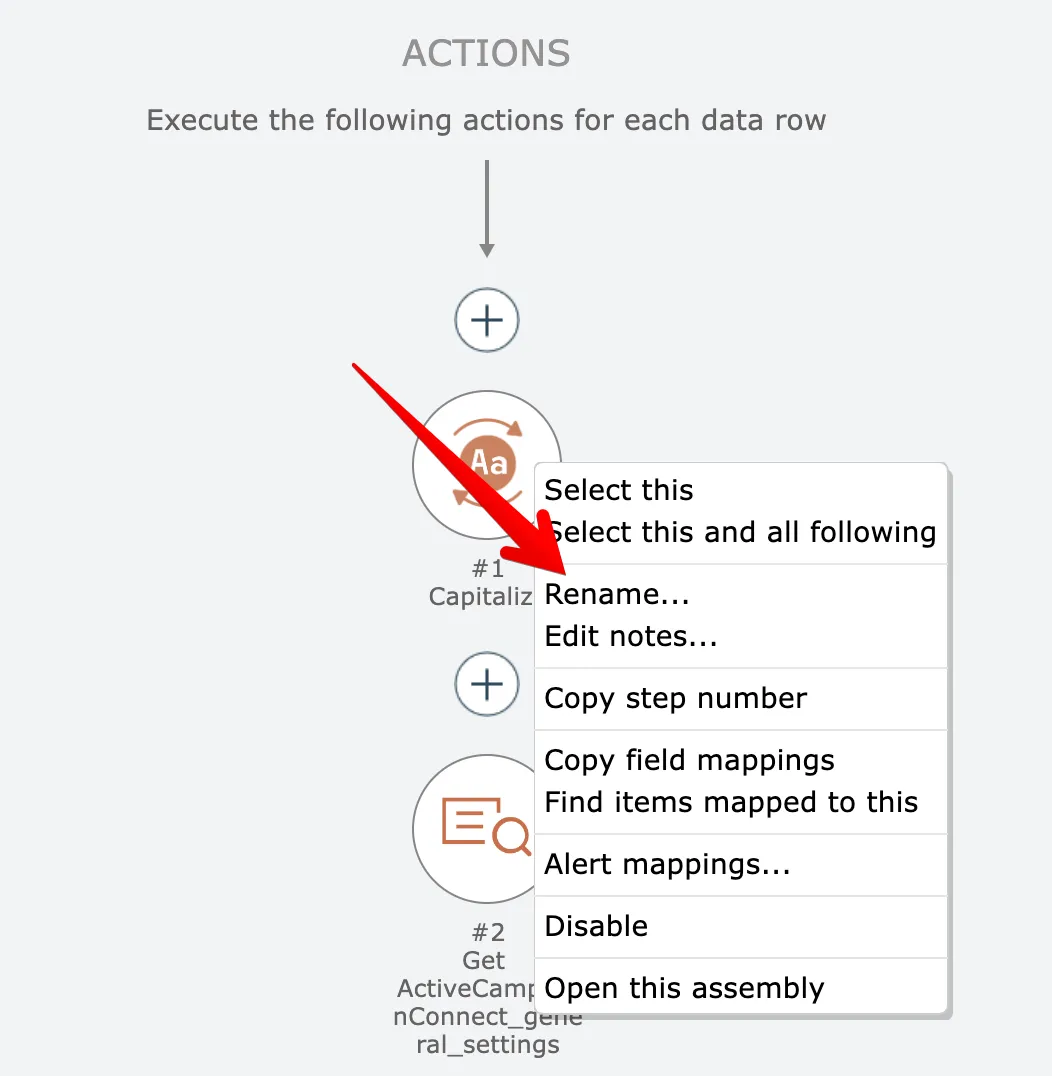
Alternatively, right-click on the item and choose the Rename option:
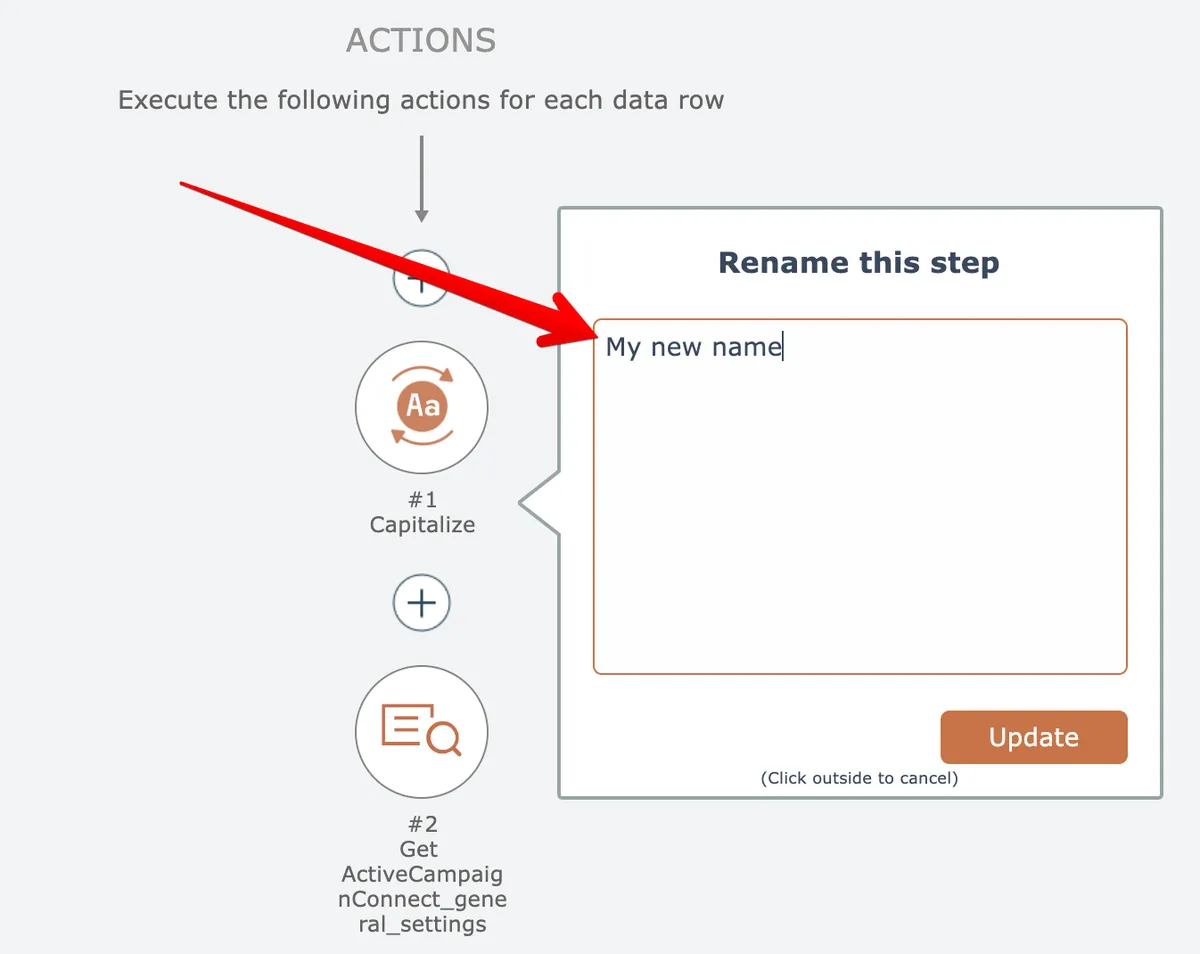
Enter a new name for the item and click the Update button:
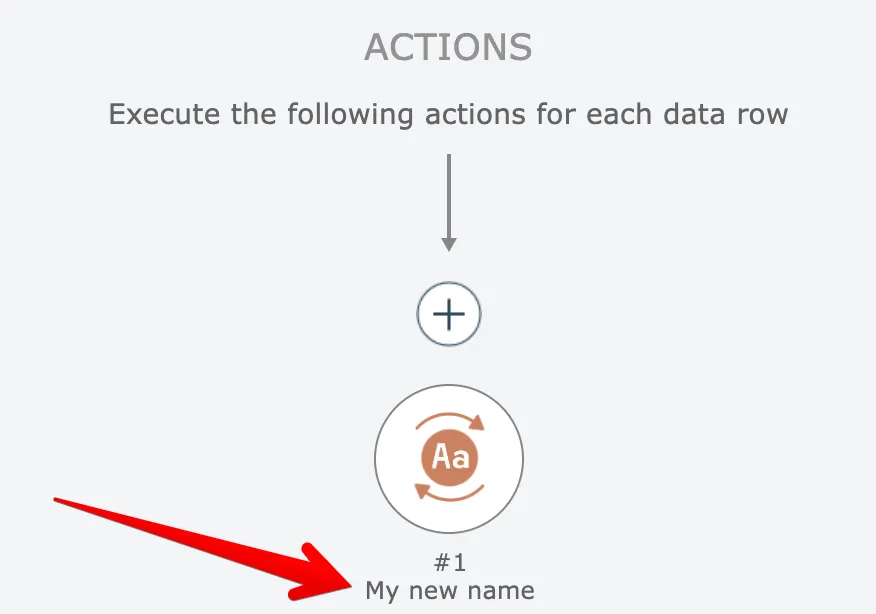
The new name is displayed underneath the item:
Related docs
Last updated May 4, 2026