
GuidePlatform UI (Fallback)v1
Delete items
Remove one or more selected items from your assembly using the right-click context menu or Edit menu option.
To delete one or more items, begin by Selecting items.
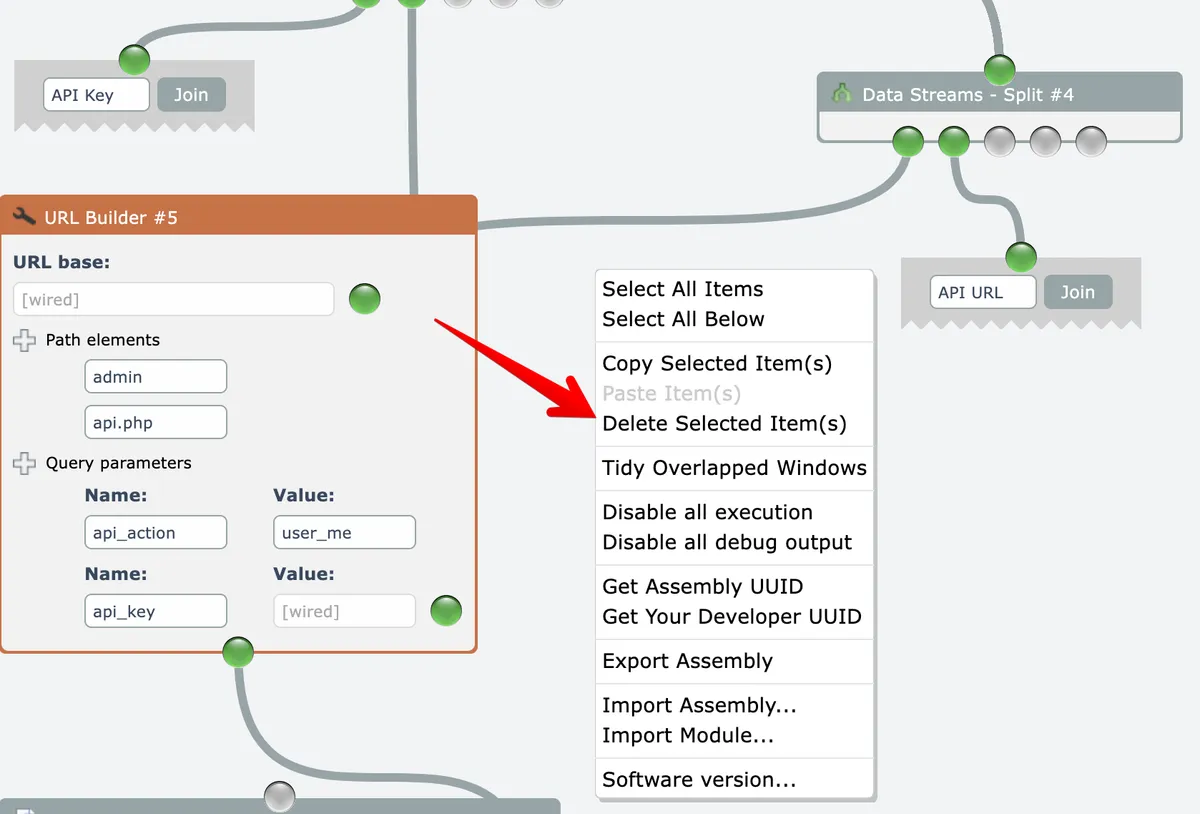
After selecting the item(s) to be deleted right-click on the editor's background and choose the Delete option:
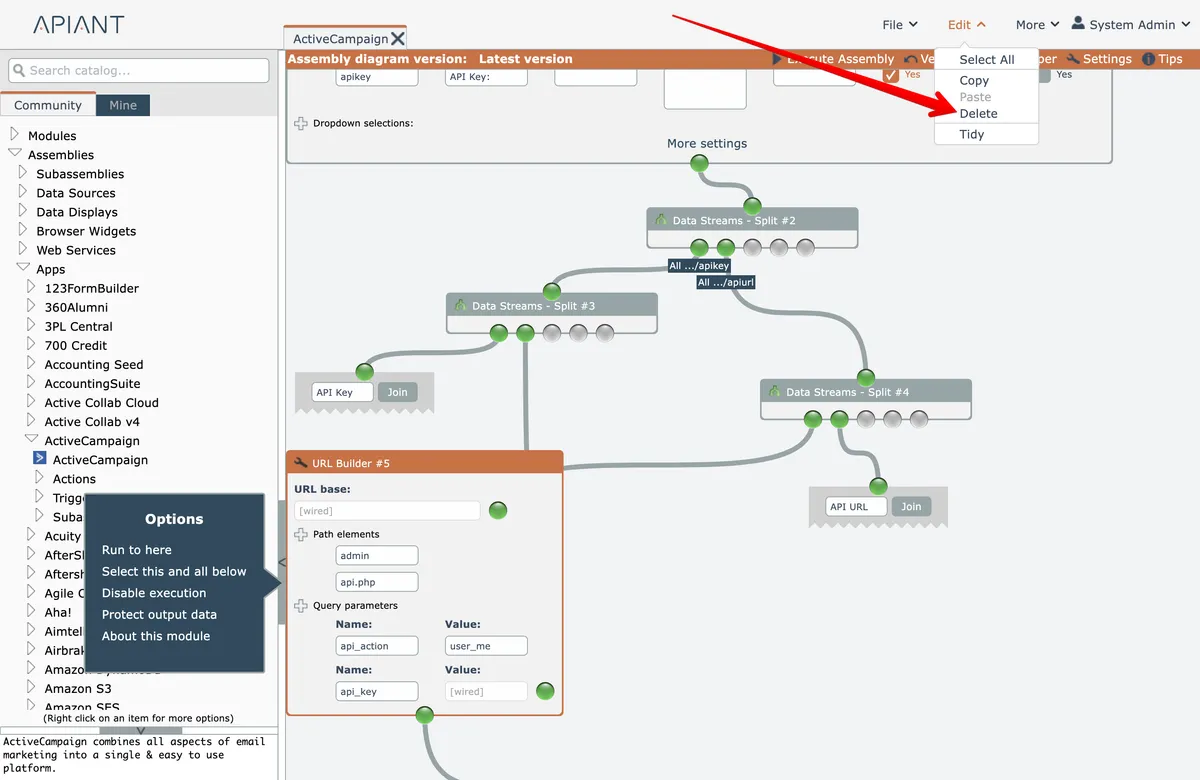
Alternatively, use the Edit menu at the top right:
Related docs
Last updated May 4, 2026