
GuidePlatform UI (Fallback)v1
Turn off upon any error
Configure automations to automatically disable when encountering errors during execution instead of remaining active.
By default automations will remain turned on if they encounter errors during processing.
This behavior can be changed so that the automation will be turned off if any error occurs, by choosing this menu option:
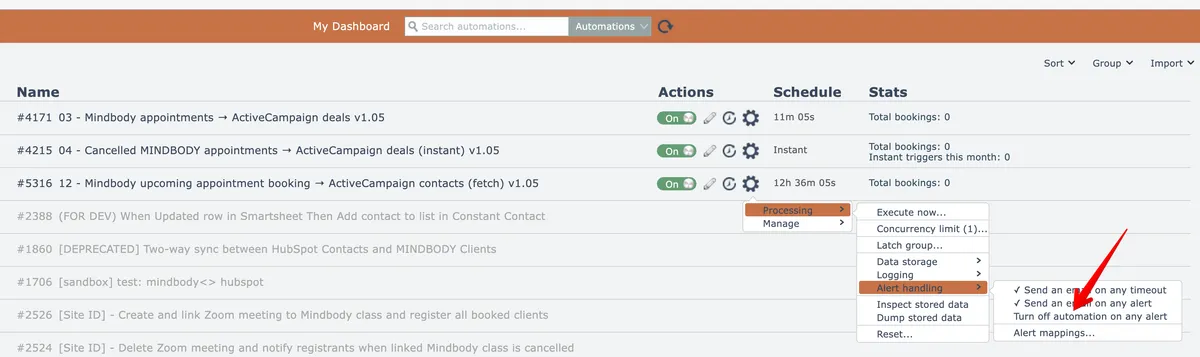
When checked, the system will turn the automation off if an error is encountered during its processing:
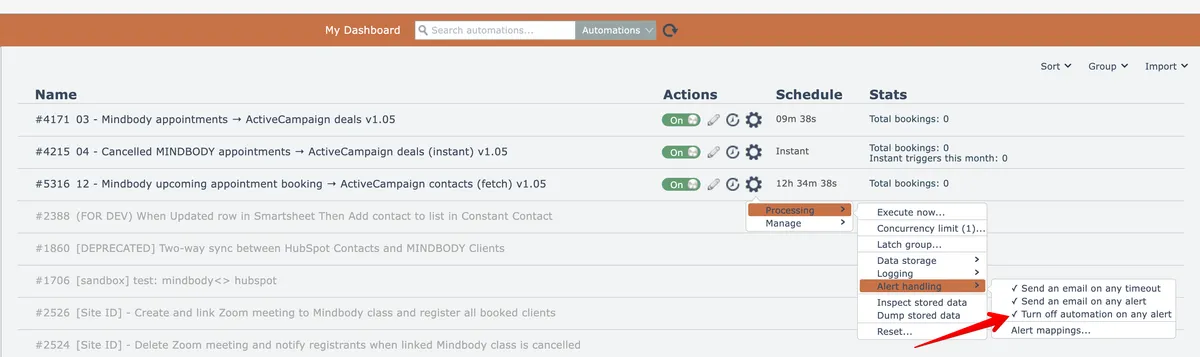
To revert back to the default behavior, select the menu option again to uncheck it.
Related docs
Last updated May 4, 2026